S310e/X312
Condential 2-10
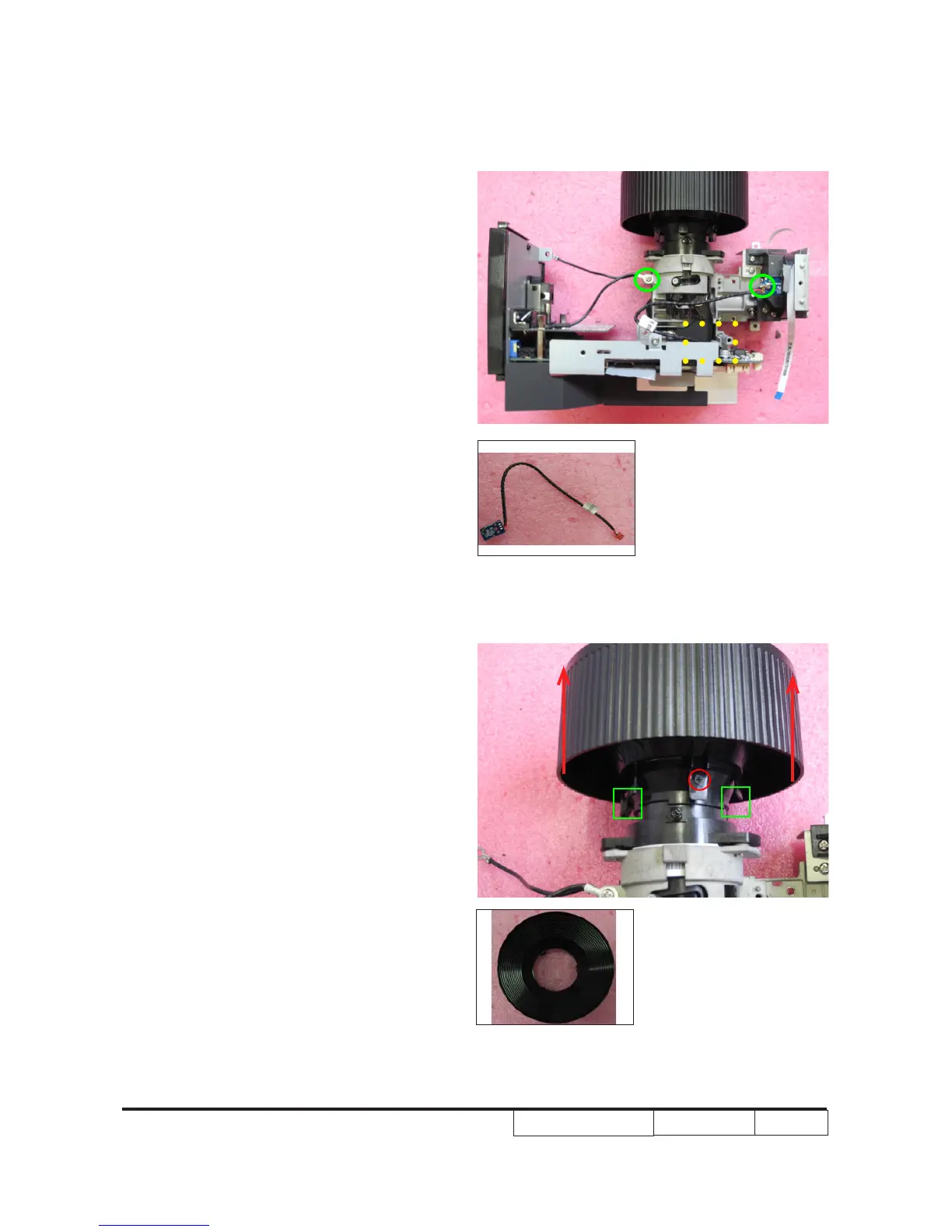
4.Unscrew 2 M2.6*6 Ni screws(as green
circle)
5.Unplug 1 connector(as yellow square) to
disassemble photo sensor board.
6.Unscrew 1 screw M1.7*4(as red
circle)and unfasten 2 tenons (as green
square) to push out the focus ring (as
red arrow).
7. Remove the zoom ring.
Photo Sensor Board
Focus Ring



 To Next Page