S310e/X312
Condential
5-15
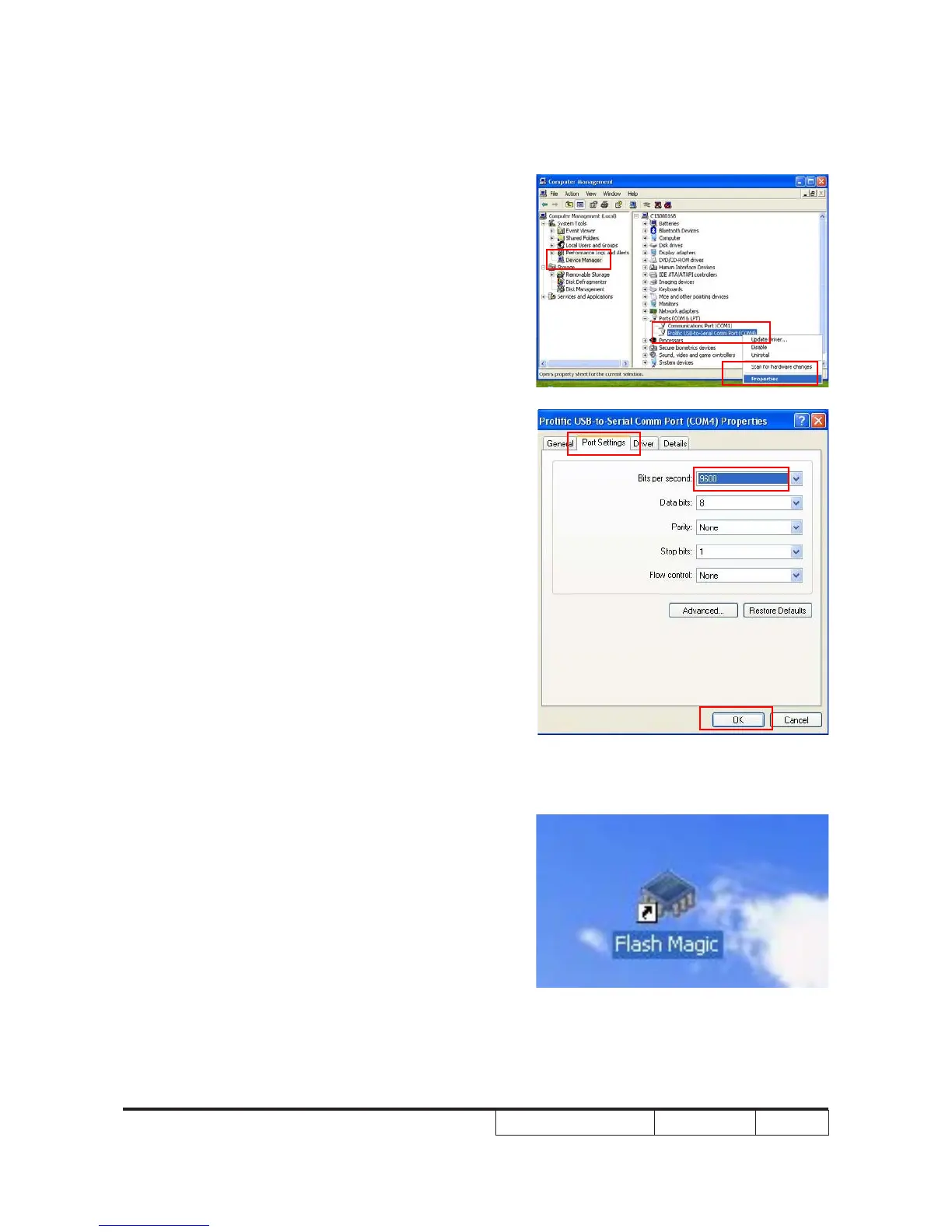
3.Select "Device Manager",then select the
"Ports(COM&LPT)",conrm the Prolic
USB-to-Serial Comm Port.
4.Right click the "Prolic USB-to-Serial Comm
Port",select "Properties"-->"Port Setting",then
select the Bits per second:9600,click "OK".
5.Select "Flash Magic".



 To Next Page