S310e/X312
Condential
5-16
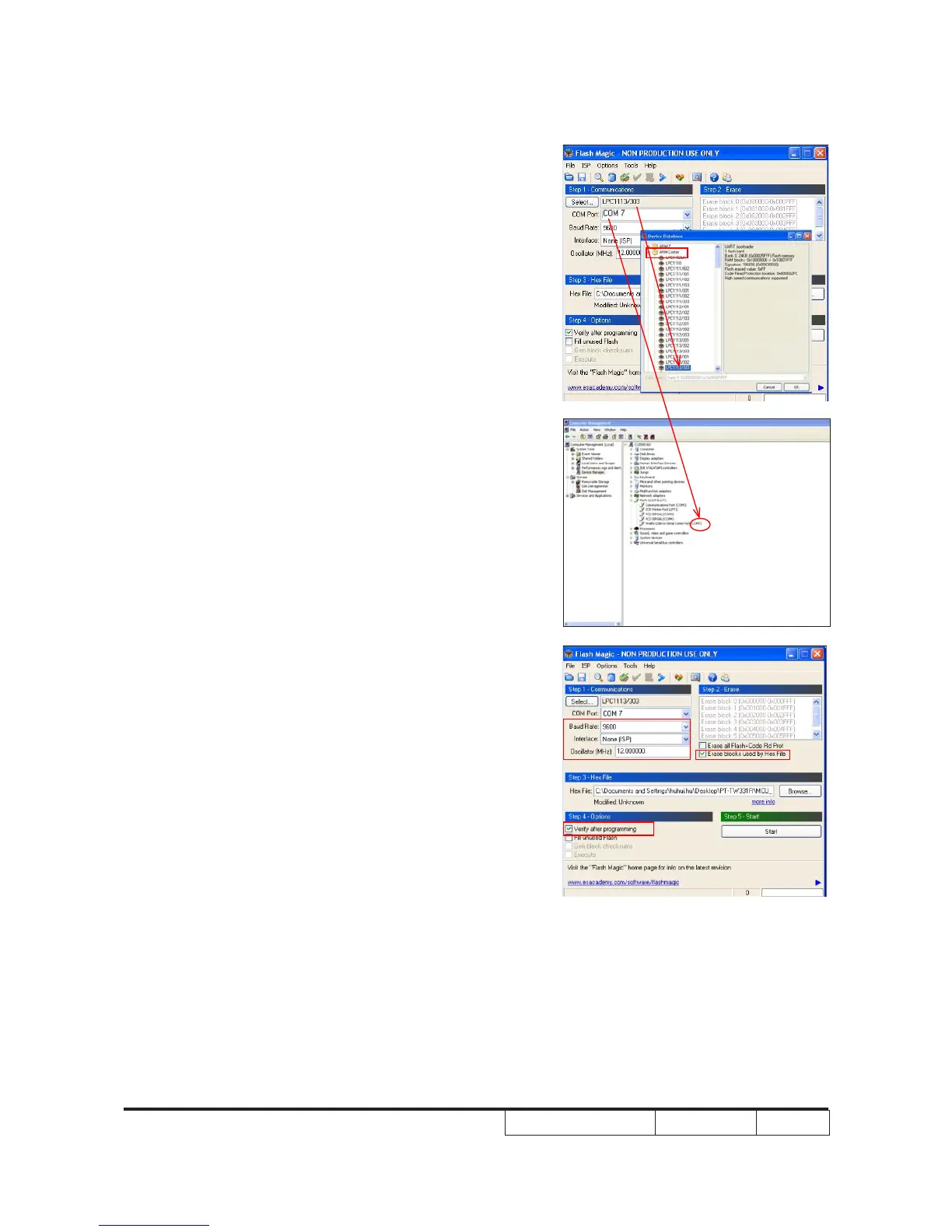
6.Choose "ARM Cortex" ,select "LPC113/303"
7.Select the COM Port which is same as
Prolic USB-to-Serial Comm Port.
8.Program settings.
- Select Baud Rate:9600
- Select Interface:None(ISP)
- input the "12.000000"under the
Oscillator(MHZ)
- Select"Erase blocks used by Hex File
- Select"Verify after programming".


 To Next Page
 Loading...









