5.Advanced User Guidebook
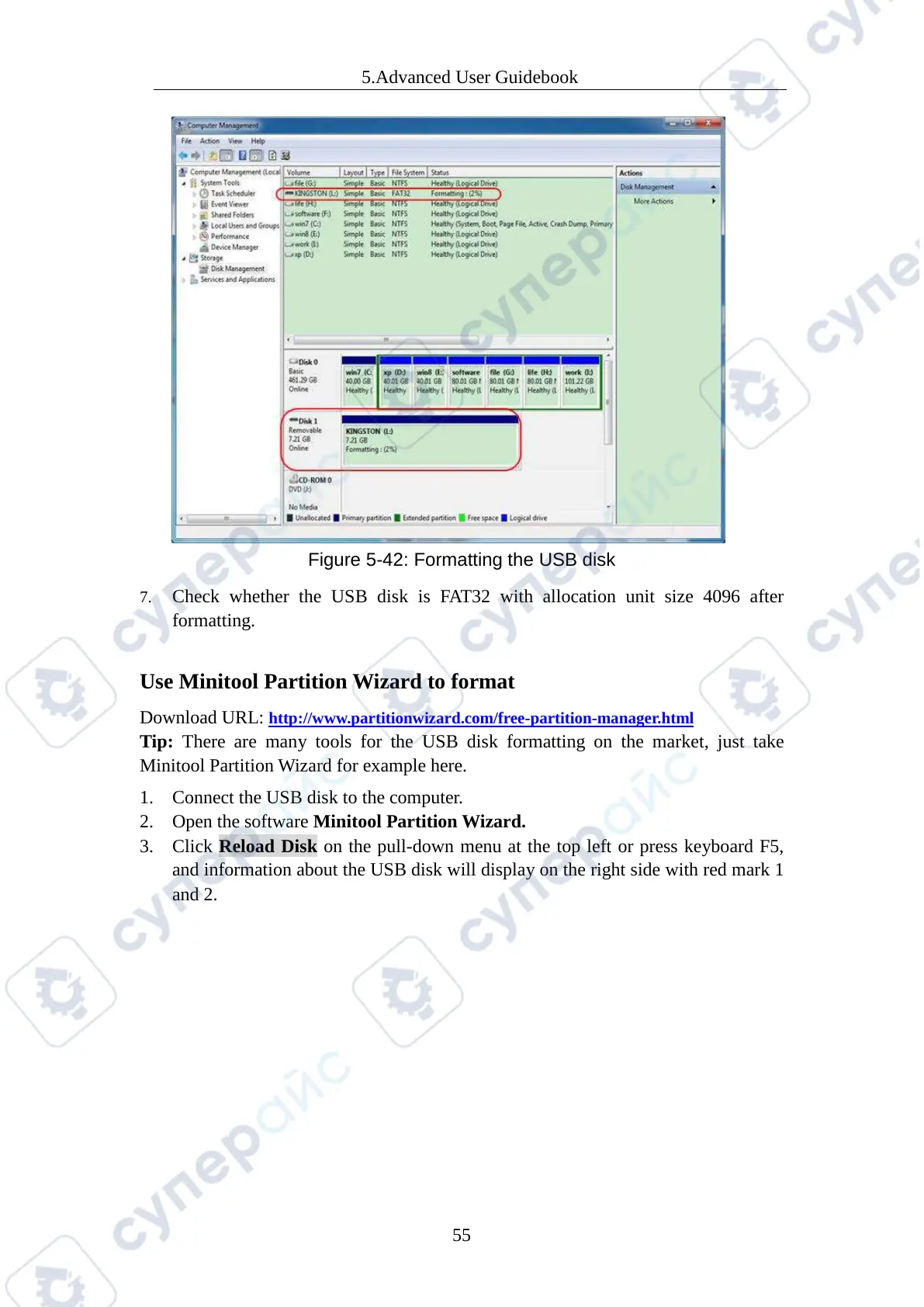
Figure 5-42: Formatting the USB disk
7. Check whether the USB disk is FAT32 with allocation unit size 4096 after
formatting.
Use Minitool Partition Wizard to format
Download URL: http://www.partitionwizard.com/free-partition-manager.html
Tip: There are many tools for the USB disk formatting on the market, just take
Minitool Partition Wizard for example here.
1. Connect the USB disk to the computer.
2. Open the software Minitool Partition Wizard.
3. Click Reload Disk on the pull-down menu at the top left or press keyboard F5,
and information about the USB disk will display on the right side with red mark 1
and 2.



 To Next Page