5.Advanced User Guidebook
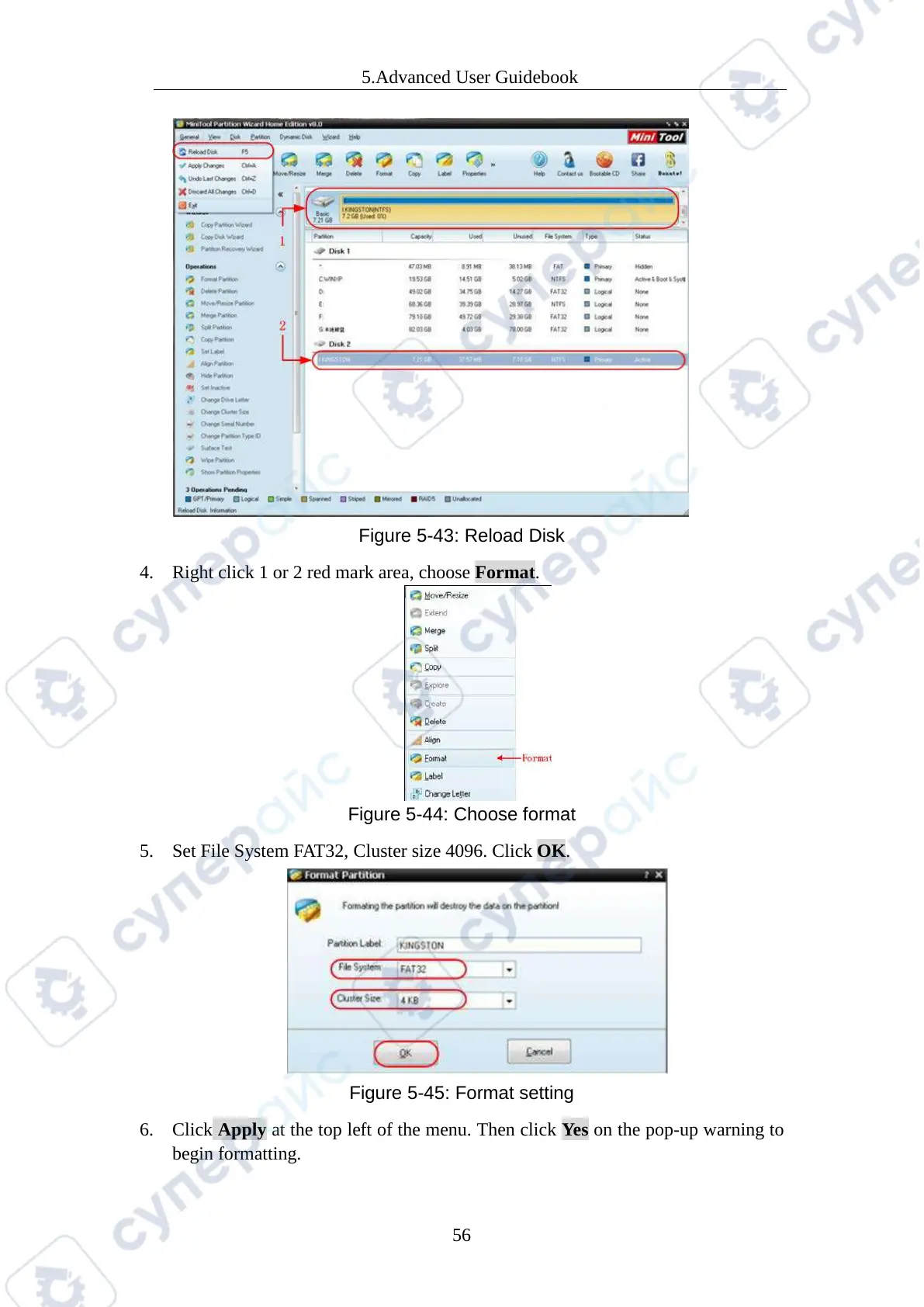
Figure 5-43: Reload Disk
4. Right click 1 or 2 red mark area, choose Format.
Figure 5-44: Choose format
5. Set File System FAT32, Cluster size 4096. Click OK.
Figure 5-45: Format setting
6. Click Apply at the top left of the menu. Then click Ye s on the pop-up warning to
begin formatting.



 To Next Page