5.Advanced User Guidebook
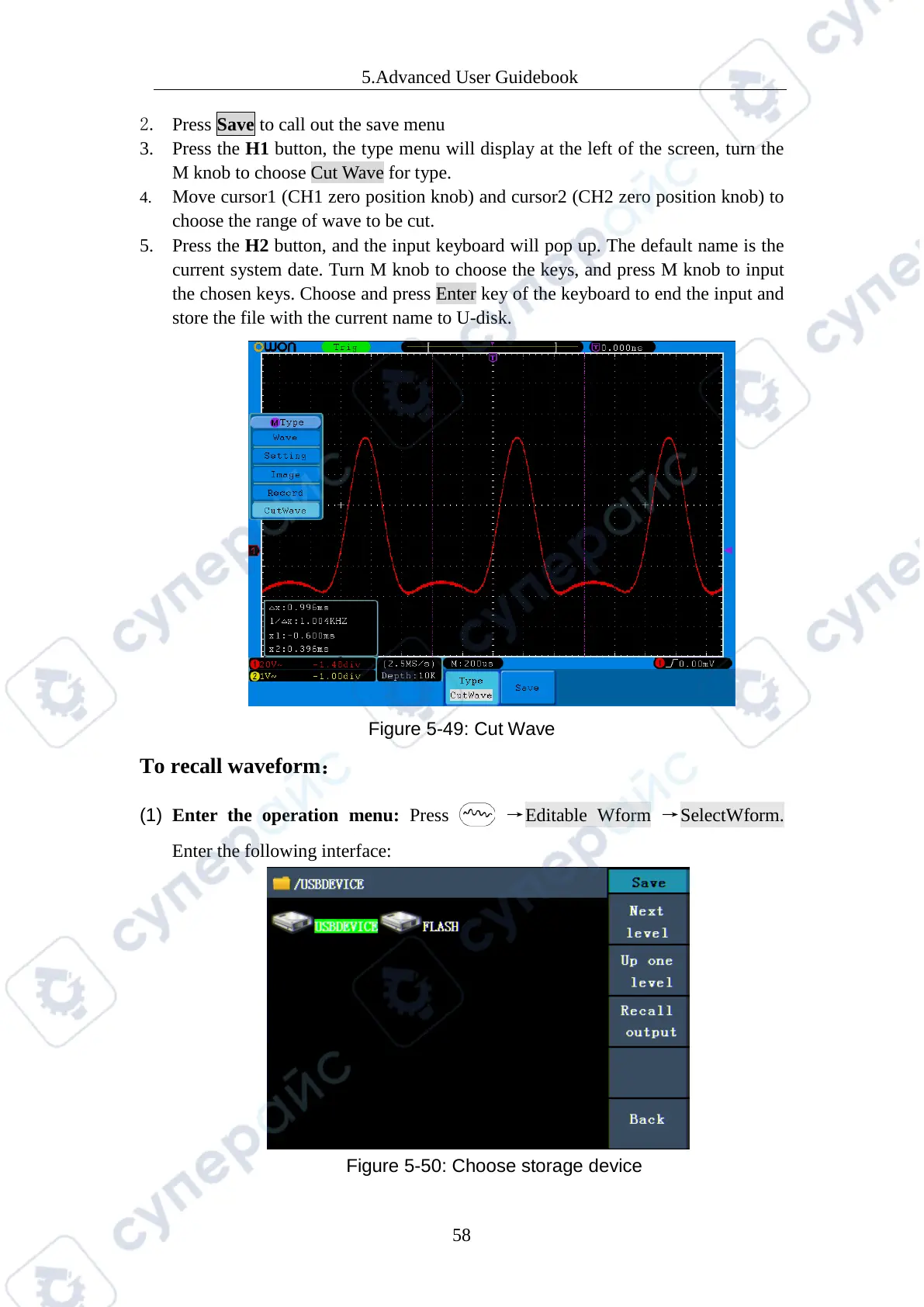
2. Press Save to call out the save menu
3. Press the H1 button, the type menu will display at the left of the screen, turn the
M knob to choose Cut Wave for type.
4. Move cursor1 (CH1 zero position knob) and cursor2 (CH2 zero position knob) to
choose the range of wave to be cut.
5. Press the H2 button, and the input keyboard will pop up. The default name is the
current system date. Turn M knob to choose the keys, and press M knob to input
the chosen keys. Choose and press Enter key of the keyboard to end the input and
store the file with the current name to U-disk.
Figure 5-49: Cut Wave
To recall waveform
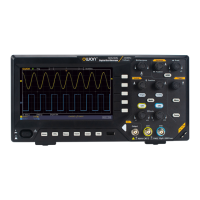
(1) Enter the operation menu: Press →Editable Wform →SelectWform.
Enter the following interface:
Figure 5-50: Choose storage device



 To Next Page