© 2024 PacBio. All rights reserved. For research use only. Not for use in diagnostic procedures.
PN 103-140-400 REV05 JUN2024
The same serological pipette can be used for step 2 and 3, when performed in the respective
order.
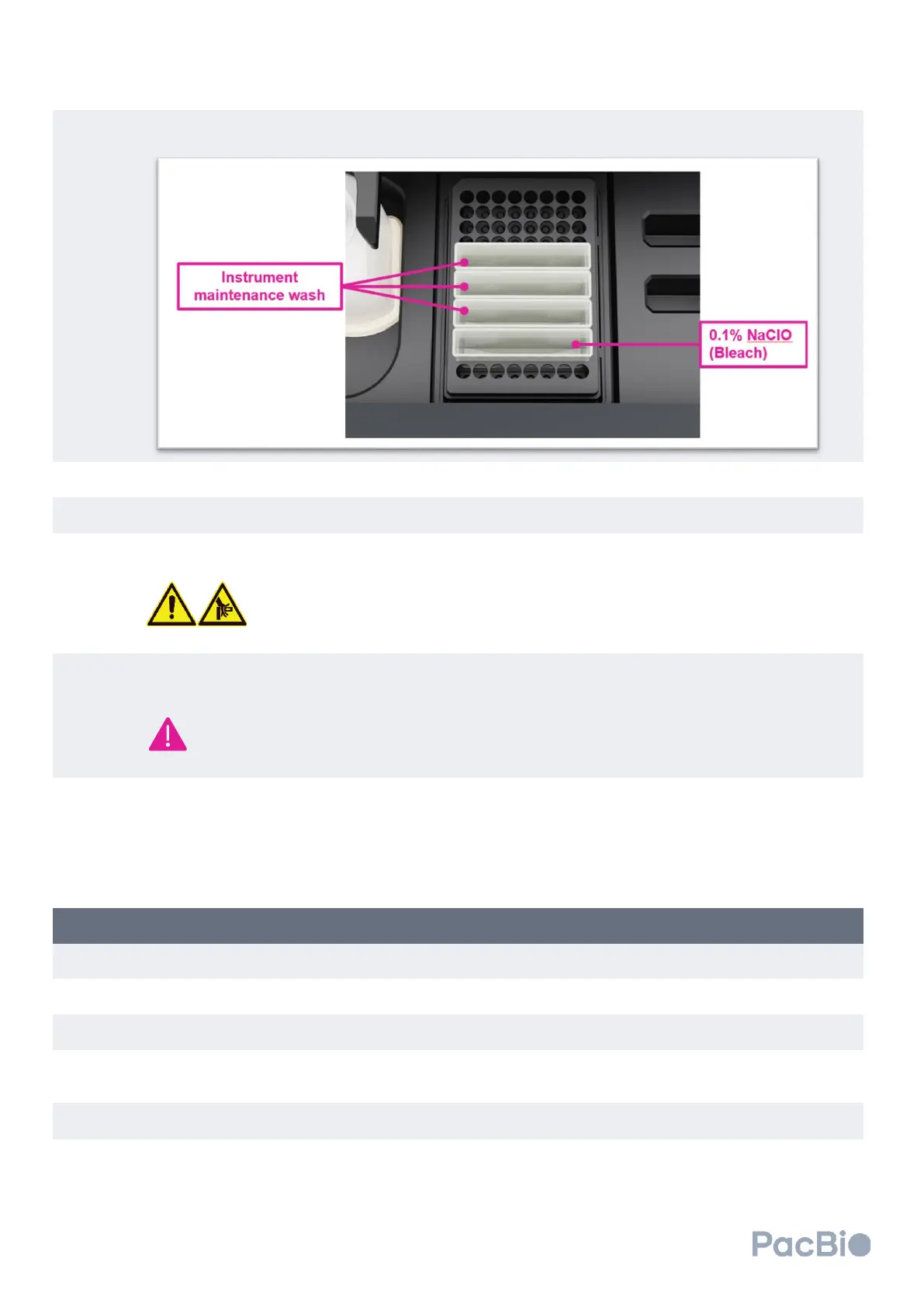
Scan in the wash cartridge QR codes in the prompted areas of the software screen.
Close the flow cell workspace door.
Select “Close drawer” on the software screen. Select “Continue” to advance the software.
DO NOT push or manually force reagent drawer to close. Do not place your
hands or fingers in or between the reagent drawer and cluster generator once the
automated opening or closure of the drawer has been started.
The cluster generator will then perform a series of pre-run checks over a 10-minute period. If pre-run checks
complete successfully, the instrument will commence the wash.
Users are advised to check the instrument after 10 minutes to ensure pre-run checks completed
successfully and that the maintenance wash has commenced. If an error is encountered, refer to the
Troubleshooting section at the end of the Operations guide.
Once complete, consumabes can remain on the instrument until next use.
8. Long-term shutdown
When expecting the instrument to sit idle for more than ≥10 days, prepare the instrument for a long-term shutdown
by performing a maintenance wash.
Preparing clustering instrument for long-term shutdown
Perform an instrument maintenance wash as described in the section above, titled “Instrument washes”.
Once complete, leave consumables and wash pack loaded on the instrument.
If shutdown is expected to be longer than 10 days, power off the instrument by flipping the power switch
located at the back of the instrument. See “Before you begin” section titled “Powering ON instrument” to
identify power switch location.
Preparing clustering instrument for use after long-term shutdown
If the clustering instrument was powered off for long-term shutdown, power on instrument. See “Before you
begin” section titled “Powering ON instrument” to identify power switch location.



 To Next Page