Sequencing
This section describes the workflow for sequencing an Onso clustered flow cell on the Onso sequencing system.
Each clustered flow cell and each sequencing reagent pack only support a single sequencing run. The number of
cycles supported per reagent pack is indicated by the specific reagent pack being used (e.g., 200-cycle reagent
pack can support either 1x200 or 2x100 cycle run; 300-cycle reagent pack can support either 1x200, 2x100 or
2x150 cycle runs).
The maximum number of cycles per index read is 14. For the number of cycles per insert read, users are to add 2
cycles to the desired run configuration (e.g., 100 cycles should be entered as 102; 150 cycles should be entered as
152).
Sequencing converted pre-existing P5/P7 libraries that have been clustered will require use of custom sequencing
primer reagents. Instructions on the use of custom primers can be found in the section titled “Optional custom
primer addition” in the Onso sequencing section of this guide.
During run setup, users are able to select a sample sheet prepared and saved on a drive accessible by the PC. For
sample sheet information, templates, and guidance, refer to the PacBio document titled “Obc2fastq Reference
guide”.
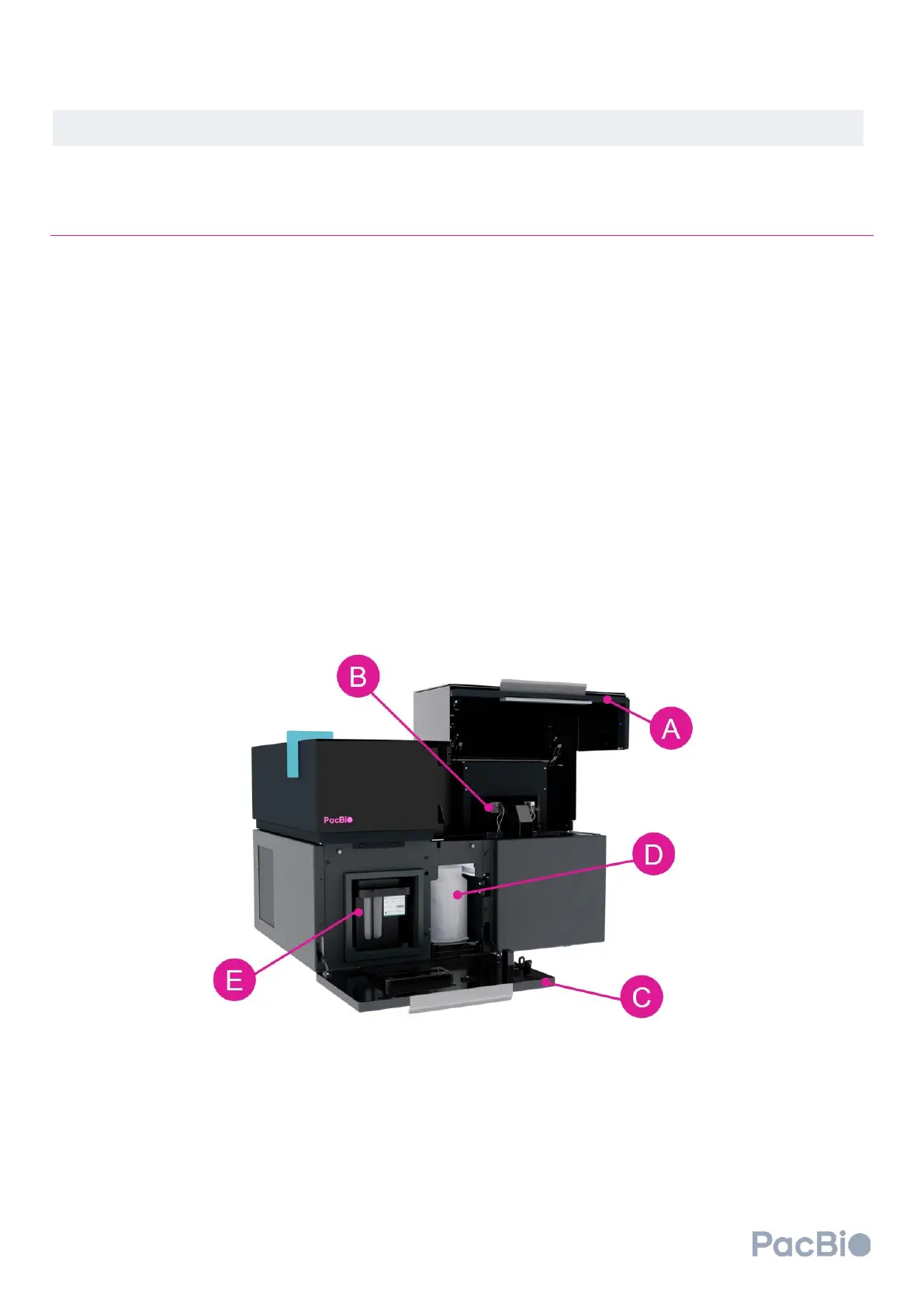
Onso system short-read sequencer
The (A) workspace door lifts upward to allow for loading of the flow cell with attached MICA on the (B) flow cell
loading mounts or pins. The workspace door will remain locked in the closed position prior to initiating the
sequencing software, and during a sequencing run. By clicking “Get started” on the software
Home
screen (see
section 3a below), the software will proceed to the
Load consumables
screen where the user can prompt the
software to unlock the (C) reagent door, which opens toward the user. The (D) waste container and (E) sequencing



 To Next Page