MICA configuration
The MICA comes attached to each flow cell, enabling flow of reagents in/out of the flow cell.
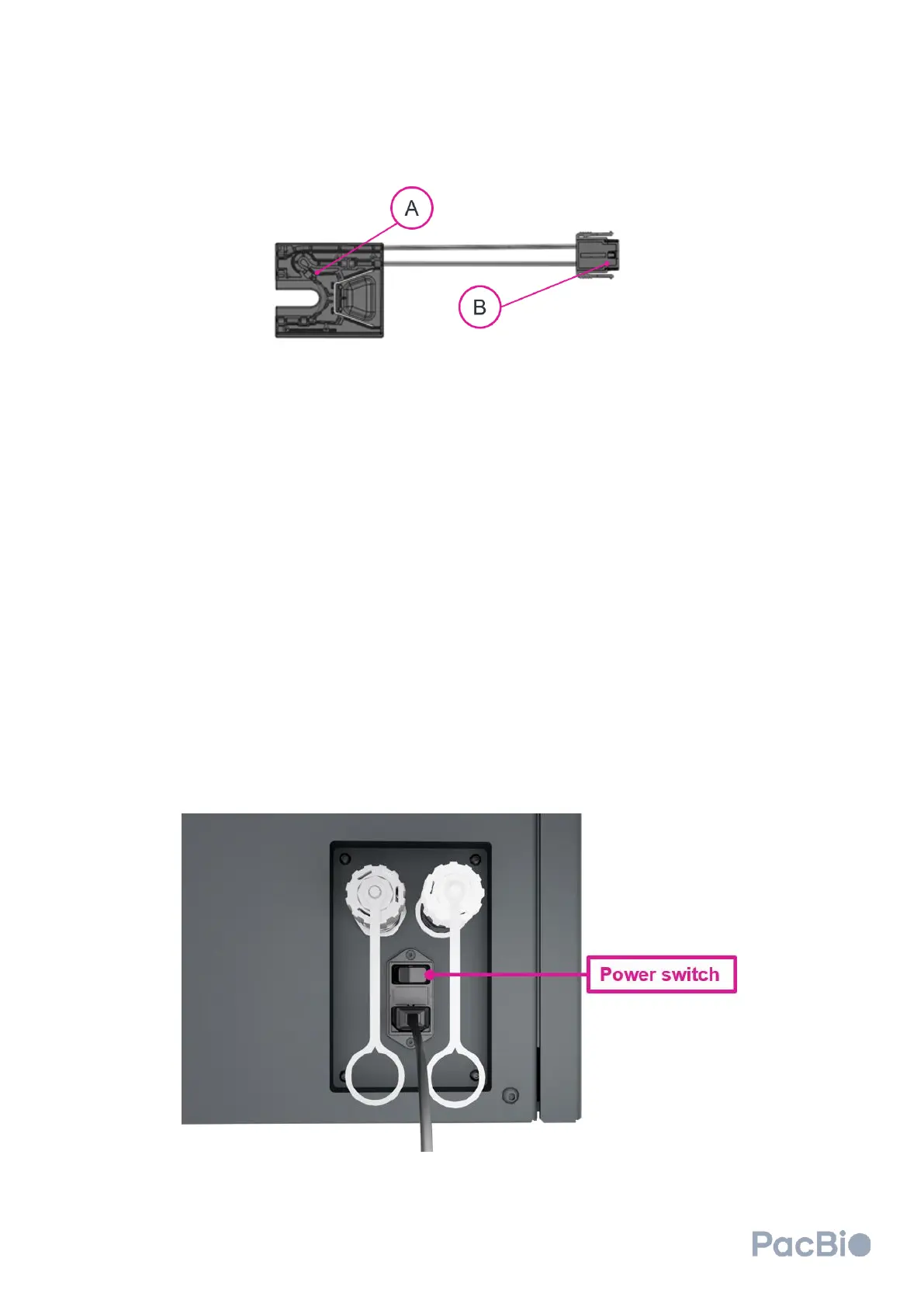
Each MICA contains (A) an instrument connection side, as well as (B) a flow cell connection side.
a) Connecting MICA instrument connection side to instruments
MICA can only be connected in one orientation to the clustering and sequencing instruments. To connect MICA to
a cluster generator or the sequencer, align the MICA with the instrument connection slots on the instrument, and
gently press down into the slots until an audible click is heard. The audible click indicates that the MICA is
connected and engaged. It is encouraged to check MICA engagement by gently pulling the MICA instrument
connection side upward – if properly engaged, the MICA should not disconnect from the instrument.
b) Disconnecting MICA instrument connection side from instruments
To release each MICA from a cluster generator or the sequencer, press on the side grooves on both sides of the
MICA instrument connector side, and pull up.
Powering Instruments On
Both the cluster generator and sequencer need to be powered ON to operate. The power switch on the cluster
generator can be found in the back of the instrument while the power switch on the sequencer can be found on the
right side of the instrument. Flip the power switch to turn the instruments on. For the sequencer, wait
approximately 30 seconds to then power on the computer by pressing the power button on the PC.



 To Next Page