© 2024 PacBio. All rights reserved. For research use only. Not for use in diagnostic procedures.
PN 103-140-400 REV05 JUN2024
Used consumables, including the flow cell, MICA, and reagent pack are safe to leave on the instrument. When
unloading the instrument, proceed to the section “Unloading the sequencing instrument”.
If the next sequencing run is not expected to be performed within 5 days, it is recommended to perform a
standby wash. If the instrument is expected to be idle for at least 10 days, perform a maintenance wash and
prepare the instrument for long-term shutdown. For standby and maintenance washes proceed to section
“Instrument washes” and/or section “Long-term shutdown” for detailed instructions.
4. Unloading the sequencing instrument
Once post-run wash is complete, select “Finish” to return to the
Home
screen.
Select “Get started” to enter the
Load consumables
screen. Select “Open workspaces” to unlock the reagent door
and workspace door.
Remove the used reagent pack from the internal compartment of the reagent door. Discard unused reagents in
accordance with your site chemical waste disposal practices. Refer to “De-kitting and Reagent Discard” for
detailed instructions.
Remove the previous flow cell and MICA by gently pinching the grooves of the MICA and lifting them up and out
of the MICA connection slots. Pull the flow cell of the instrument stage, being careful to unload them off the
metal guide pins. Refer to section “De-kitting and reagent discard” for instructions on disposal of the flow cell and
MICA.
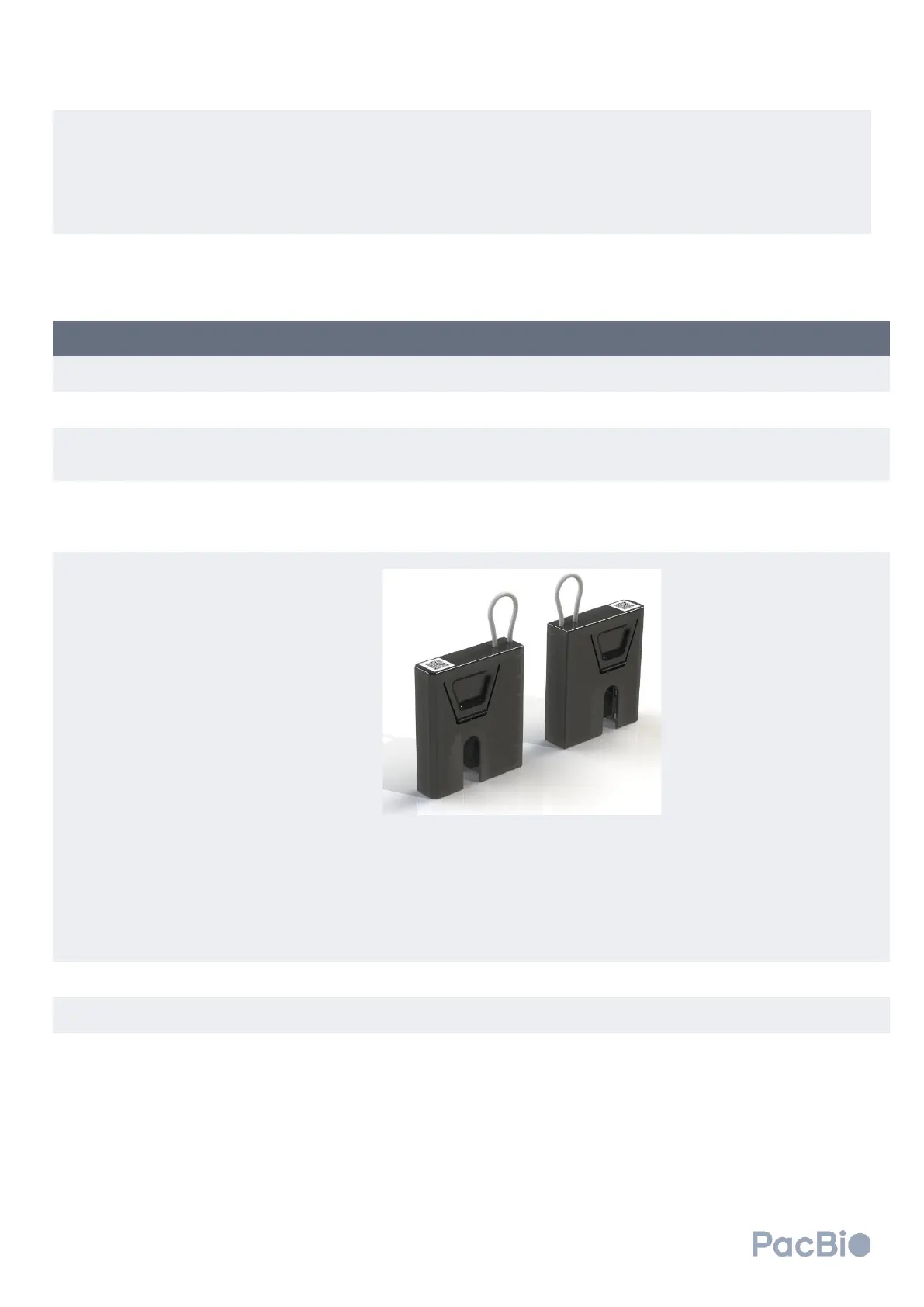
It is recommended to load and engage the instrument wash cartridges into the instrument connection slots
when no flow cell or MICA are loaded on the instrument. Retrieve the wash cartridges and align one on each side
with the instrument connector slots in the sequencer workspace. Press down to engage wash cartridges until an
audible click is heard.
It is encouraged to verify wash cartridge engagement by gently pulling the wash cartridges
upward. If properly installed, the wash cartridges should not easily disconnect from the
sequencing instrument.
Close the reagent door and workspace area.
Select the back arrow at the top left of the screen to return to the
Home
screen.



 To Next Page