© 2024 PacBio. All rights reserved. For research use only. Not for use in diagnostic procedures.
PN 103-140-400 REV05 JUN2024
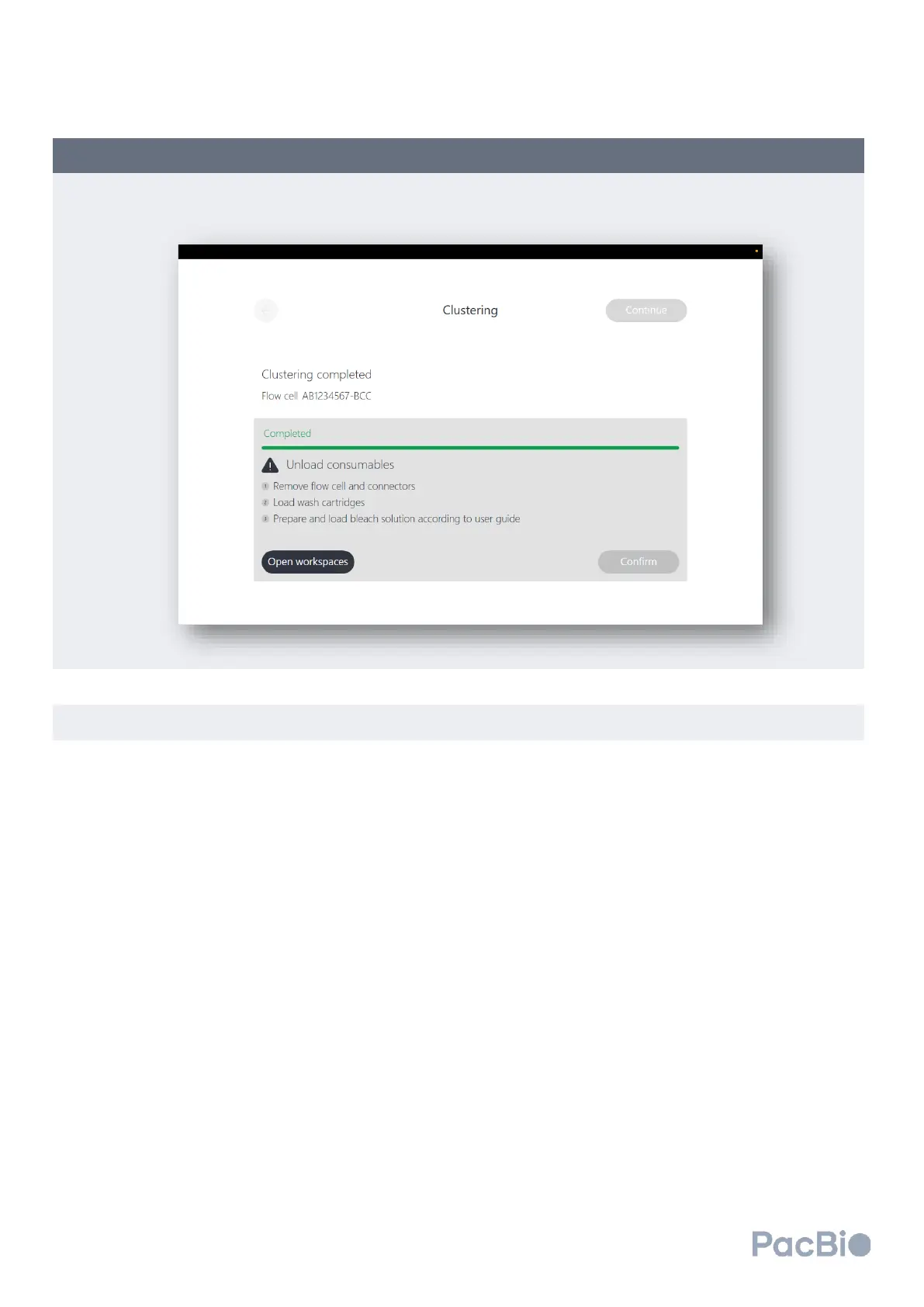
After cluster generation is complete, the screen below will appear, prompting the user to unload the clustered
flow cell with attached MICA, load the wash cartridges, and add 0.1% bleach solution to the clustering
reagent plate for the post-run wash.
Retrieve and open the flow cell kit previously used to load the flow cell. Review step 5.5 for instructions on
how to open the flow cell kit if stored closed.
Unload the clustered flow cell:
1. Lift the flow cell vertically until it is no longer secured by the metal guides pins on the cluster generator
loading stage. Rotate the flow cell such that the top of the flow cell faces the instrument and away from
the user.
2. With the flow cell still lifted, slide the flow cell kit base to the center of the workspace area, and set the
base down on the workspace area with the PacBio logo facing the user.
3. Gently reseat the flow cell directly down into the flow cell holding slot within the kit base. In this
orientation, the bottom of the flow cell is facing the user.
4. Disengage the right MICA instrument connector side by pinching the side grooves of the MICA and
lifting upward out of the instrument connection slot. Seat the right MICA into the flow cell kit base with
the QR code facing outward.
5. Repeat step 4 above with the left MICA instrument connector side to disengage from the instrument
and seat within the flow cell kit base.



 To Next Page