52/78 06/02/2008
How to fill it
Proceed as follows.
Remove the cover plate of the ice water reservoir.
Put the overflow pipe with stop in the appropriate opening in the ice water reservoir (right hand
corner)
Fill the reservoir with water until 1 cm under the overflow pipe.
Add the amount of 1, 2, 3 Benzotriazol needed to the ice water reservoir.
Put the cover plate back in place.
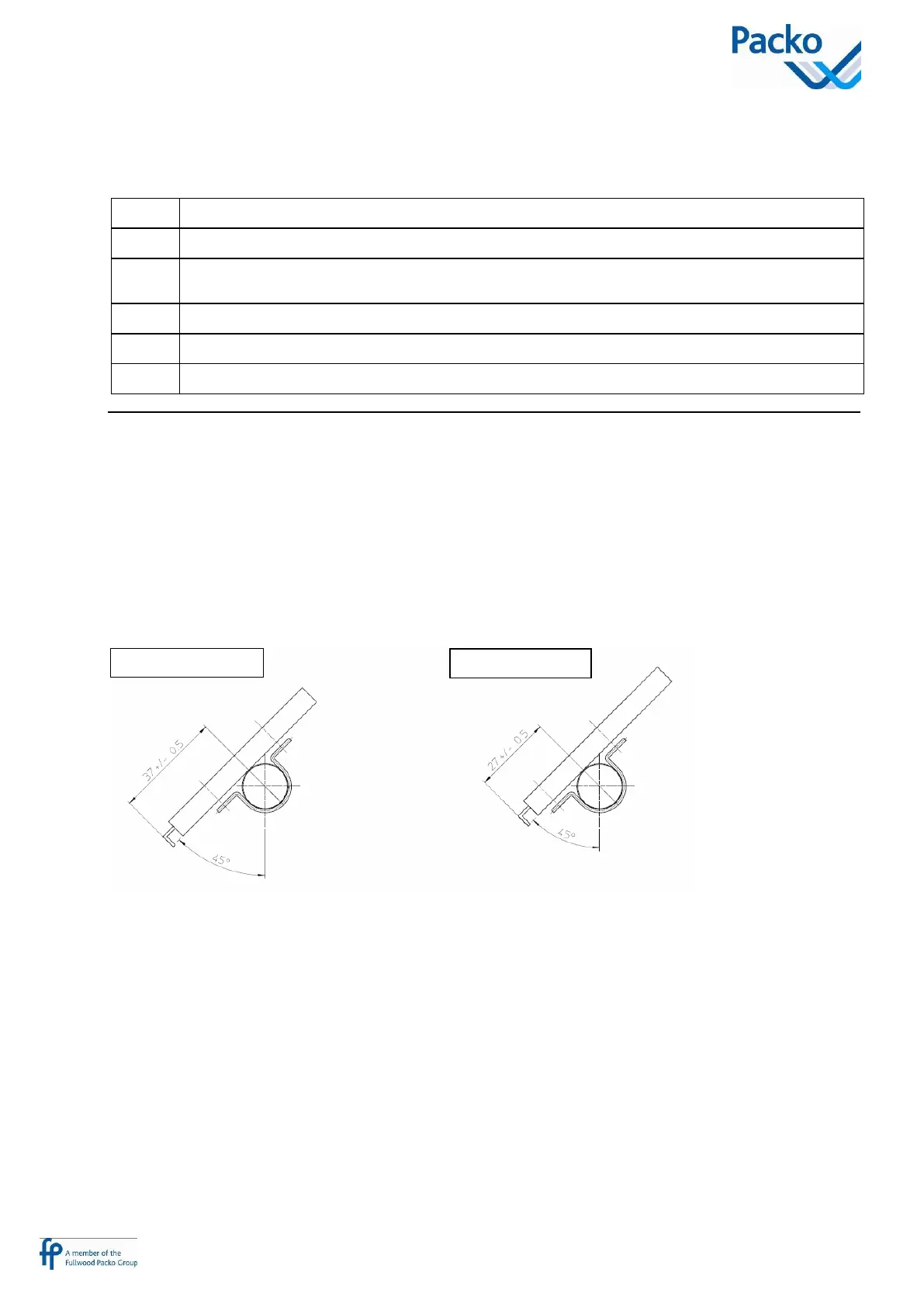
IB ice thickness sensors
OM/IB tanks 1200 liter and smaller are equipped with 1 sensor. The so called +50% sensor. Factory setting
of this sensor is corresponding with an ice diameter of 76 mm (+/- 2mm)
All other OM/IB and RM/IB tanks are equipped with 2 sensors, a +50% (brown cable) and -50% (white
cable) one, for each cooling unit. When the -50% sensor is selected the ice is formed till a diameter of 53 mm
(+/- 2 mm)
The sensor must always be installed according to underneath drawing and may not be moved
How to use:
Factory settings: all IB systems equiped with a +50/-50% sensor and selector switch, the system is always set
at -50%
If the milk cooling is within its limits (depending on the performance class) it is strongly advised to work
with the -50% sensor, this is to avoid ice blocking. Generally this position can be used until a milk quantity
equal to +/- 75% of one milking, when the milk is not pre cooled with mains water. If the milk is pre cooled
this position can be used until a milk quantity equal to +/- 100% of one milking.



 To Next Page