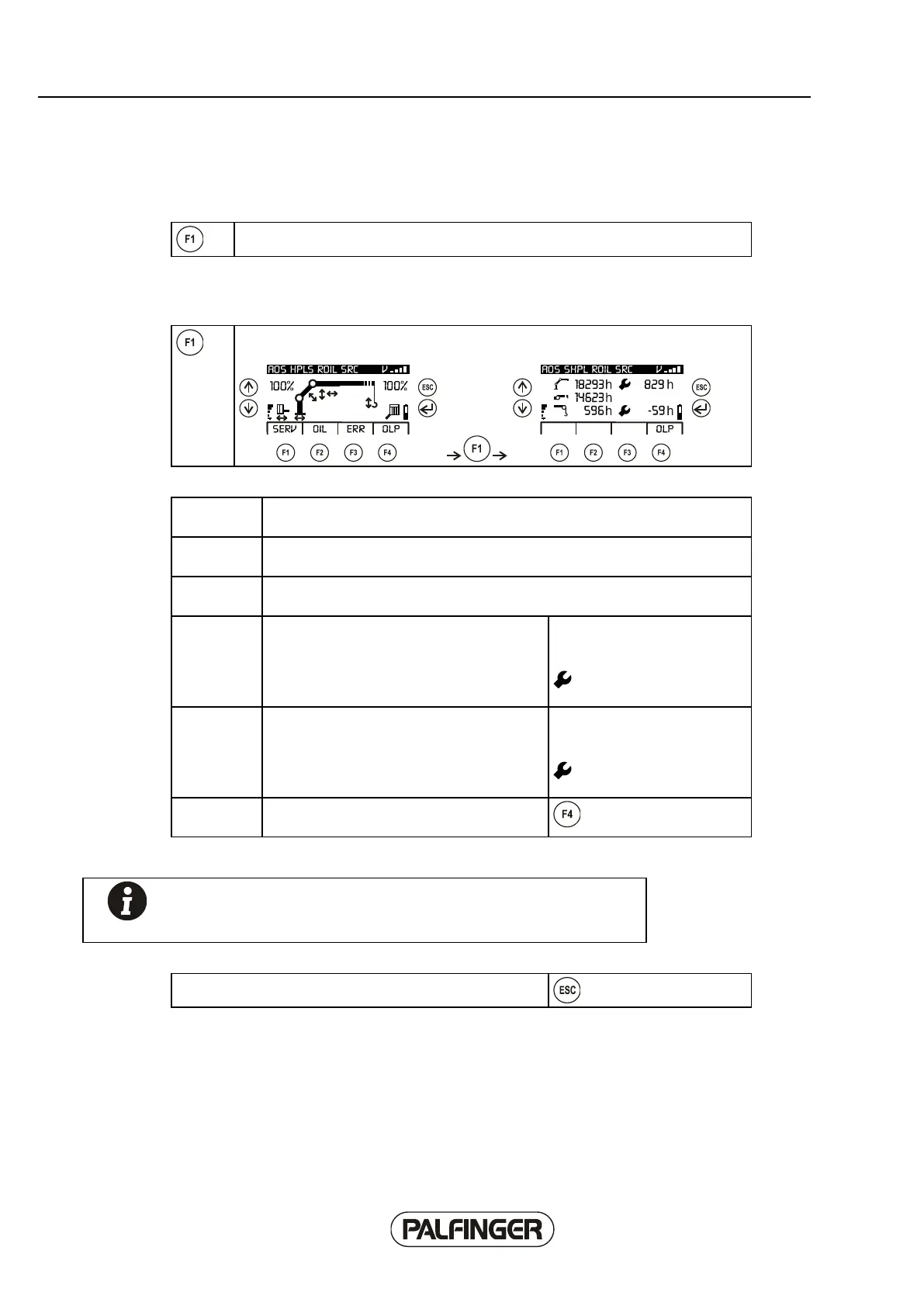
INFO sub-menu
The INFO menu is selected from level 2 using the F1 INFO function.
Service sub-sub-menu (SERV)
The 'Service' sub-menu can be selected in the INFO menu using the F1 SERV
function.
The value displayed at the top left shows the total operating hours of the
crane.
The value displayed in the middle on the left shows the total operating hours
of the 2nd fly jib.
The value displayed at the bottom left shows the total operating hours of the
rope winch.
The value shown at the top right shows the
remaining operating hours until the next
crane service.
If the value is negative, the due service date
has been exceeded.
If the value is less than 15
hours, the service symbol
starts to flash.
The value shown at the bottom right shows
the remaining operating hours until the next
rope winch service.
If the value is negative, the due service date
has been exceeded.
If the value is less than 15
hours, the service symbol
starts to flash.
OLP function key, currently available using
F4.
Note! The information is generally only displayed if the counters
have been activated in the operating software of the crane, or the
crane is equipped with a rope winch.
The menu can be exited again using the 'Escape' button.



 To Next Page