2000 - FIRE ALARM SOLUTIONS TECHNICAL DESCRIPTION
27
7.3. REPLACEMENT OF THE MAIN BOARD
a) Remove the LCD module and place it on a clean surface, see 7.2. REMOVAL OF THE LCD MODULE on page 26.
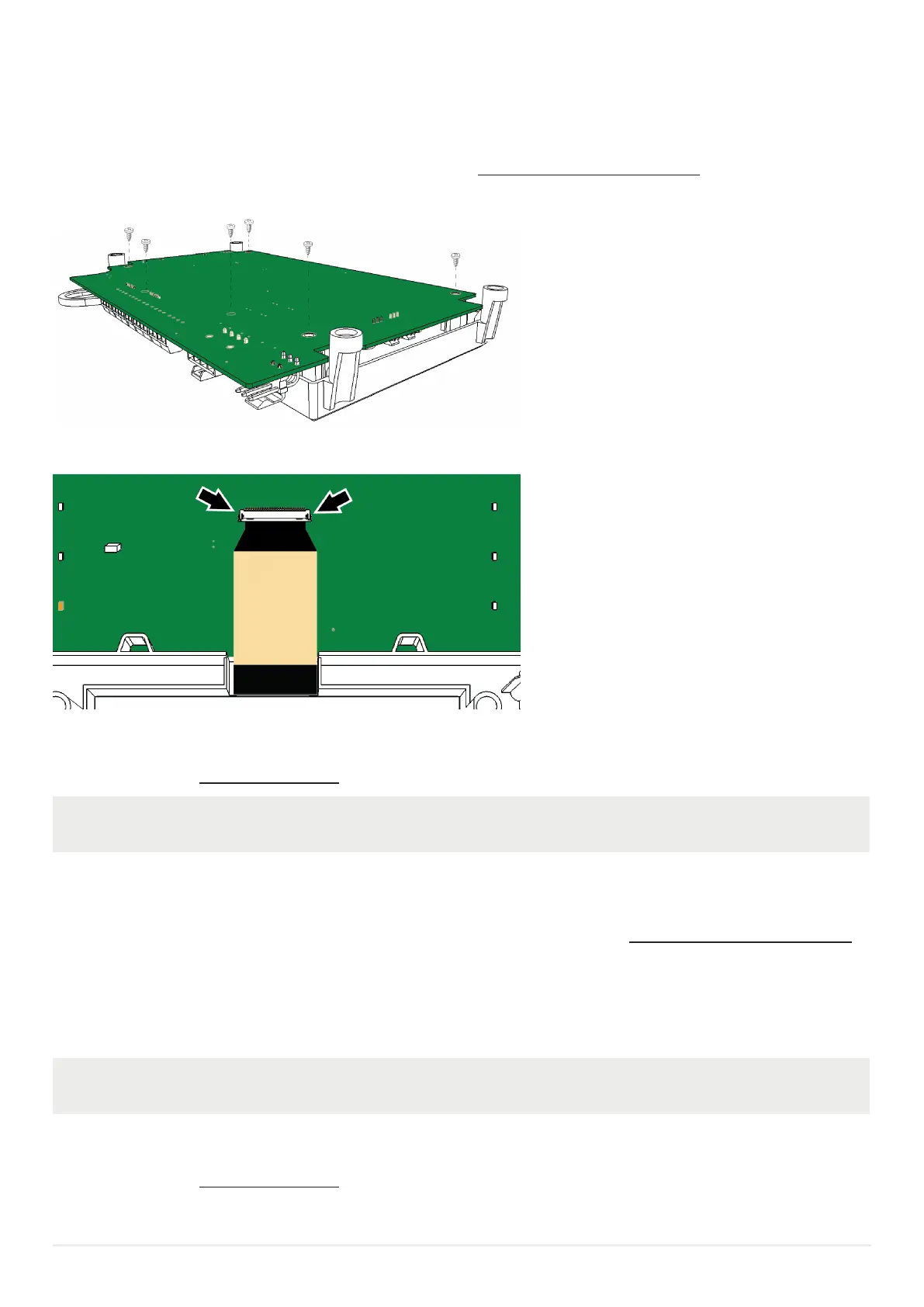
b) Remove the six screws and the PCB.
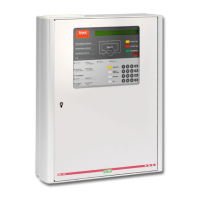
c) Open the two pins and disconnect the LCD cable.
d) Replace the main board.
e) Re-assemble all parts in the opposite way
f) Start up the CIE, 7.7. START UP THE CIE on page 29.
When connecting the LCD cable make sure that the cable slides in properly before closing the two pins.
7.4. REPLACEMENT OF BATTERIES
a) If two batteries are used, remove the LCD module and place it on a clean surface, see 7.2. REMOVAL OF THE LCD MODULE
on page 26.
b) Loosen the battery straps holding the batteries.
c) Disconnect the battery cables from the batteries.
d) Replace the batteries.
e) Connect the battery cables to the new batteries.
When only one battery is used, connect both battery cables from plug-in connector J2 to the battery.
f) Fasten the battery straps.
g) If removed, re-place the LCD module.
h) Start up the CIE, 7.7. START UP THE CIE on page 29.


 To Next Page