Power Preparations: Turning Power On and Off
27
Power Preparations Power Preparations
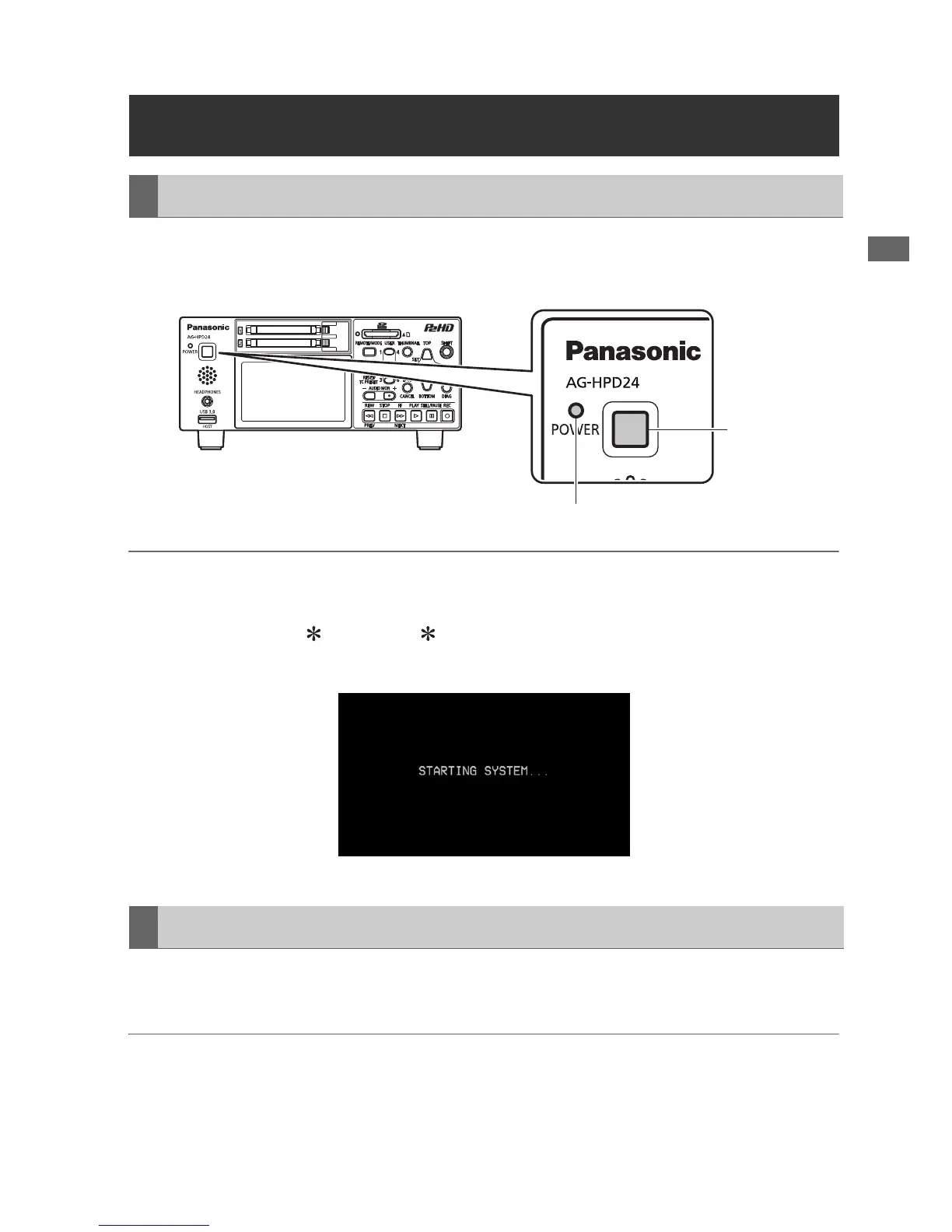
From the power-off state, hold the POWER button for one second to turn the unit on.
When on, the POWER lamp lights green.
◆ NOTE:
The following messages appear during startup.
• “STARTING SYSTEM...”: blinks during startup.
• “AUTO POWER OFF = min”: where “ ” is the time configured under the menu setting SETUP -
SYSTEM - AUTO POWER OFF. When the menu setting is OFF, AUTO POWER OFF is not displayed.
From the power-on state, hold the POWER button for two seconds to turn the unit off.
The POWER lamp blinks during shutdown processing, until the unit turns off.
◆ NOTE:
• When a battery fault occurs, turn the power off and replace with a charged battery or switch to the AC
adaptor before turning power back on.
Turning Power On and Off
Turning On
POWER
button
POWER lamp
Turning Off





 To Next Page