Basic Operation: LCD Monitor Settings
33
Basic Operation
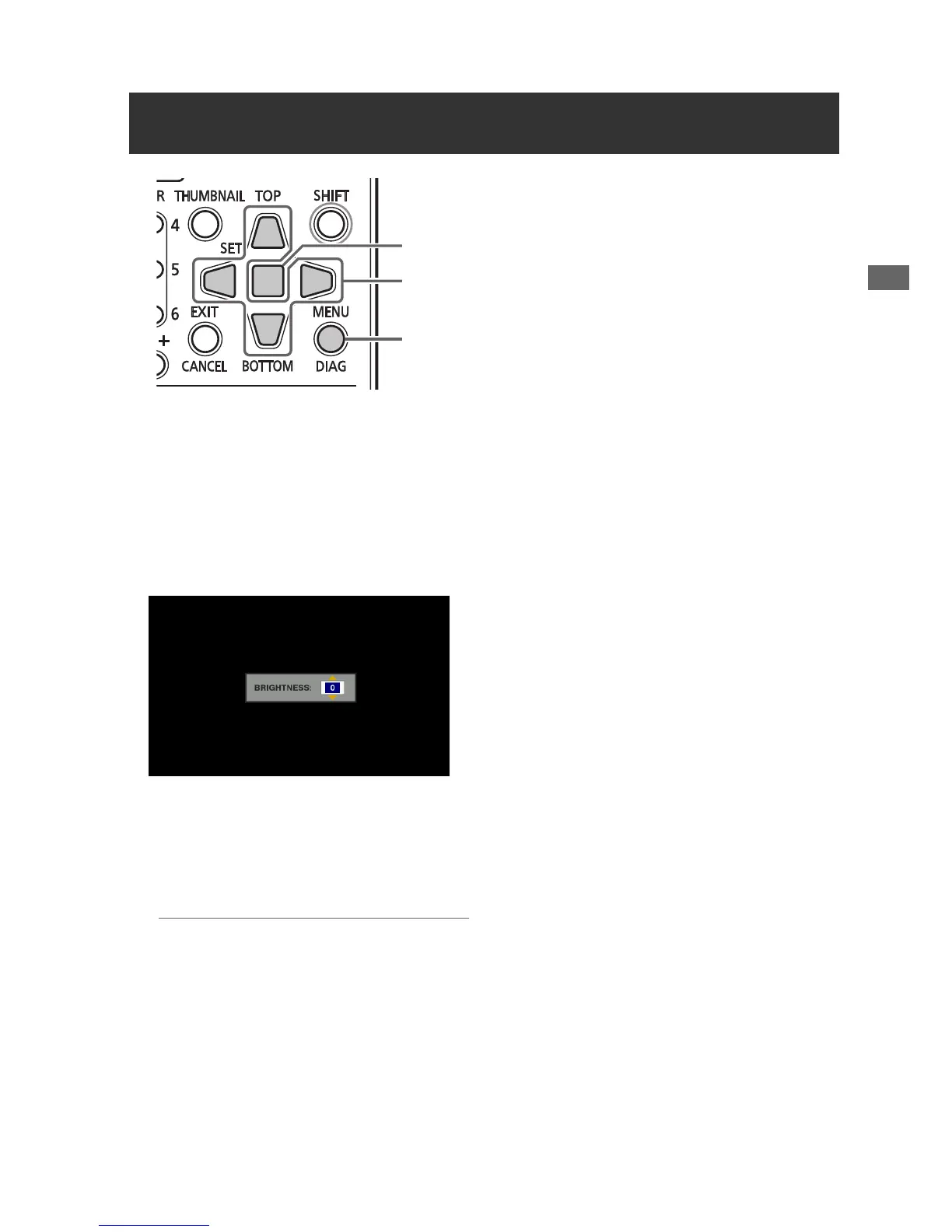
1 Press the MENU button to open the menu.
2 On the SETUP - LCD menu, use the cursor
buttons to select an adjustment.
Available adjustments are BACKLIGHT,
COLOR LEVEL, BRIGHTNESS, and
CONTRAST.
3 Press the SET button.
Change the selected adjustment value with
the Up/Down cursor buttons, and confirm
with the SET button.
◆ NOTE:
• Press the RESET button during adjustment
to return the value to its factory default.
4 Press the MENU button to exit the menu.
LCD Monitor Settings
3
2
1,4







 To Next Page