32
Basic Operation: Menu Operations
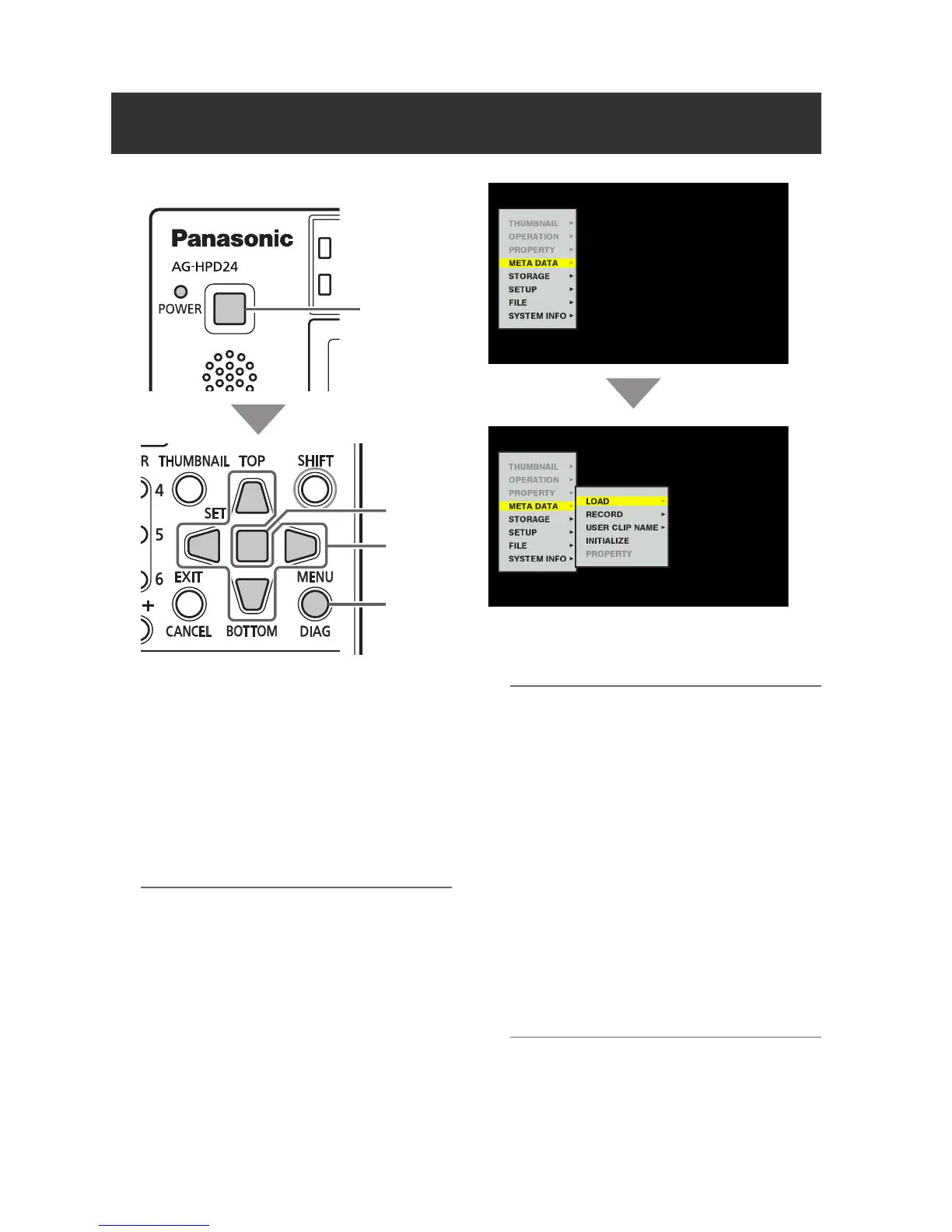
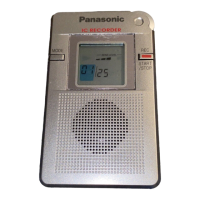
The menu operations are as follows.
1 Hold the POWER button for one second to
turn the unit on.
2 Press the MENU button to open the menu.
3 Use the Up/Down/Left/Right cursor buttons
to place the cursor on menu items.
“a” appears where a lower-level menu exists.
◆ NOTE:
• Use the Up/Down buttons to move the
cursor up and down.
• Press the Right cursor or SET button to
open a lower-level menu.
• Press the Left cursor or EXIT button to return
to a higher-level menu.
4 Press the SET button.
◆ NOTE:
• Some menu items may display a
confirmation dialog.
• Use the Up/Down/Left/Right cursor buttons
to select a process, and press the SET
button.
• A check mark appears next to the process
selected by the SET button.
• Some menu items display a dialog for
numerical value setting.
• Changing the system frequency requires
rebooting the unit.
5 Press the MENU button to exit the menu.
◆ NOTE:
• Some menu items revert to the previous
screen automatically.
Menu Operations
ヒ
ビ
1
4
3
2,5







 To Next Page