8
Main Mode: Recording/Playback Screen
Before you can start recording, you have to set the playback
frequency, format and input signal in a menu. (➝ Setup Menu
“SYSTEM” page 71)
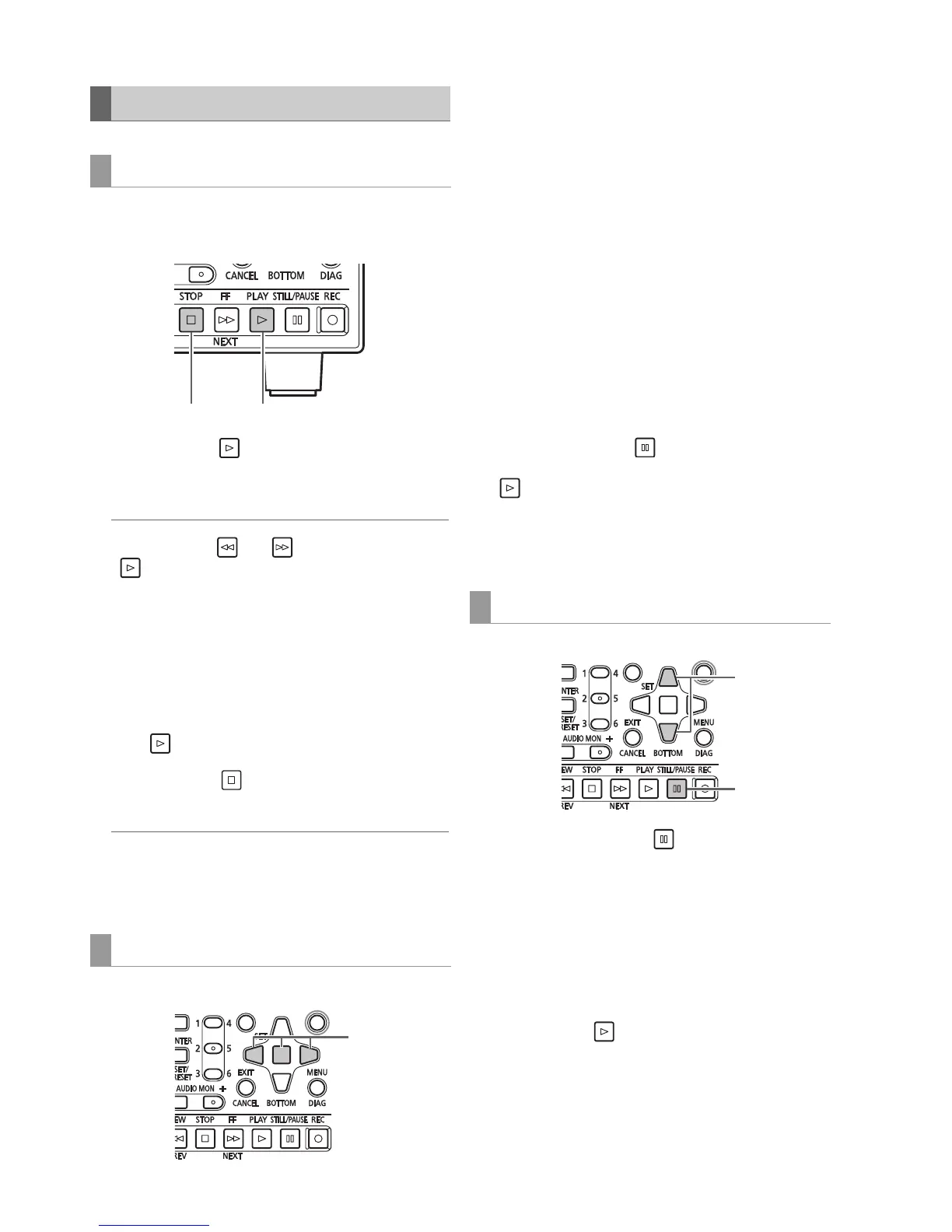
1 Press the PLAY button.
Playback starts. Clips play back in the order they were
recorded.
◆ NOTE:
• Pressing the REW or FF button instead of the PLAY
button results in rewind playback and fast forward
playback, respectively.
• Video and audio playback may be disrupted between clips in
different compression formats (DVCPRO HD, DVCPRO50,
DVCPRO, DV, AVC-Intra 50 and AVC-Intra 100).
• In playback of different clips in the same video format but in audio
recorded at different bit depths, the audio between clips will be
muted.
• Clips with 24-bit audio will be played back as 16-bit audio in
other than normal playback modes engaged using the
PLAY button.
2 Press the STOP button.
Playback stops and the input video (EE) appears.
◆ NOTE:
• To show the image where playback stopped (PB image), set
the SETUP - BASIC - STOP EE SEL menu settings to PB.
(➝ Setup Menu “BASIC” - “STOP EE SEL” page 59)
Playback speed can be varied to facilitate searches.
1 Press the Left/Right cursor buttons during playback
or STILL.
Playback changes to high-speed or slow and indicated as
SHTL +/– speed.
2 Press the Left/Right cursor buttons to change
playback speed.
• The playback speed changes each time the buttons are
pressed. Maximum playback speed depends on the
value set by the SETUP - BASIC - SHUTTLE MAX menu
setting (➝ Setting Menu “BASIC” - “SHUTTLE MAX”
page 60).
• Audio is not played back at speeds faster than 10 times
normal speed.
• The Right cursor button changes the speed in forward
direction and the Left cursor button changes the speed
in backward direction.
• Press the STILL/PAUSE button or SET button to pause
playback. To return to normal playback, press the PLAY
button.
• The pulldown sequence may not be uniform for variable
speed playback of native recorded (including x1 speed)
video.
1 Press the STILL/PAUSE button to engage still
image mode.
2 Press the Up/Down cursor buttons.
• The Up cursor button performs frame-by-frame playback
in forward direction and the Down cursor button performs
frame-by-frame playback in backward direction.
• Holding down a cursor button results in continuous
frame-by-frame playback. To return to normal playback,
press the PLAY button.
Playing Back Clips
Playback
Variable speed playback
12
1,







 To Next Page