3D Signal Recording and Playback: Recording and Playback
45
3D Signal Recording and Playback
SDI and HDMI 3D video playback output is
available only during PLAY and STILL/PAUSE.
• Discrete left and right output:
Special playback is only displayed on the LCD,
and is not available as SDI output.
However, video is available at the master unit’s
SDI output when the SETUP - VIDEO -
DISCRETE BLACK menu setting is OFF.
• Single-unit left/right (side-by-side or frame
packing) signal output method:
The LCD monitor displays both L and R special
playback images, but only the L signal is output
(as both L and R images) to SDI/HDMI.
◆ NOTE:
• Clips to be played back can be from different
slots in the master and slave units, but slots for
left and right video must correspond.
• 3D playback requires that the L (left-eye) clip be
present on the master unit, and the R (right-eye)
clip on the slave.
1 Insert a P2 card.
2 Press the PLAY button.
Clips play back in the order they were
recorded on the card.
3 Press the STOP button to stop playback.
Pressing the PLAY button starts playback from
the yellow-framed clip (selected by the cursor
buttons). On the thumbnail screen, clip playback
can be limited and re-ordered by selecting clips
or changing the display.
(➝ “3D Recording/Playback Mode (3D REC/PB)”
Vol. 2, page 37)
◆ NOTE:
• Black numbers indicate clips available for
playback.
• 3D REC/PB mode does not support slot
selection by the THUMBNAIL - SLOT CLIPS
menu setting.
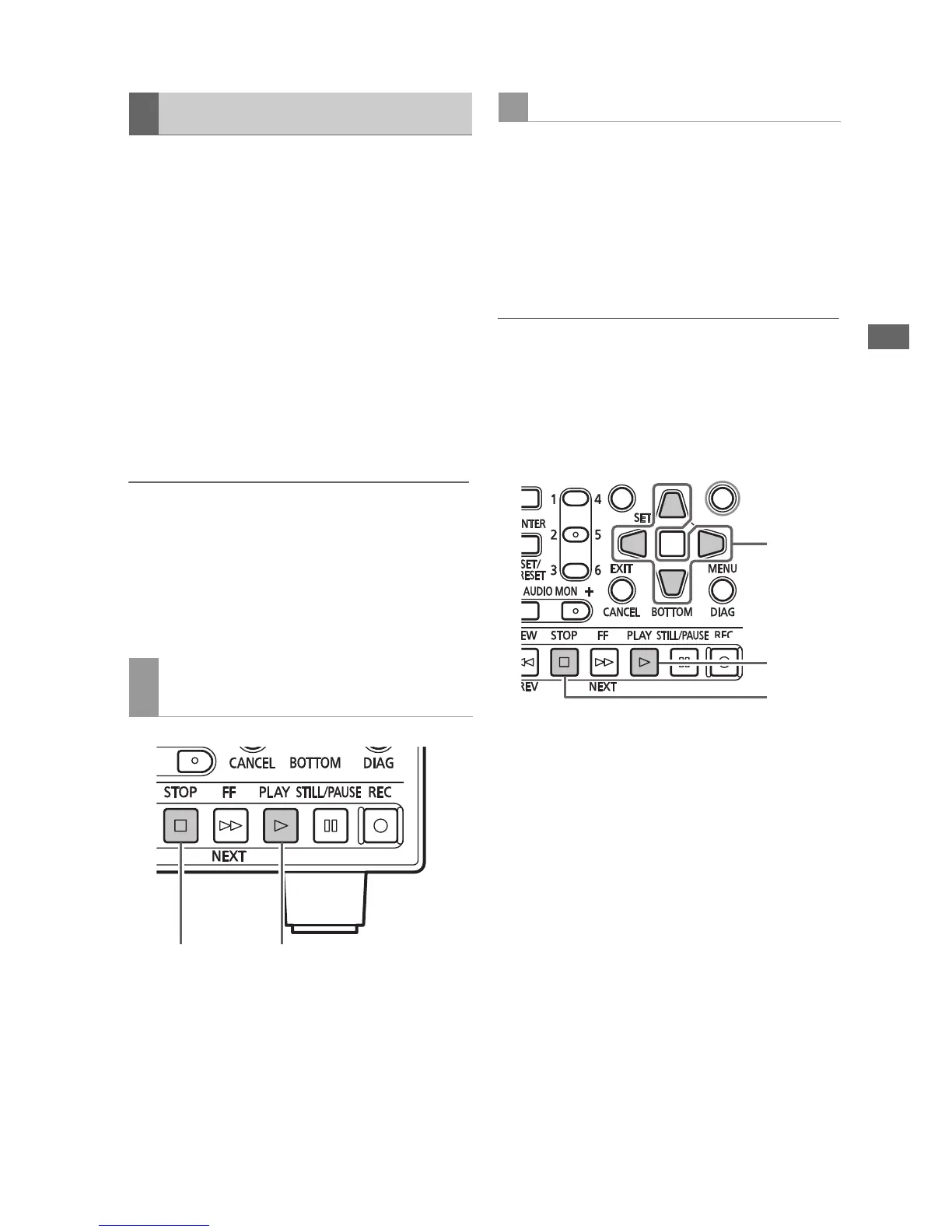
1 Insert a P2 card.
2 Use the Up/Down/Left/Right cursor buttons
to place the cursor on a clip to playback.
3 Press the PLAY button.
Playback occurs in the order thumbnails are
displayed.
4 Press the STOP button to stop playback.
The thumbnail screen reappears when
playback stops.
Playback
Playback from the Record/Playback
Screen (Thumbnail Screen Off)
23
Playback from the Thumbnail Screen







 To Next Page