34
Basic Operation: Thumbnail Screen Display
This unit provides a thumbnail screen for managing clips. A “clip” consists of a set of video, audio and
additional information such as meta data, and a “shot” is a clip generated by single normal start-to-stop
recording operation. A shot that spans multiple P2 cards is handled as a single clip.
The thumbnail screen displays a list of thumbnails of recorded clips. These thumbnails allow you to
browse and also perform the following clip management operations.
• Play back, copy, delete and repair clips
• Attach text memos to clips
• Browse and delete text memos
• Display and delete shot marks
• Format P2 cards
• Show clip properties
• Show P2 card status
◆ NOTE:
• Because thumbnails are generated from only a sample of the recorded video, they appear coarser
than the actual video.
1 Hold the POWER button for one second to
turn the unit on.
◆ NOTE:
• To cause the thumbnail screen to appear at
power-on, select SETUP - BASIC - POWER
ON GUI, and then THUMBNAIL.
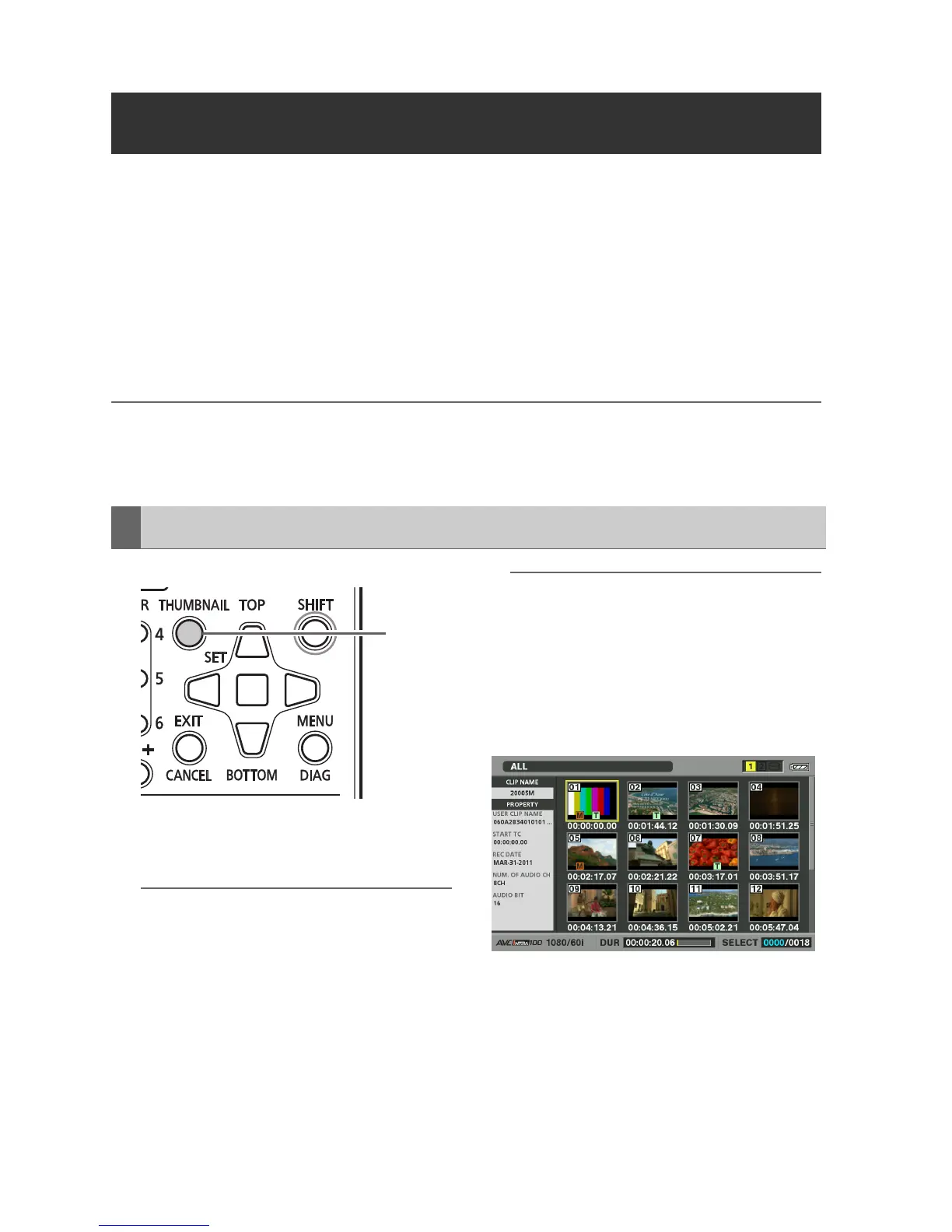
2 Press the THUMBNAIL button.
The thumbnail screen appears on the LCD
monitor.
Press the THUMBNAIL button again to close
the thumbnail screen and return to the
record/playback screen (video).
◆ NOTE:
• The SETUP - DISPLAY - OSD OUTPUT
menu setting allows selecting VIDEO OUT
or SDI OUT outputs.
Signals at the output jacks have some
limitations according to the selected format
and frequency.
Thumbnail Screen Display
Displaying the Thumbnail Screen
2







 To Next Page