Main Mode: Thumbnail Screen
13
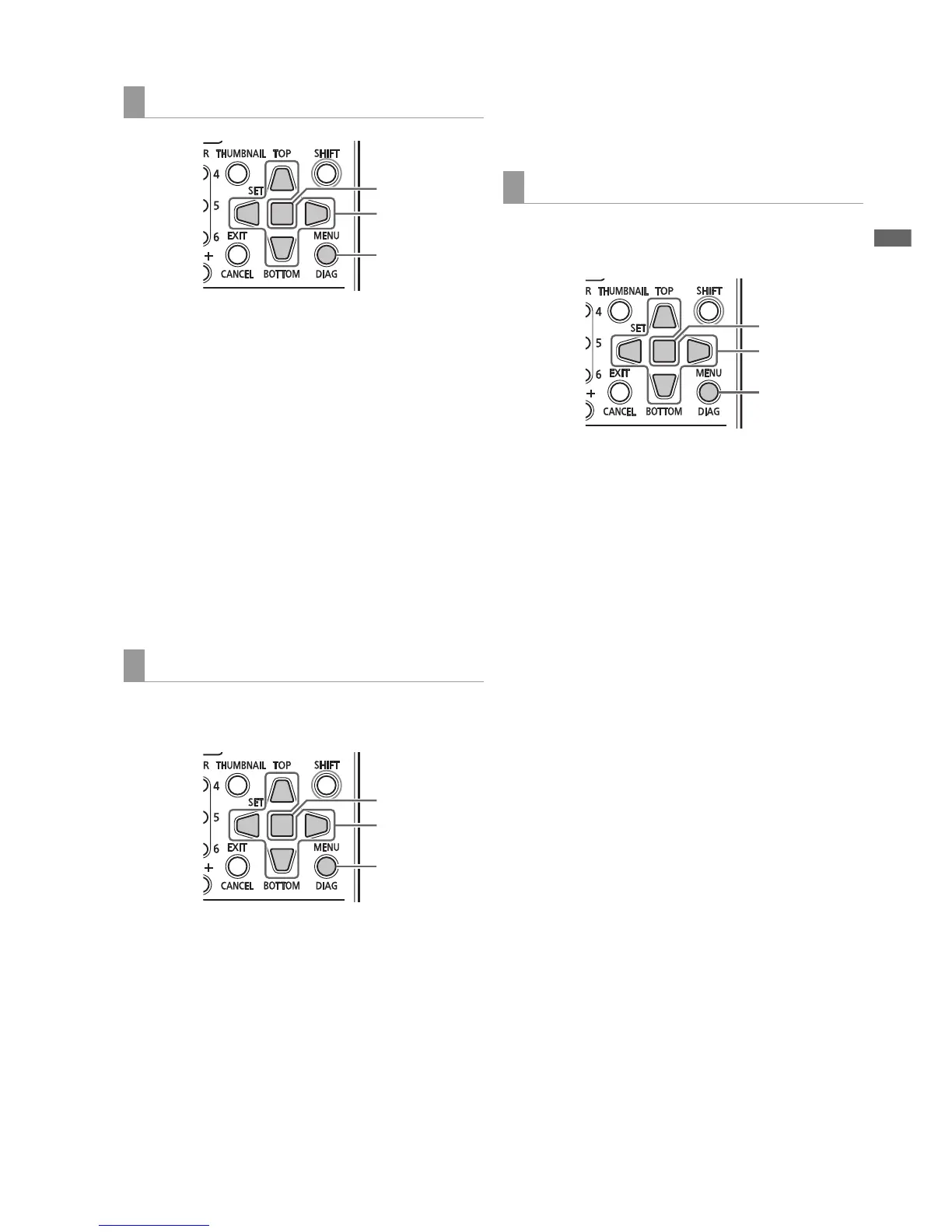
Main Mode
1 Open the thumbnail screen.
2 Press the MENU button.
3 Use the Up/Down/Left/Right cursor buttons to
choose the SETUP - THUMBNAIL - THUMBNAIL
SIZE menu setting and select the size of clips you
want to display with the cursor.
(➝ Setup Menu “THUMBNAIL” - “THUMBNAIL SIZE” page
57)
4 Press the SET button.
5 Press the MENU button to end processing.
Use the steps below to customize the thumbnail display
format.
1 Open the thumbnail screen.
2 Press the MENU button.
3 Use the Up/Down/Left/Right cursor buttons to
choose the SETUP - THUMBNAIL - DATA DISPLAY
menu setting and select the items you need.
Select the items you need and change settings as
required.
(➝ Setup Menu “THUMBNAIL” - “DATA DISPLAY” page
56)
4 Press the SET button.
5 Press the MENU button to end processing.
Use the steps below to change the order of year, month and
day in date indications.
1 Open the thumbnail screen.
2 Press the MENU button.
3 Use the Up/Down/Left/Right cursor buttons to
choose the SETUP - THUMBNAIL - DATE FORMAT
menu setting and select the items you need.
Select the items you need and change settings as
required.
(➝ Setup Menu “THUMBNAIL” - “DATE FORMAT” page
57)
4 Press the SET button.
5 Press the MENU button to end processing.
Setting thumbnail size
Setting thumbnail attributes
4
3
2,







 To Next Page