Convenient shooting functions – Displaying the marker
207
Displaying frame marker
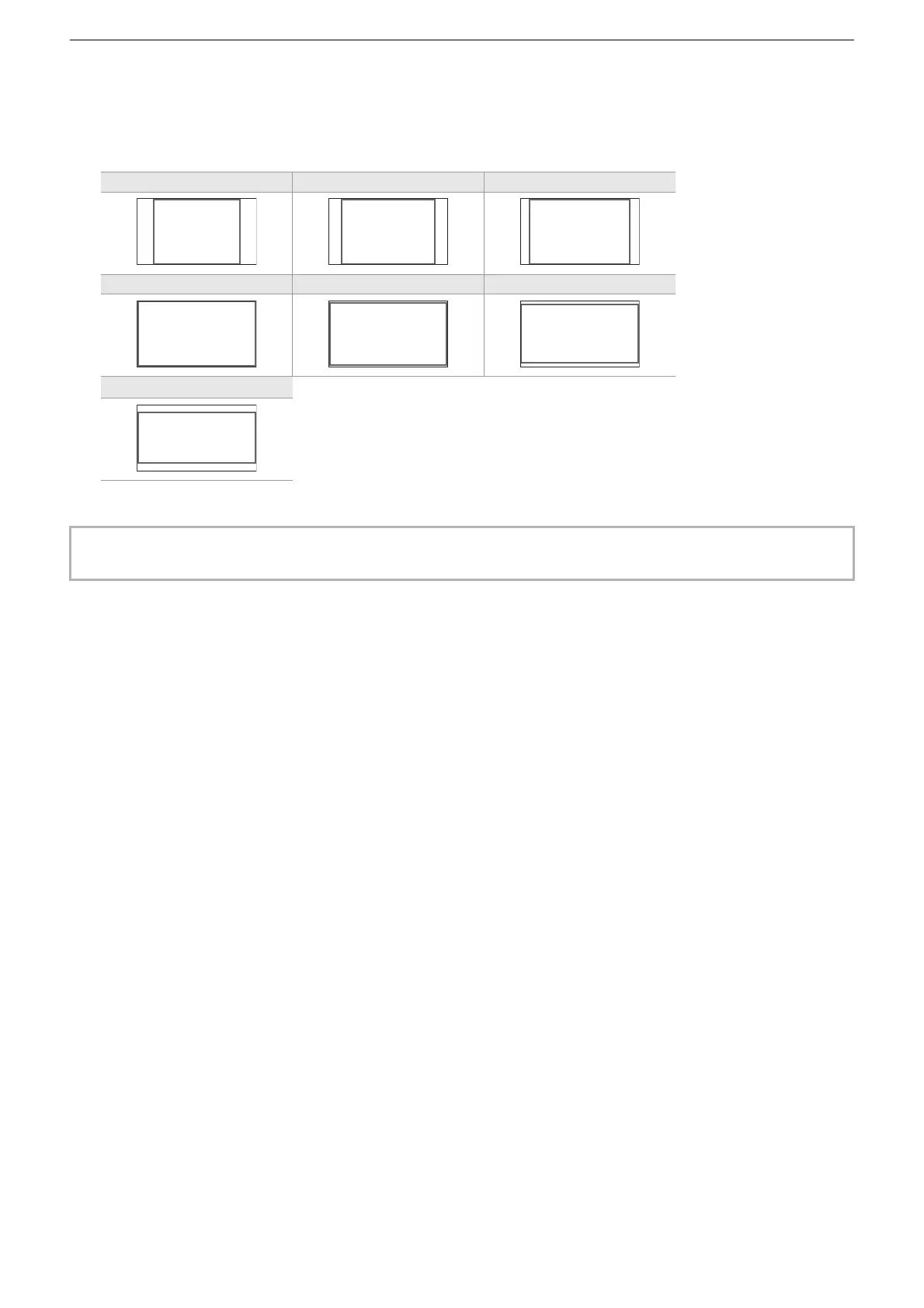
A frame marker can be displayed.
1
Select the angle of the view in the [VIDEO OUT/LCD/VF] menu ¨ [MARKER] ¨
[FRAME MARKER].
• The frame marker is not displayed when [OFF] is selected.
[4:3] [13:9] [14:9]
[16:9] [17:9] [1.85:1]
[2.35:1]
• Markers cannot be recorded.
• Markers are not displayed when the enlarged display function of the focus assist function is enabled.







 To Next Page