EasyManua.ls Logo

Panasonic CZ-256ESMC2 - User Manual

Panasonic CZ-256ESMC2
104 pages
Print Icon
To Next Page IconTo Next Page
Loading...
Printed in Japan
Authorized representative in EU
Panasonic Testing Centre
Panasonic Marketing Europe GmbH
Winsbergring 15, 22525 Hamburg, Germany
CONTROLLORE INTELLIGENTE
CONTROLADOR INTELIGENTE
CZ-256ESMC2
85464609079013
EN
UA
RU
ES
PT
IT
DE
FR
Heben Sie diese Anleitung nach dem
Durchlesen an einem günstigen Ort auf.
After reading this manual, store it in a
convenient place.
Dopo aver letto il presente manuale,
conservarlo in un luogo adeguato.
Après avoir lu ce manuel, conservez-le en
lieusûr.
Depois de ler este manual, guarde-o
num lugar queesteja sempre à mão.
Manual de funcionamiento
Operation Manual
Manuel d’instructions
Bedienungsanleitung
Manuale di istruzioni
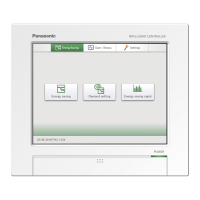
INTELLIGENT CONTROLLER
CONTRÔLEUR INTELLIGENT
TOUCH SCREEN CONTROLLER
CONTROLADOR INTELIGENTE


Table of Contents

Questions and Answers

  • M
    Mr. Alex MurphyAug 14, 2025
    How to fix Panasonic CZ-256ESMC2 when nothing appears on the screen?
    • Y
      yrichardsonAug 14, 2025
      If nothing appears on the screen of your Panasonic Controller when you turn on the computer, check if the power cord is properly connected and ensure that the power switch is in the 'on' position.
  • C
    Charles WallaceAug 17, 2025
    What to do if timer operation does not work on Panasonic CZ-256ESMC2 Controller?
    • S
      Sergio MooreAug 17, 2025
      If the timer operation on your Panasonic Controller does not work, ensure that the timer operation is set to the target unit. Also, verify that the date and time settings match the current date and time. Incorrect date and time settings can cause the operation to start at an unexpected time.
  • E
    Edward DeanAug 20, 2025
    Why nothing happens when I press a button on my Panasonic CZ-256ESMC2?
    • J
      jdeanAug 21, 2025
      If nothing happens when you press an operation button on your Panasonic Controller, the touch positions and display positions on the touch panel may be misaligned due to extended use. Try calibrating the touch panel.
  • M
    Michael MurrayAug 23, 2025
    What to do if my Panasonic CZ-256ESMC2 shows 'Application error', 'DiskErr' or 'CF error'?
    • F
      Felicia MedinaAug 25, 2025
      Contact the store where you purchased the system or our service agency if one of the following messages is displayed on your Panasonic Controller: Application error !!, DiskErr, or CF error !!
  • E
    Edwin MartinezAug 27, 2025
    Why is the distribution ratio always 100% on my Panasonic CZ-256ESMC2 Controller?
    • T
      Thomas ButlerAug 27, 2025
      If the distribution ratio on your Panasonic Controller is always 100%, it may be because there is only one tenant registered in a distribution group, or only one indoor unit in a tenant. Check the group settings and tenant settings.
  • P
    Philip LewisAug 30, 2025
    Why does it take so long for the screen to update on my Panasonic Controller?
    • H
      hbrownAug 30, 2025
      If it takes a long time for the screen of your Panasonic Controller to update after an operation, it may be due to the time required for communication with the connected air conditioners. Please wait until all of the information is received.
  • L
    Lori WebbSep 2, 2025
    Why can't I back up to a PC Card on my Panasonic Controller?
    • C
      Cynthia PeckSep 3, 2025
      Data can be backed up only to the special PC Cards (option) for the Panasonic Intelligent Controller. Backup to other PC Card types is not possible.
  • K
    Kathryn CoxSep 6, 2025
    What to do when Panasonic Controller cannot start/stop a malfunctioning AC?
    • N
      Nicole PhillipsSep 6, 2025
      In emergency situations where local remote control operation is prohibited on the Panasonic Intelligent Controller and it cannot start/stop a malfunctioning air conditioner, power off the Intelligent Controller and externally installed communication adaptor, then re-power on the indoor unit.
  • G
    ginamuellerSep 9, 2025
    What to do if Panasonic CZ-256ESMC2 cannot detect indoor units?
    • H
      henrytaylorSep 9, 2025
      If the Panasonic Intelligent Controller cannot detect a single indoor unit or find all of them, try using the “Check configuration” button in the “Other settings” screen ( Main66 Sub99 ).

Summary

Important Safety Instructions

Location Precautions

Details safe locations for installing the Intelligent Controller to prevent damage or malfunction.

Precautions for Use

Outlines essential precautions for operating the Intelligent Controller safely and preventing damage.

Moving and Repair Precautions

Specifies precautions to follow when moving or repairing the Intelligent Controller to ensure safety.

Features of the System

System Configuration

Names and Functions of Parts

Front Panel

Identifies and explains the front panel components of the Intelligent Controller.

Rear Panel

Identifies and explains the rear panel components of the Intelligent Controller.

Right Side Panel

Details the communication connector panel on the right side of the Intelligent Controller.

Quick Reference

Using the System

Powering the System On

Explains how to power on the system and describes the initial communications screen.

Names and Functions of Screen Parts

Details the components and screens of the Intelligent Controller's user interface.

Initial Settings

Guides users through the essential initial settings required for system operation.

Status Monitoring and Operation Screens

Explains how to monitor system status and operate connected units.

Total Data and Manual Cut-Off Processing

Covers checking total data, performing manual cut-offs, and backing up data.

Air Conditioning Distribution Ratios and Energy Usage

Explains how to view and understand air conditioning distribution ratios and energy usage.

Maintenance and Test Runs

Details how to check inspection signs, alarm logs, and perform test runs.

Auxiliary Settings

Covers various auxiliary settings like zones, timers, and remote control prohibition.

System Configuration Changes

Explains how the system handles and notifies about configuration changes.

Entering Text and Numbers

Entering Text

Explains how to enter text data using the system's software keyboard.

Entering Numbers

Details the procedure for entering numerical data using the system's numeric keypad.

Connection of External Signals

Pulse Meter Input

Explains how to connect pulse meters for measuring energy usage.

All Stop Input

Describes how to connect external signals for stopping all connected units.

All Start Input

Details how to connect external signals for starting all connected units.

All-Unit Alarm Output

Explains the output signal for alarms or errors occurring in connected units.

All-Unit Operation Output

Details the output signal indicating when any connected unit is operating.

TERMS

Calculating Air Conditioner Distribution

Calculating Simple Distribution

Details the parameters and formulas for calculating simple distribution ratios.

Calculating Air Conditioner Energy Usage

Explains how to calculate energy usage for distribution groups and individual units.

Calculating Loaded Distribution

Describes the data flow and parameters for calculating loaded distribution.

Supplementary Information-1

Supplementary Information-2

Troubleshooting

Maintenance

Specifications

Installation (Electric) and Service Instructions

Safety Precautions

Outlines crucial safety warnings and cautions for electrical installation work.

Control Box Machining Diagram

Provides diagrams for control box design and external dimensions for installation.

Wiring

Explains the electrical wiring procedures for connecting power and signals.

Connecting to External Equipment

Details connections for external system inputs, outputs, and pulse meter inputs.

Power Switch

Locates and explains the function of the Intelligent Controller's power switch.

Circuit Board Diagram

Presents a diagram of the Intelligent Controller's circuit board layout.

Verify System Configuration, Make Necessary Settings

Guides on verifying system configuration and performing essential settings.

Educating the Customer

Provides guidance on explaining the operation manual and system functions to the customer.

Panasonic CZ-256ESMC2 Specifications

General IconGeneral
BrandPanasonic
ModelCZ-256ESMC2
CategoryController
LanguageEnglish

Related product manuals