Setting up
37
4
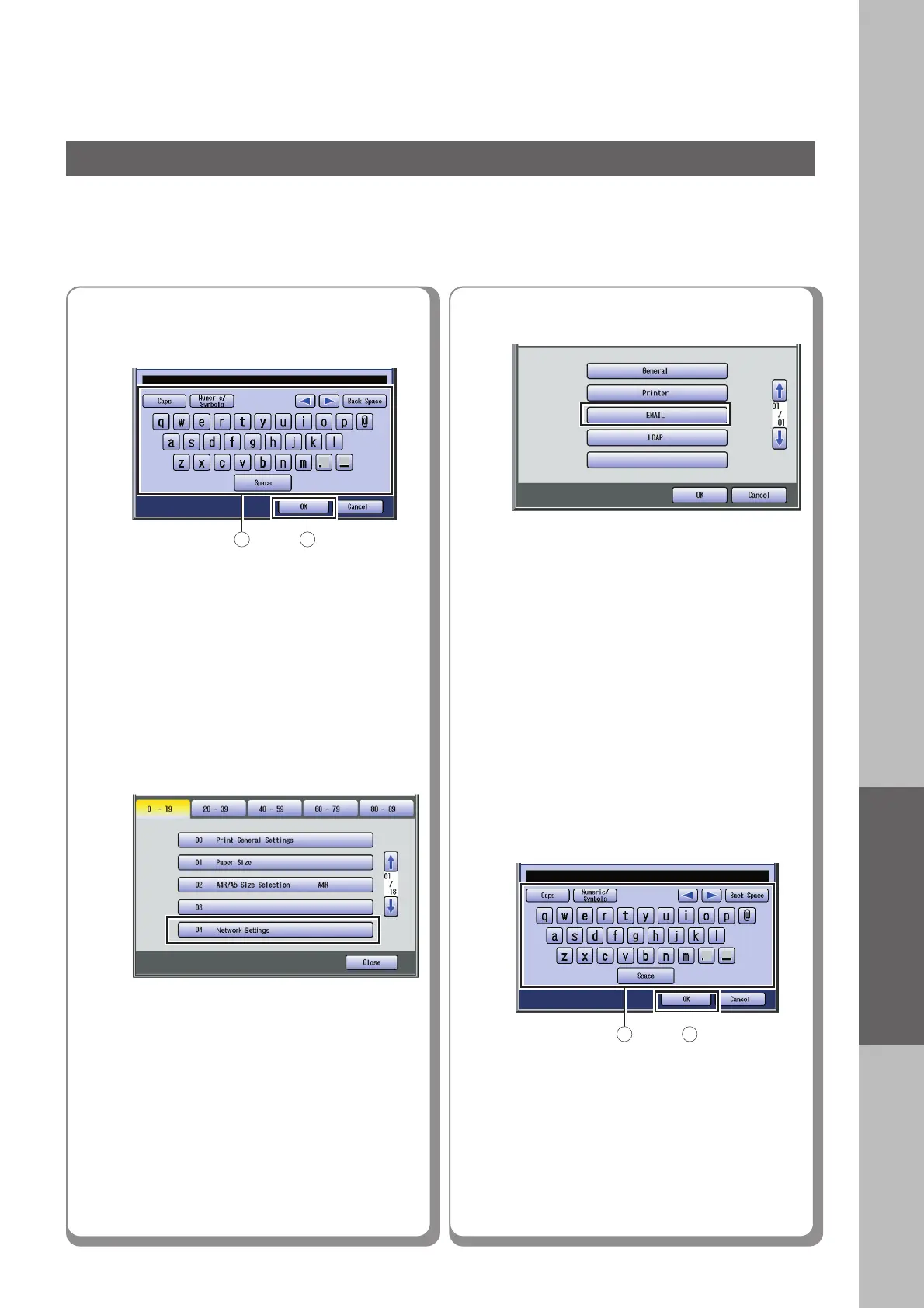
Enter the Key Operator’s password
(8 digits), and then select “OK”.
5
6
Select “EMAIL”.
Enter the Email address using the
Keyboard, and then select “OK”.
(Up to 60 characters)
7
● The default password is “00000000”.
To change the password, select “85 Key
Operator Password” in the General
Settings (Key Operator Mode), and then
enter the new password.
Select “04 Network Settings”.
1 2
1 2
Continued on the next page...











 To Next Page