22
DVQX2553 (ENG)
You can turn the unit on and off using the power button or by opening and closing the LCD monitor.
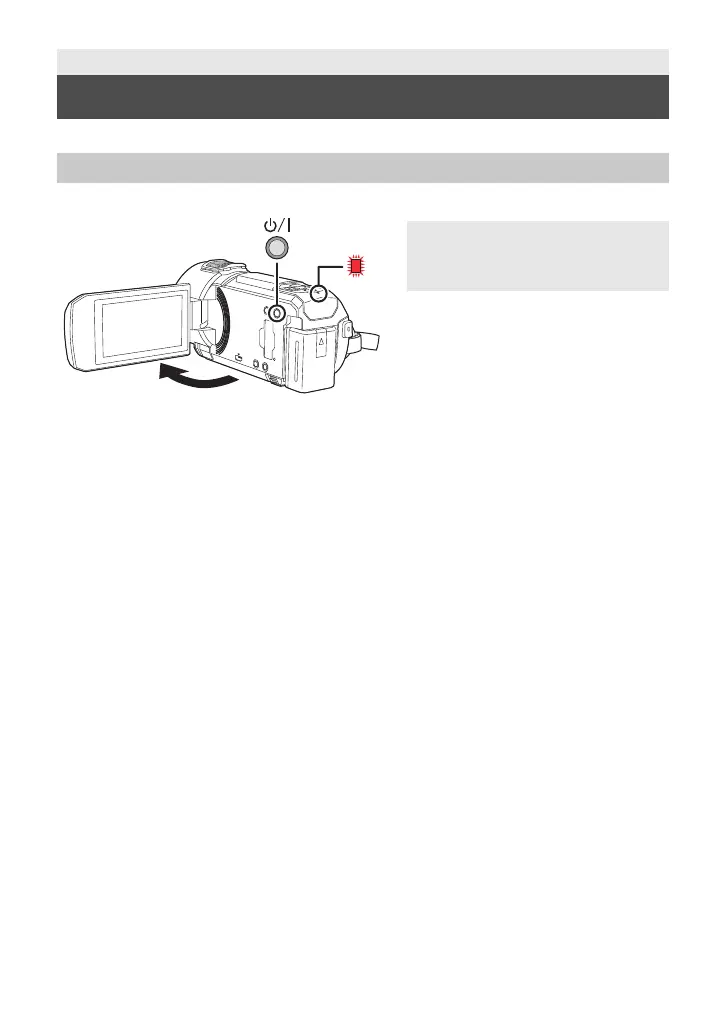
Open the LCD monitor and press the power button to turn on the unit.
A The status indicator lights on.
The unit is turned on when the LCD monitor is opened, and unit is turned off when it is closed.
∫ Overheat detection
When the internal temperature of the unit rises during use, a message will be displayed. When this
happens, the unit will turn off automatically a few minutes later.
≥ Wait until the temperature has dropped before resuming use.
Preparation
Turning the unit on/off
Turning the unit on and off with the power button
To turn off the unit
Hold down the power button until the
status indicator goes off.
HC-VX3_V900PP-DVQX2553_eng.book 22 ページ 2024年9月17日 火曜日 午後8時24分









 To Next Page