23
(ENG) DVQX2553
You can switch this unit between Recording Mode (Motion Picture Recording Mode/Still Picture
Recording Mode) and Playback Mode by pressing the recording/playback button.
If you touch the recording mode switching icon in Recording Mode, this unit can be switched
between Motion Picture Recording Mode and Still Picture Recording Mode.
Switching this unit between Recording Mode and
Playback Mode
Preparation
Selecting a mode
Motion Picture Recording Mode (l 29) Recording motion pictures.
Still Picture Recording Mode (l 29) Recording still pictures.
Playback Mode (l 30) Motion picture/Still picture playback.
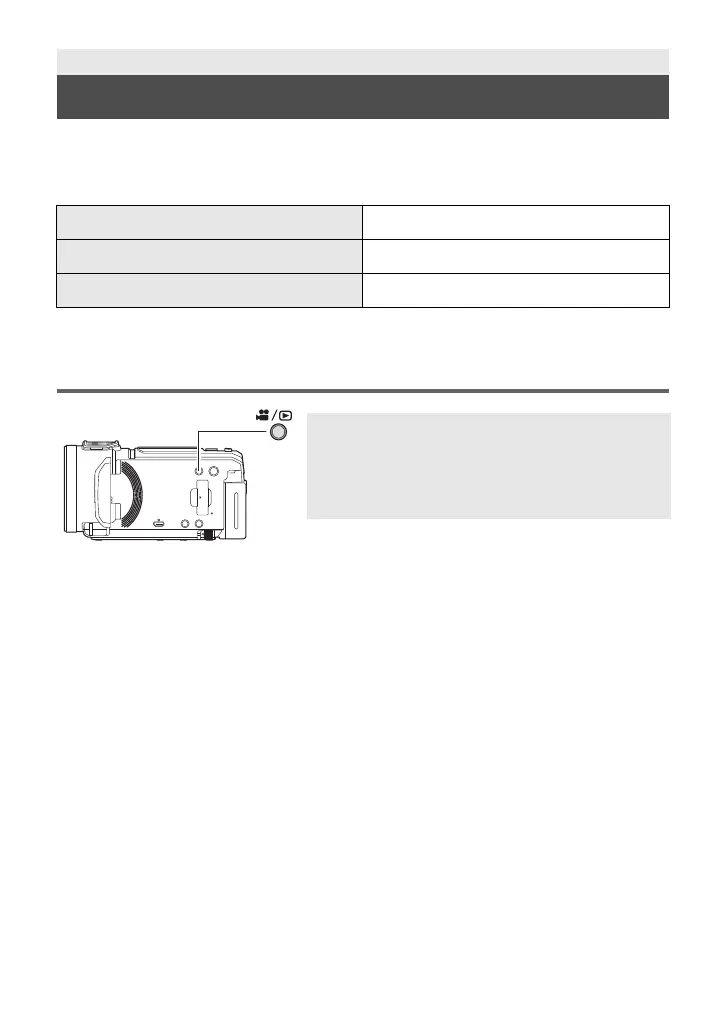
Recording/playback button
Press the button to switch this unit between
Recording Mode and Playback Mode.
≥ When you turn on this unit, it starts up in Recording
Mode.
HC-VX3_V900PP-DVQX2553_eng.book 23 ページ 2024年9月17日 火曜日 午後8時24分




 To Next Page