149
KX-FT982LS-B / KX-FT984LS-B / KX-FT988LS-B
15.3. Jams
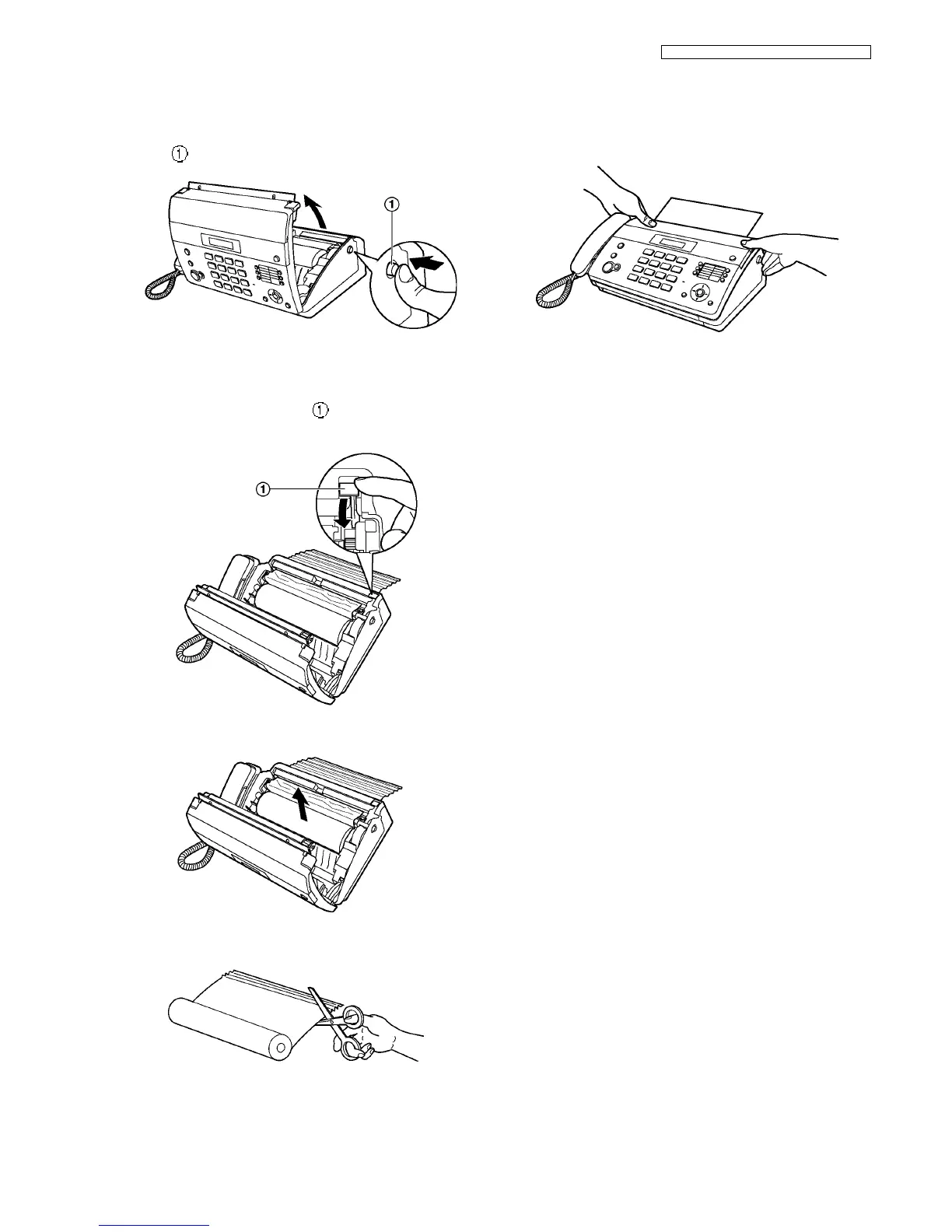
15.3.1. Recording Paper Jams
1. Open the top cover by pressing the top cover release but-
ton ( ).
2. For KX-FT982:
Skip to step 3.
For KX-FT984/KX-FT988:
Pull the cutter release lever ( ) forward.
• The paper cutter will be released.
3. Remove the recording paper.
4. Cut off the wrinkled portion.
5. Install the recording paper and close the top cover
securely by pushing down on both sides.
(See page Installing the Recording Paper (P.51))
Note:
Make sure the paper stacker is inserted (KX-FT984/KX-
FT988 only).












 To Next Page