50
KX-FT982LS-B / KX-FT984LS-B / KX-FT988LS-B
(9) Station keys
• To use one-touch dial feature.
(10) [FAX/START]
• To start sending or receiving a fax.
(11) [COPY]
• To copy a document.
(12) [MIC] (KX-FT988 only)
• The built-in microphone.
(13) [TONE]
• To change from pulse to tone temporarily during dialling
when your line has rotary pulse services.
(14) [HANDSET MUTE] (KX-FT982/KX-FT984 only)
[MUTE] (KX-FT988 only)
• To mute your voice during a conversation. Press again to
resume the conversation.
(15) [MONITOR] (KX-FT982/KX-FT984 only)
• To initiate dialling without lifting the handset.
(16) [DIGITAL SP-PHONE] (KX-FT988 only)
• For speakerphone operation.
(17) [BROADCAST]
• To transmit a document to multiple parties.
(18) Navigator/ [VOLUME] [PHONEBOOK]
• To search for a stored item.
• To select features or feature settings during program-
ming.
• To adjust volume.
• To open a phonebook.
(19) [SET]
• To store a setting during programming.
(20) [MENU]
• To initiate or exit programming.
(21) [LOWER]
• To select stations 6-10 for the one-touch dial feature.
8 Installation Instructions
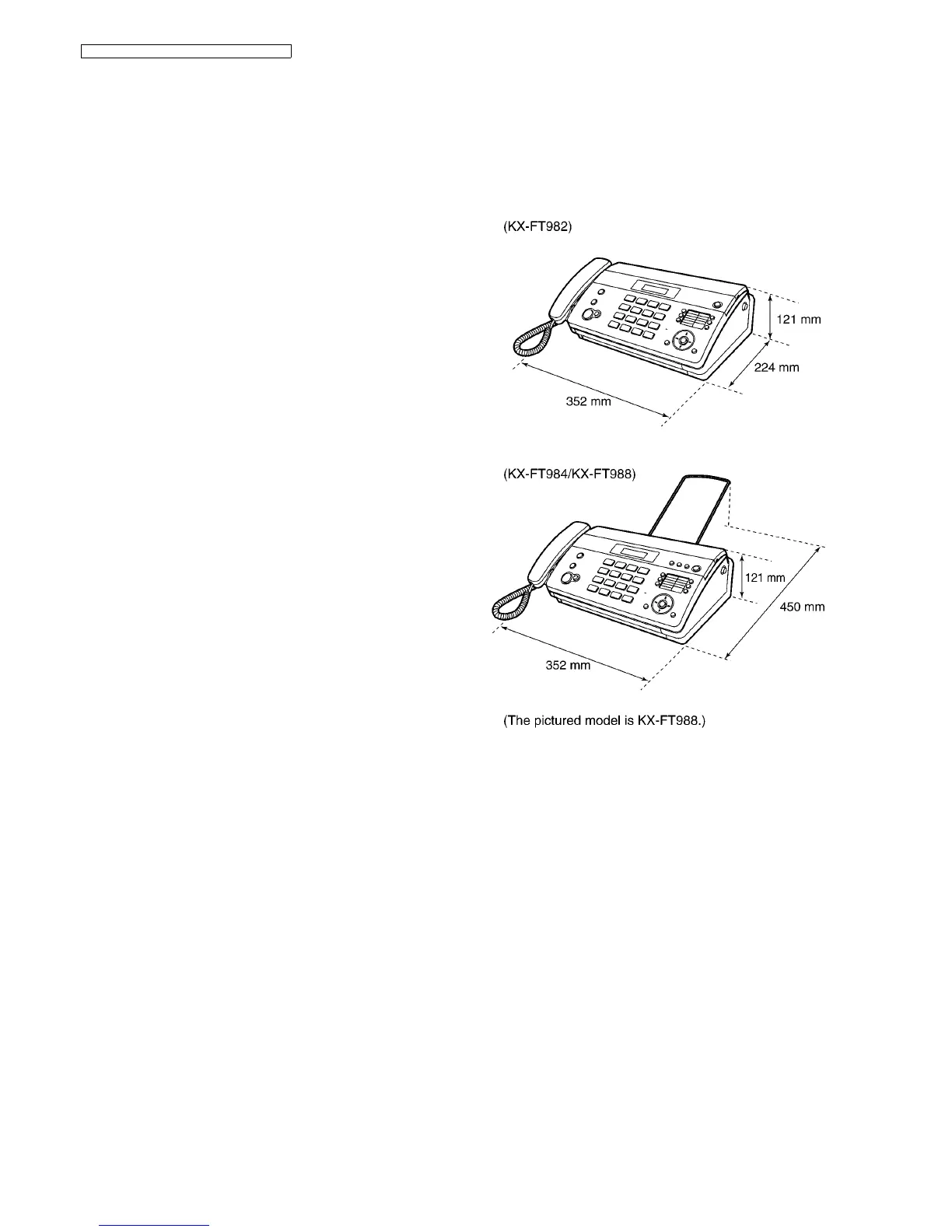
8.1. Installation Space
The space required to install the unit is shown below.
The dimensions given are necessary for the unit to operate
efficiently.
Note:
• Avoid excessive heat or humidity.
• Use the unit within the following ranges of temperature and
humidity.
• Ambient temperature: 5°C to 35°C
• Relative humidity: 20% to 80% (without condensation)
• Power cord length should be less than 5 meters. Using a
longer cord may reduce the voltage or cause malfunctions.
• Avoid direct sunlight.
• Do not install near devices which contain magnets or gener-
ate magnetic fields.
• Do not subject the unit to strong physical shock or vibration.
• Keep the unit clean. Dust accumulation can prevent the unit
from functioning properly.
• To protect the unit from damage, hold both sides when you
move it.












 To Next Page