52
KX-FT982LS-B / KX-FT984LS-B / KX-FT988LS-B
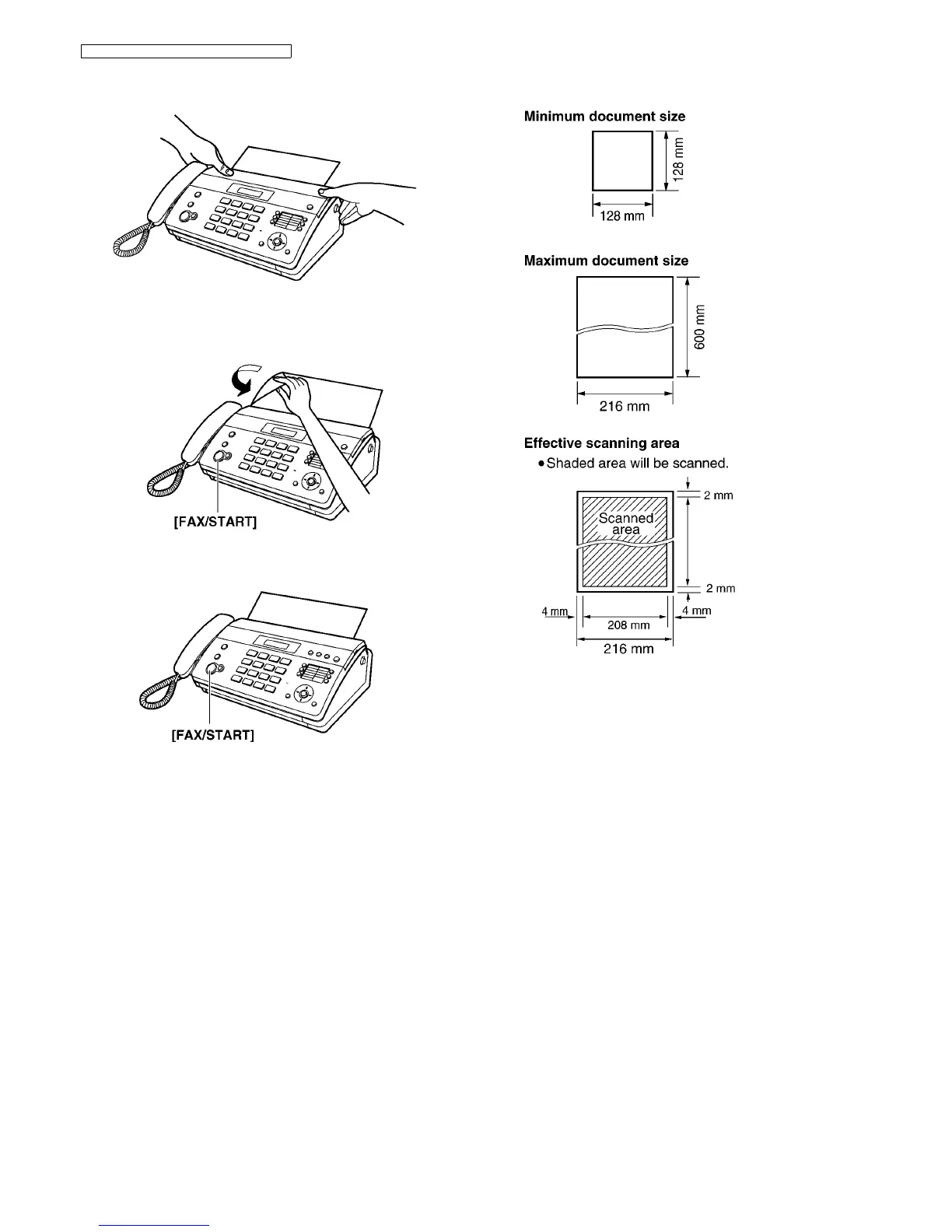
5. Close the top cover securely by pushing down on both
sides.
6. For KX-FT982:
Press [FAX/START], then tear off the excess paper by
pulling it towards you.
For KX-FT984/KX-FT988:
Press [FAX/START] to cut the paper.
Note:
• If the paper is secured with glue or tape, cut approxi-
mately 15 cm from the beginning of the roll before install-
ing it.
• When the power cord is connected, a message is printed
each time the top cover is opened then closed. If the
recording paper is installed upside down, the message
will not be printed. Install the paper correctly.
• For accessory information, see Optional Accessories
(P.10).
8.4. Documents the Unit can Send
Document weight
• Single sheet: 45 g/m
2
to 90 g/m
2
• Multiple sheets: 60 g/m
2
to 80 g/m
2
Note:
• Remove clips, staples or other fasteners.
• Do not send or copy documents that are on the following
types of paper: (Make a copy of the document using another
copier and send the copy.)
— Chemically treated paper such as carbon or carbonless
duplicating paper
— Electrostatically charged paper
— Badly curled, creased or torn paper
— Paper with a coated surface
— Paper with a faint image
— Paper with printing on the opposite side that can be seen
through the other side, such as newsprint.
• Check that ink, paste or correction fluid has dried com-
pletely.
• To send a document with a width of less than 210 mm, we
recommend using a copy machine to copy the original docu-
ment onto A4 or letter-sized paper, then sending the copied
document.












 To Next Page