56
KX-FT982LS-B / KX-FT984LS-B / KX-FT988LS-B
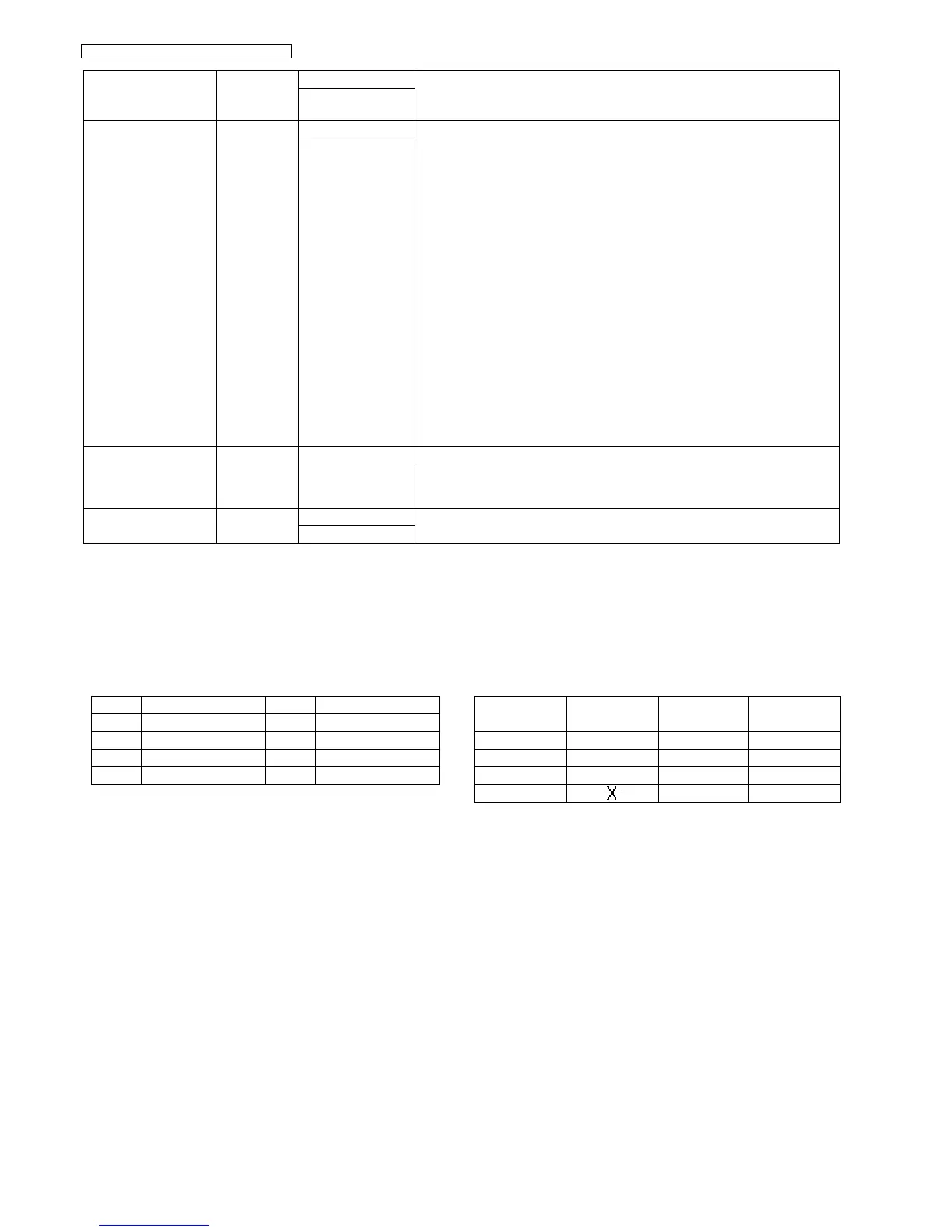
10.1. DTMF Single Tone Transmit Selection
When set to ON (=1), the 12 keys and transmission fre-
quencies are as shown.
When set to OFF (=2), the 12 keys and transmission fre-
quencies are as shown.
Note:
After performing this check, do not forget to turn the setting off.
Otherwise, dialing in DTMF signal will not work.
SENSOR TEST &
VOX TEST
Service Mode [8] [1] [5] If you enter this mode and operate sensor levers with your hands, the LCD display
of the related sensor (or switch) turns ON / OFF. Also, when copying a document,
the related sensor will turn ON / OFF.
For each sensor’s operation, refer to Sensors and Switches (P.27).
LCD DISPLAY
Do: Document set sensor
Paper inserted. Turns on when a document is inserted.
Sn: Document top sensor.
At the read position, turns on when the front cover is opened and the sensor
lever is pressed directory.
Co: Cover open sensor
Turns on and off when the front cover is opened and closed.
Jm: JAM sensor
When JAM sensor is on “Jm” functions.
Ct: Cutter sensor (KX-FT984/KX-FT988 only)
When cutter sensor is on “Ct” functions.
Vx: Vox signal (KX-FT988 only)
:Detection signal for the tone on the line. Turns on when there is a tone signal
on the line
Note:
•Press [STOP] button to quit.
[SET]
DIGITAL
SPEAKERPHONE
RX & TX CHECK
(KX-FT988 only)
Service Mode [8] [4] [1] Refer to Digital Speakerphone (KX-FT988 only) (P.118).
SPEAKERPHONE
PRINT TEST
PATTERN
Service Mode [8] [5] [2] Prints out the test pattern.
You can select 1~4. (See Print Test Pattern (P.58))
[SET]
Test Mode Type of Mode Code Function
Operation after code
input
key High Frequency (Hz) key Low Frequency (Hz)
“1” 697 “5” 1209
“2” 770 “6” 1336
“3” 852 “7” 1477
“4” 941 “8” 1633
High (Hz) 1209 1336 1477
Low (Hz)
697 “1” “2” “3”
770 “4” “5” “6”
852 “7” “8” “9”
941
“”
“0” “#”












 To Next Page