151
KX-FT982LS-B / KX-FT984LS-B / KX-FT988LS-B
sides, then press [FAX/START].
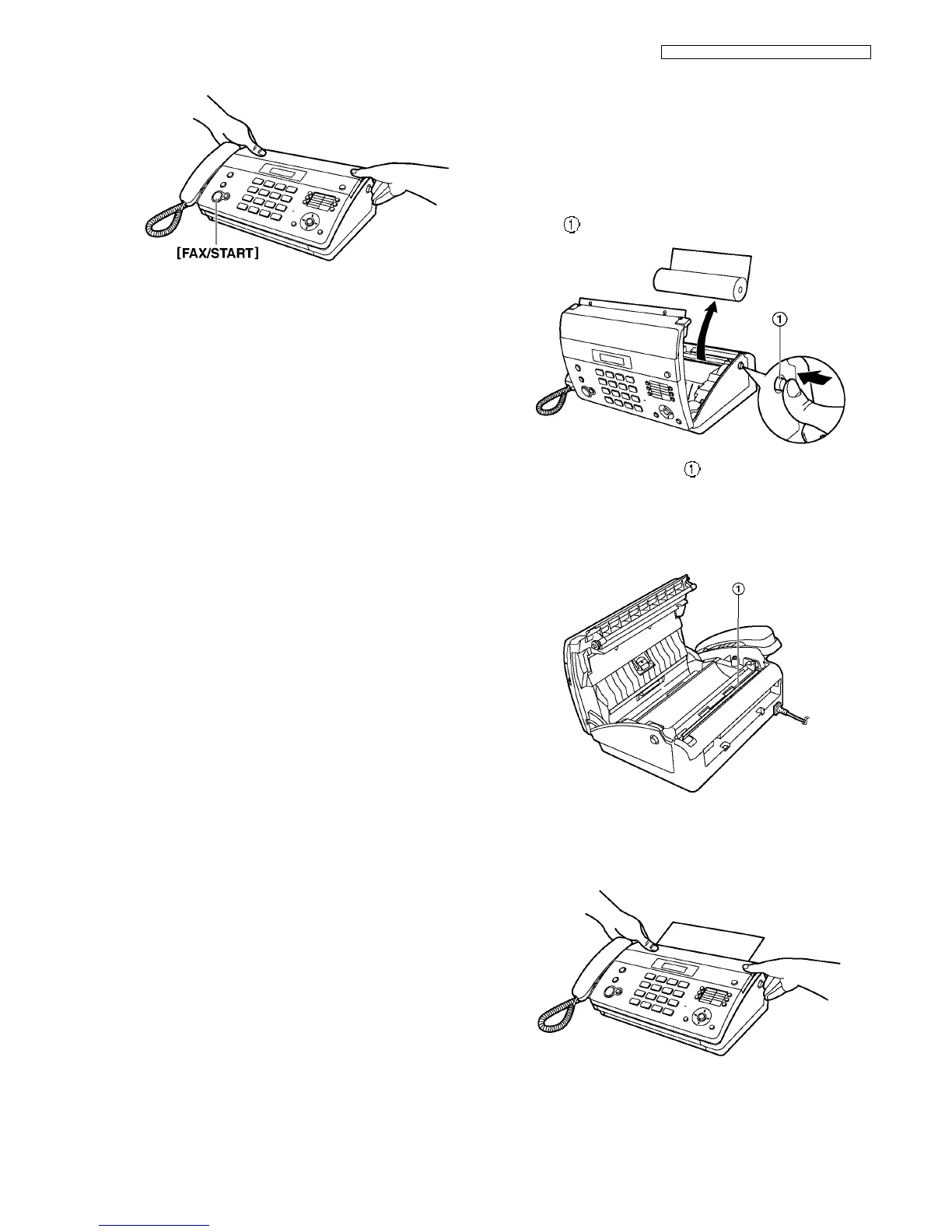
15.4.2. Thermal Head Cleaning
If smudges or black/white lines appear on a copied/received
document, check whether there is dust on the thermal head.
Clean it to remove the dust.
1. Disconnect the power cord and the telephone line cord.
2. Open the top cover by pressing the top cover release but-
ton ( ) and remove the recording paper.
3. Clean the thermal head ( ) with a cloth moistened with
isopropyl rubbing alcohol, and let all parts dry thoroughly.
Caution:
• To prevent a malfunction due to static electricity, do
not use a dry cloth and do not touch the thermal
head directly.
4. Connect the power cord and the telephone line cord.
5. Install the recording paper and close the top cover
securely by pushing down on both sides.












 To Next Page