Speed Dialer
For assistance, please visit http://www.panasonic.com/phonehelp 33
2 Press {V} or {^} to select the
desired number, then press
{MENU/SET}.
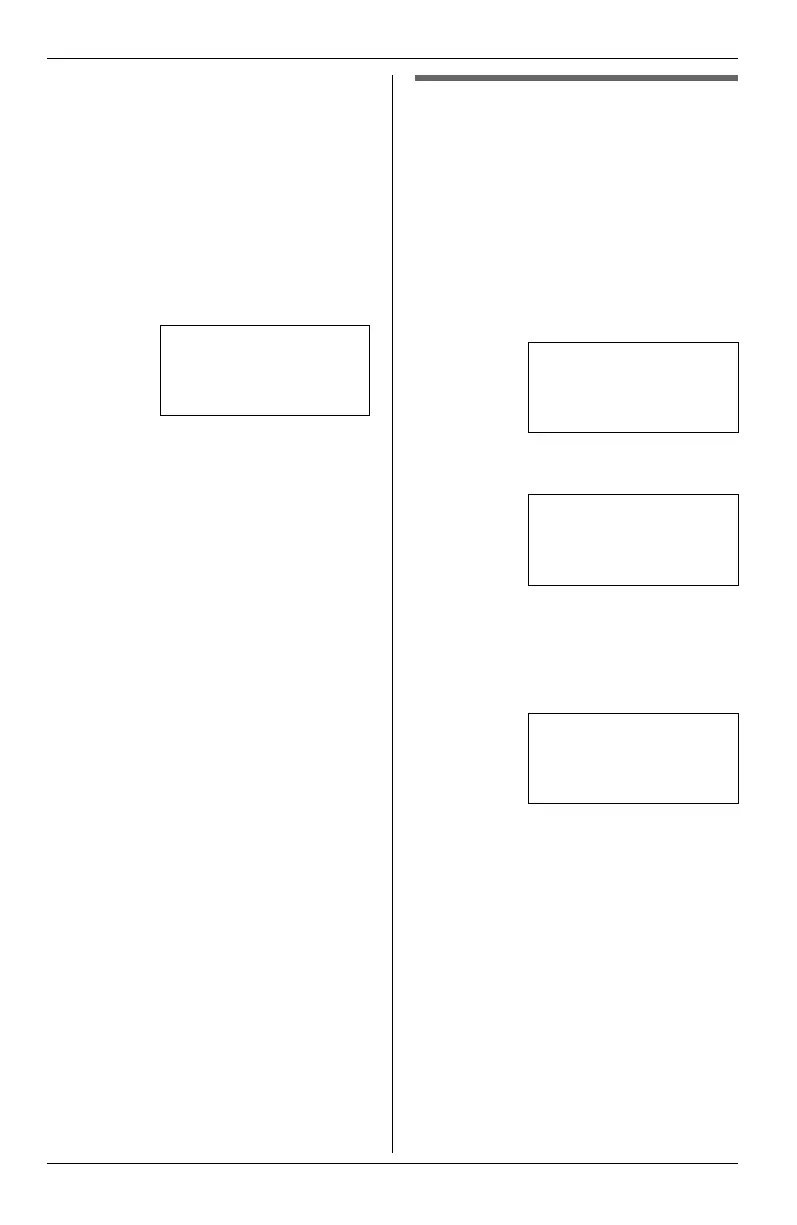
3 Select “Copy To SPD”, then press
{MENU/SET}.
4 Press the speed dial button ({1} to
{16}).
OR
Press {LOWER}, then press the
speed dial button ({1} to {16}).
5 Enter the name (max. 16 characters;
see “Character table” on page 32).
L To erase the character, select
“Delete Char”, then press
{MENU/SET}.
6 Select “Done”, then press
{MENU/SET}.
L To cancel, select “Cancel”, then
press {MENU/SET}.
7 Edit the phone number if necessary.
L To erase the number, select
“Delete Char”, then press
{MENU/SET}.
L If required, you can insert
{FLASH}, {REDIAL/PAUSE} or
{*} (TONE) in a phone number.
8 Select “Done”, then press
{MENU/SET}.
L To cancel, select “Cancel”, then
press {MENU/SET}.
9 Press {REDIAL/PAUSE} to return to
standby mode.
o
e:
L To return to the previous menu, press
{<}.
Erasing a stored entry
mpor
an
:
L Make sure that the unit is in standby
mode.
1 Press {MENU/SET}.
2 Select “Phone Setup”, then press
{MENU/SET}.
3 Select “Speed Dial”, then press
{MENU/SET}.
4 Select “Edit/View SPD”, then
press {MENU/SET}.
5 Press the speed dial button ({1} to
{16}).
OR
Press {LOWER}, then press the
speed dial button ({1} to {16}).
6 Press {MENU/SET}.
7 Select “Erase”, then press
{MENU/SET}.
L To cancel, select “Cancel”, then
press {MENU/SET}.
8 Press and hold {MENU/SET} to
return to standby mode.
o
e:
L To return to the previous menu, press
{<}.
3215555
Select SPD Key
➔
Speed Dial
Language
Extension No.
[V/^]:Scroll
➔
Edit/View SPD
SPD Preference
[V/^]:Scroll
Edit/View SPD
Select SPD Key
KXT4100OI.bookPage33Friday,September1,20068:54AM








 To Next Page