Useful Information
For assistance, please visit http://www.panasonic.com/phonehelp 45
Wall mounting
This unit can be mounted on a wall phone plate.
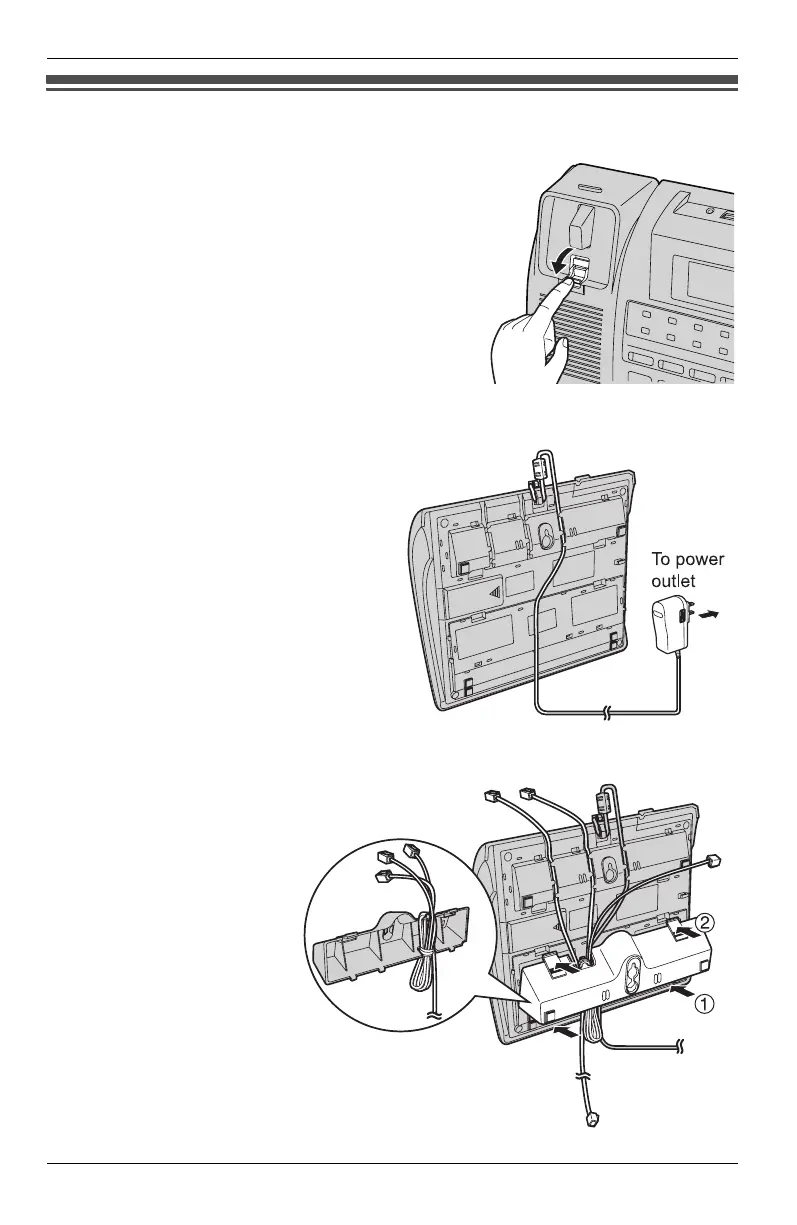
1 Pull down the handset hook until it
locks, so the tab holds the handset.
2 Connect the AC adaptor, and dress
the AC adaptor cord as shown.
3 Dress the telephone line
cord as shown.Tuck the
telephone line cord inside
the wall mounting
adaptor, then push it in
the direction of the
arrows (1 and 2).
KXT4100OI.bookPage45Friday,September1,20068:54AM








 To Next Page