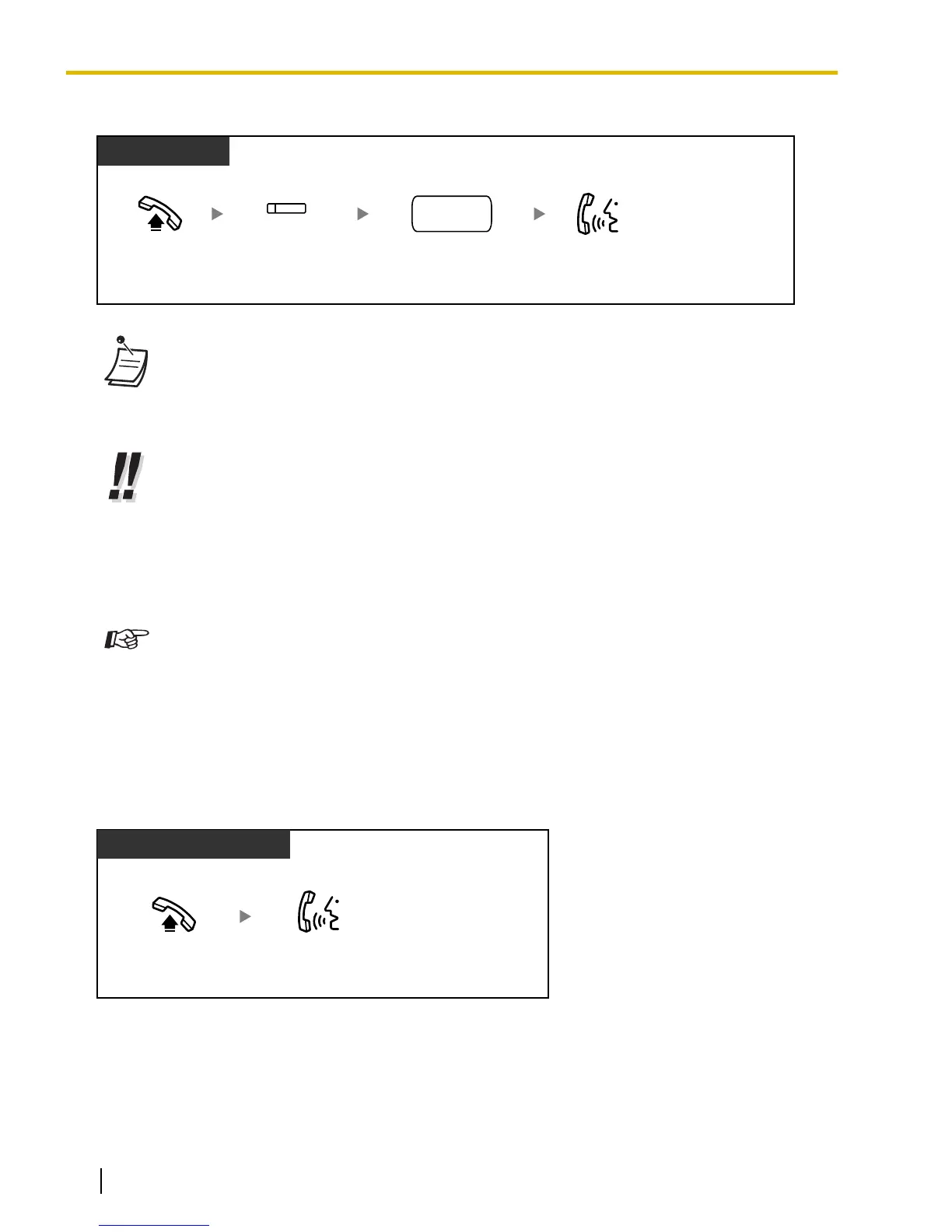
S-CO Line Access
PT and SLT
PT/PS
Off-hook. Talk.
Press S-CO.
(S-CO)
Dial outside
phone number.
outside
phone no.
• Each of the S-CO button or G-CO button light shows the current status as follows:
Off: The line is idle.
Red on: The line is in use.
• You
may be restricted from making a call to the specified outside party. To make a call, refer
to "1.3.67 Verification Code Entry" or "1.3.73 Walking COS".
• To confirm number before dialing, you can enter a phone number and confirm it on the
display and then go off-hook. (Predialing)
• To
make a call to another party without going on-hook, press the FLASH/RECALL button.
It will re-access the CO line and provide external dial tone. Pressing the Terminate button
will provide intercom dial tone. You can dial the new phone number without going on/off-hook.
• Hands-free Operation
You can make an outside call and have a conversation in hands-free mode using the
SP-PHONE button (refer to "1.3.31 Hands-free Operation").
Customizing Your Phone
• 3.1.2 Personal Programming
—Preferred Line Assignment—Outgoing
Select the seized line when going off-hook.
• 3.1.4 Customizing the Buttons
Create or edit a Loop-CO (L-CO) button, a Group-CO (G-CO) button, a Single-CO (S-CO)
button or a Terminate button.
1.2.2 Answering Calls
Talk.
Off-hook.
PT/SLT/PS/SIP Extn.
30 Operating Manual Document Version 2009-11
1.2.2 Answering Calls











 To Next Page