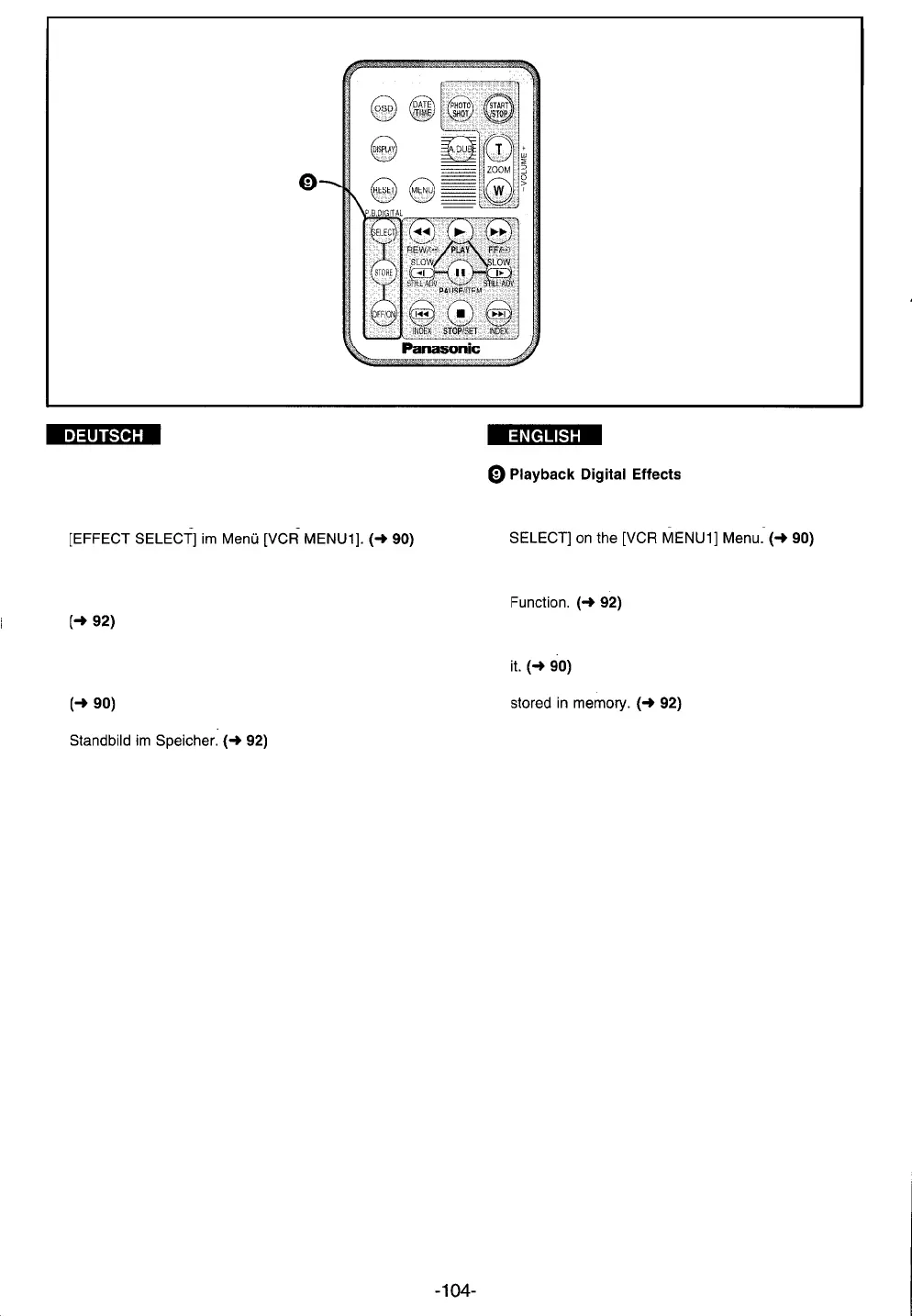
@ Wiedergabe-Digital-Effekte
Wahltaste [SELECT]
Zum Wählen des gewünschten Digital-Effektes für
Speichertaste [STORE]
Zum Eingeben eines Standbildes in den Speicher
zum Benutzen mit der Wipe- oder Mix-Funktion.
Aus-/Einschalttaste [OFF/ON]
Zum vorübergehenden Aufheben des gewählten
Digital-Effektes und zum erneuten Einschalten.
Zum Starten eines Wipe- oder Mix-Übergangs vom
Selection Button [SELECT]
To select the desired digital effect for [EFFECT
Store Button [STORE]
To store a still picture in memory for the Wipe or Mix
Off/On Button [OFF/ON]
To suspend the selected digital mode or re-activate
To Start a Wipe or Mix transition from the still picture





 To Next Page