ENGLISH - 61
[Keystone]
You can correct the trapezoidal distortion that occurs when the projector is installed tilted or when the screen is tilted.
1) Press as to select [Keystone].
2) Press the <ENTER> button.
f The [Keystone] screen is displayed.
3) Press as to select one item.
[Keystone]
Sets whether or not to keep the keystone correction after turn off the projector or plug out
the power cord.
[H/V Keystone]
Adjusts when the horizontal or vertical trapezoid of the projected image is distorted.
[Corner correction]
Adjusts when the four corners of the projected image are distorted.
[Curved correction]
Adjusts when the linearity is not uniform or the vertical and horizontal lines are distorted.
[Reset value]
Return the corrected values to the factory default values.
[Keystone]
Sets whether or not to keep the keystone correction after turn off the projector or plug out the power cord.
1) Press as to select [Keystone].
2) Press the <ENTER> button.
f The [Keystone] screen is displayed.
3) Press as to select [Keystone].
4) Press the <ENTER> button.
5) Press as to switch the item.
f The items will switch each time you press the button.
[Reset]
When [Standby mode] is set to [Eco], plug out the power cord or turn off the projector, the
keystone correction will be canceled. When [Standby mode] is set to [Normal], plug out the power
cord, the keystone correction will be canceled; turn off the projector, the keystone correction will
be kept.
[Store]
The keystone correction will be kept when plug out the power cord or turn off the projector.
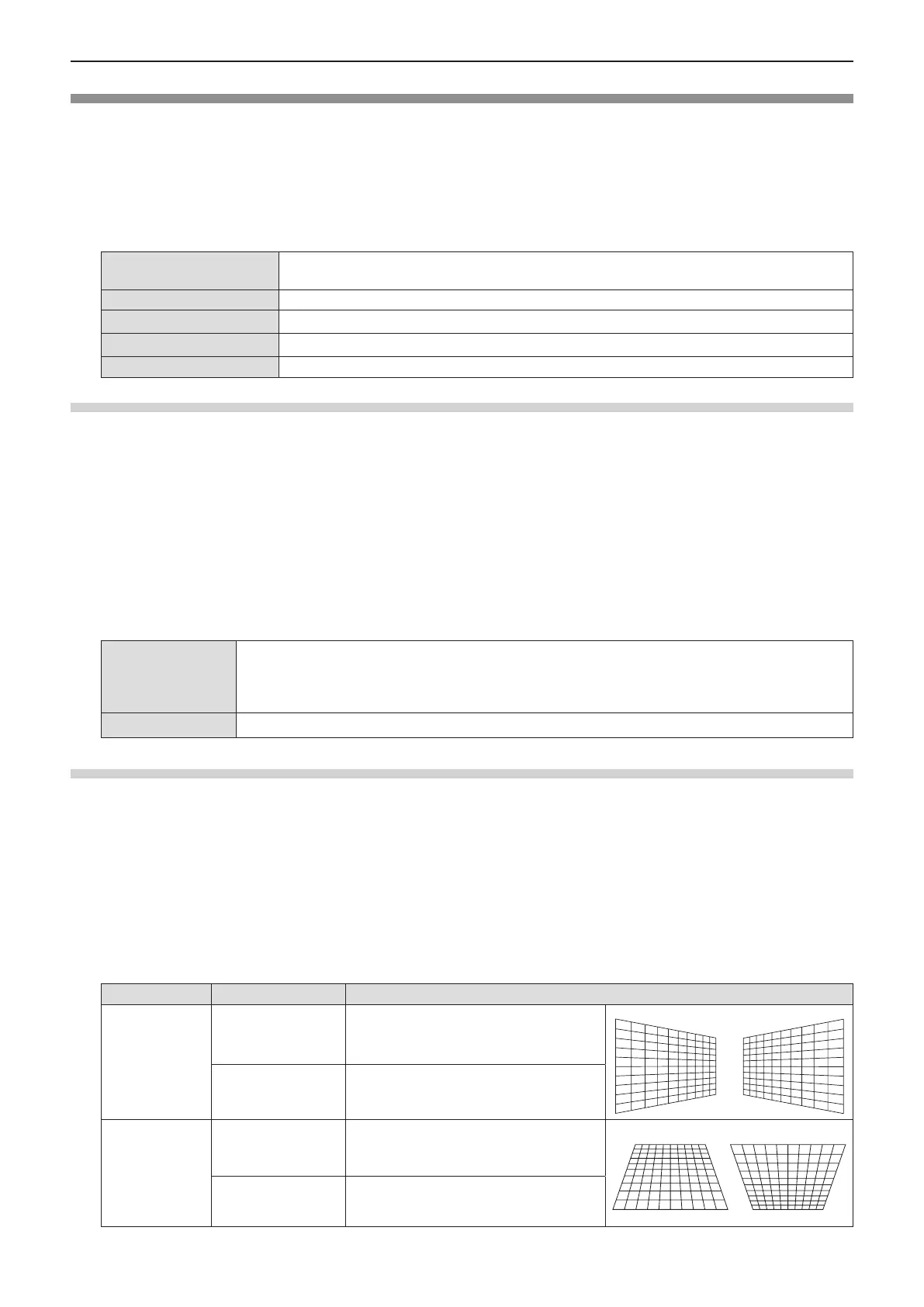
[H/V Keystone]
1) Press as to select [Keystone].
2) Press the <ENTER> button.
f The [Keystone] screen is displayed.
3) Press as to select [H/V Keystone].
4) Press the <ENTER> button.
f The [H/V Keystone] individual adjustment screen is displayed.
5) Press asqw to adjust the item.
Items Operation Adjustment
Horizontal
Press the w button.
Adjusts the right of the keystone.
Press the q button.
Adjusts the left of the keystone.
Vertical
Press the a button.
Adjusts the upper of the keystone.
Press the s button.
Adjusts the bottom of the keystone.
Chapter 4 - Settings - [Expand] menu











 To Next Page