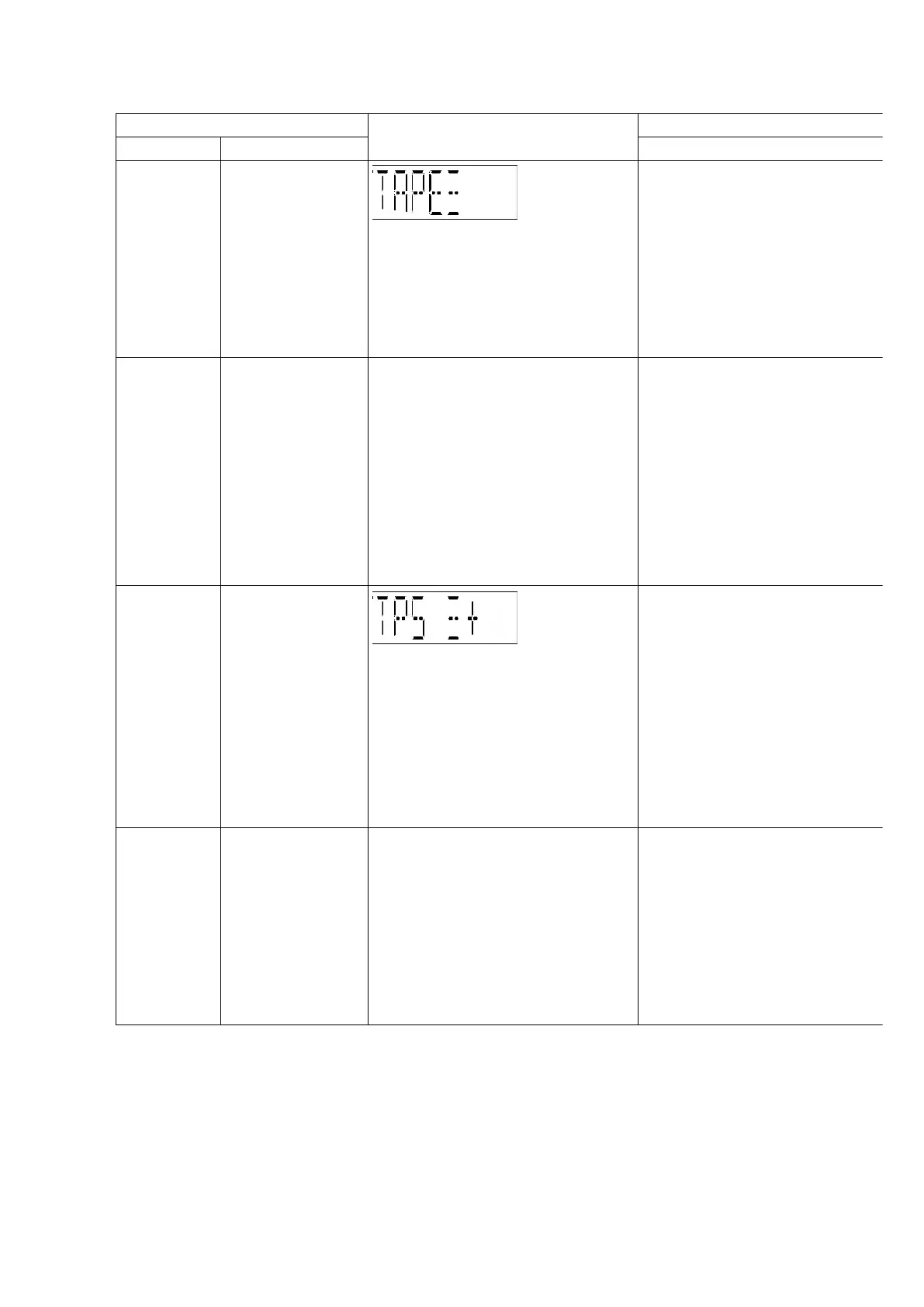
Item FL Display Key Operation
Mode Name Description Front Key
Tape
Recording
and Playing
To Inspect the
Tape recording
and playing is
process for unit.
(For more
information, refer
to section 8.1.5)
In doctor mode:
1. Press [6] button on remote control.
To exit, press [ENTER] button
remote control or
button on main unit or remote
control.
Volume
Setting
To Forced Volume
Setting.
-
BASS TREBLE set to 0dB.
-
H.BASS is off.
1.
2.
3.
In doctor mode:
1. Press [7] button on remote control.
2. Press [8] button on remote control.
3. Press [9] button on remote control.
To exit, press [ENTER] button
remote control or
button on main unit or remote
control.
TPS To check FF TPS
for deck.
(For more
information, refer
to section 8.1.6)
In doctor mode:
1. Press [
button on remote control.
To exit, press [ENTER] button
remote control or
button on main unit or remote
control.
CD Tray and
Tape Door
Open
To check CD Tray
and Tape Door
Open.
-
BASS TREBLE set to 0dB.
-
H.BASS is off.
-
CD tray and Cassette
cover shall open
simultaneously.
In doctor mode:
1. Press [1] button on remote control.
To exit, press [ENTER] button
remote control or
button on main unit or remote
control.
15












 To Next Page