16
RQTV0148
ENGLISH
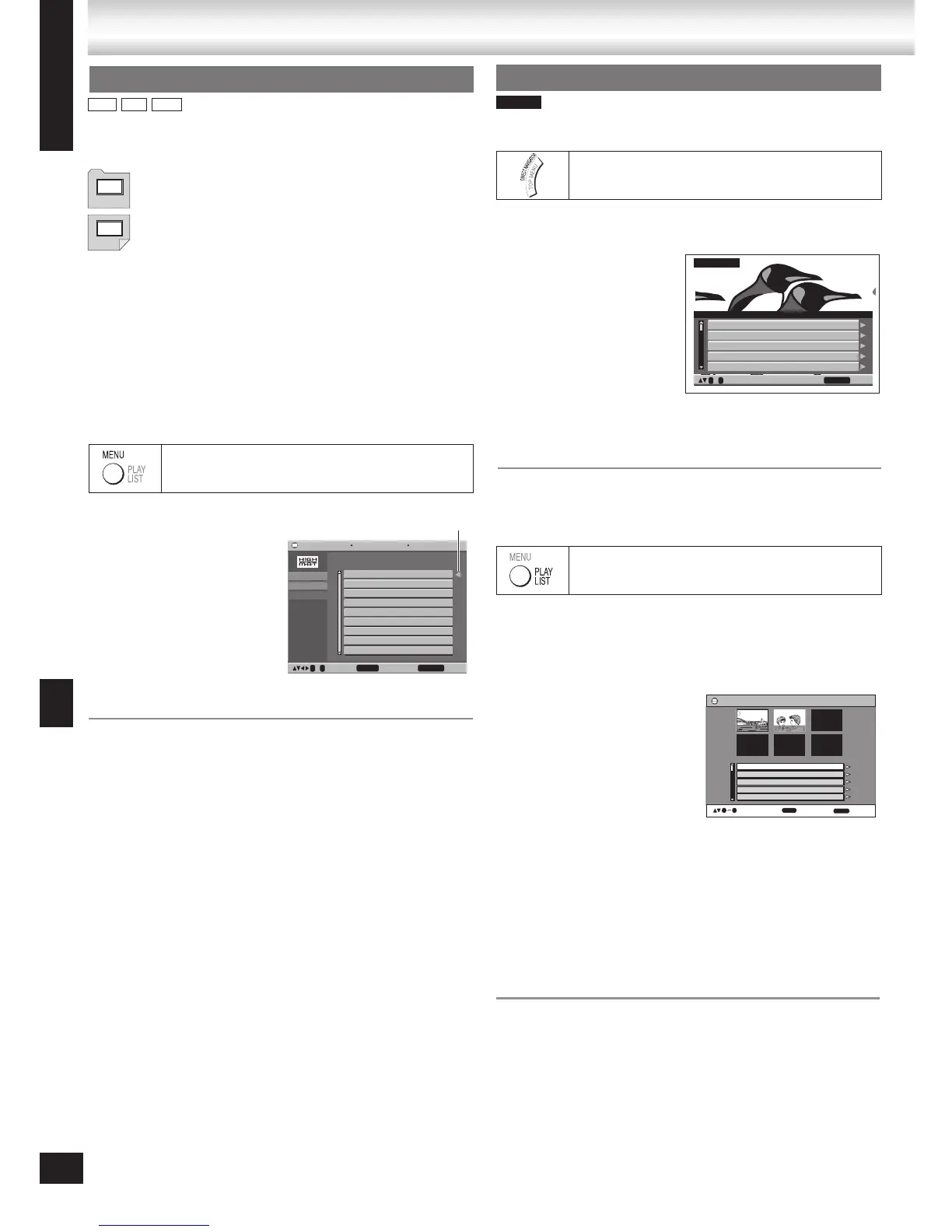
You can play the groups of scenes (playlists) created on DVD
video recording equipment.
1 Press [MENU, PLAYLIST].
2 Press [e, r] or the
numbered buttons to
select the item.
3 Press [ENTER] to
confirm.
g Playing scenes one by one
1 While the playlist menu is displayed
Press [
q].
2 Press [e, r] to select “Scene List” and press [ENTER].
“Contents” shows playlist information.
3 Press [e, r, w, q] to select a scene and press [ENTER].
Indication on the unit's display.
PL: Playlist number
To exit the list screen
Press [MENU, PLAYLIST] or [RETURN].
•
•
A menu appears when you select the disc.
Press [e, r, w, q] to select then press [ENTER].
When you press [ENTER]:
To display the screen
Press [TOP MENU, DIRECT NAVIGATOR].
To return to the menu above the current one
Press [RETURN].
To change the menu background
Press [FUNCTIONS].
The background changes to the one recorded on the disc.
To exit the screen
Press [g, STOP].
•
•
•
•
1 Press [TOP MENU, DIRECT NAVIGATOR].
2 Press [e, r] or the
numbered buttons
to select the item.
The selected program
plays in the background.
3 Press [ENTER] to
confirm.
Press [q] to show the contents of the program.
Indication on the unit's display.
PG: Program number
To exit the list screen
Press [TOP MENU, DIRECT NAVIGATOR] or [RETURN].
•
•
During play
1 Press [MENU,
PLAYLIST].
2 Press [w] then [e, r]
to switch between the
playlist, group and
content lists.
3 Press [q] then [e, r]
to select an item and
press [ENTER].
To exit the list screen
Press [MENU, PLAYLIST] or [RETURN].
•
Discs — Using navigation menus
1 11/ 1(WED) 12:05 Friends of a feather
2 1/ 1(MON) 1:05 Sunny day
3 2/ 2(TUE) 2:21 Penguins habitat
4 3/ 3(WED) 3:37 Irresistible
5 4/ 10(THU) 11:05 Hot cakes
No. Date On
Title Contents
RETURN to exit
0 ~ 9 to select
Direct Navigator









 To Next Page