8
RQTV0148
ENGLISH
Simple setup
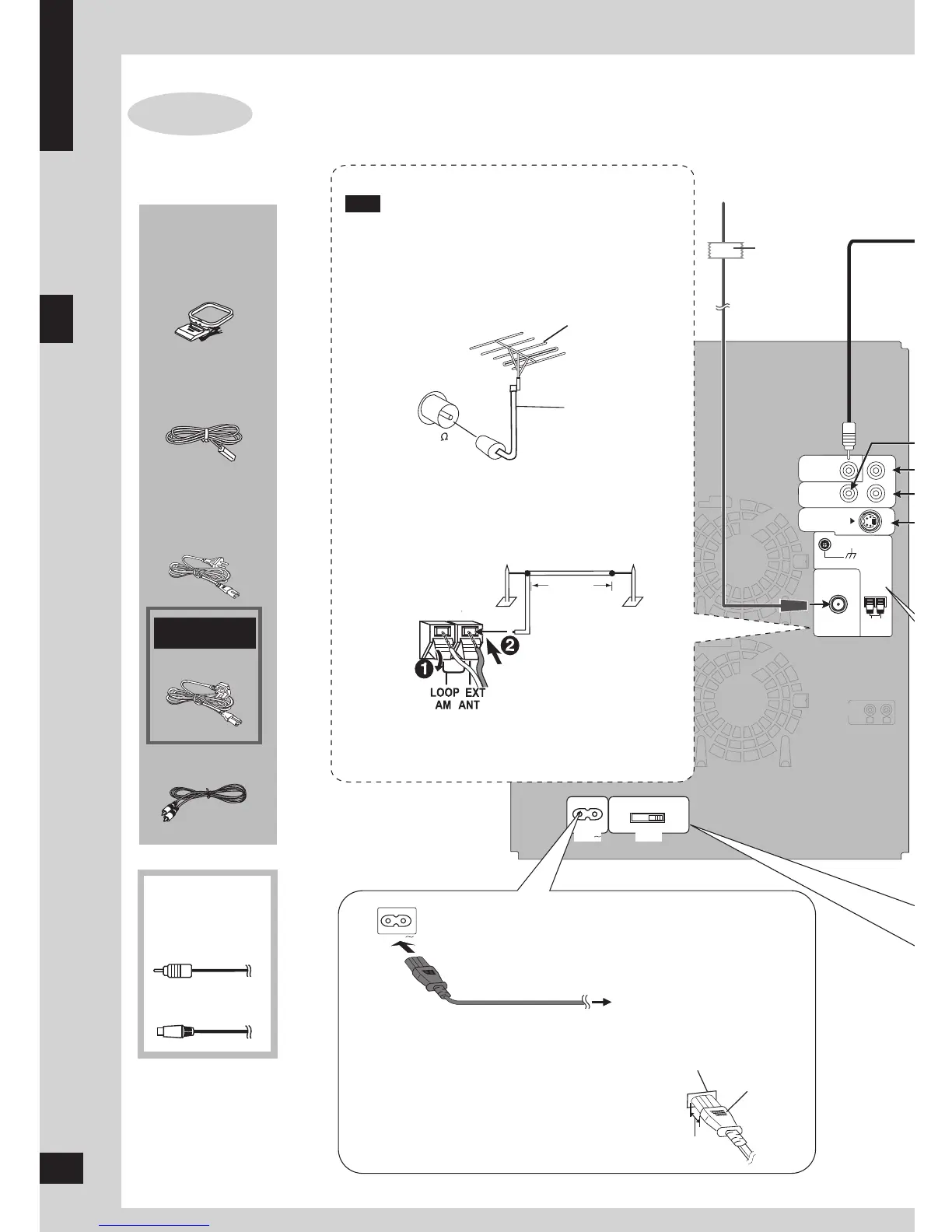
Step 2 : Connecting a television, the antennas and the AC power supply cord
Connecting a television, the antennas and the AC
power supply cord
STEP 2
AM loop
antenna
AC power
supply cord
Use outdoor antennas if radio reception is poor.
Disconnect the outdoor antenna when the unit is not
in use.
Do not use the outdoor antenna during a lightning
storm.
Connect the AM
loop antenna
■ AM outdoor antenna
5-12m
Run a piece of vinyl wire horizontally across a
window or other convenient location.
Leave the loop antenna connected.
•
•
Note
FM indoor antenna
Fix the other end of the
antenna where reception
is best.
Adhesive
tape
FM outdoor antenna
75 Ω coaxial
cable
■ FM outdoor antenna (using a television antenna)
Disconnect the FM indoor antenna.
The antenna should be installed by a competent
technician.
•
•
To household AC socket
Connect the AC power supply cord after all other
connections are complete.
For Saudi Arabia
and Kuwait
Video cable
FM indoor
antenna
Insertion of connector
Even when the connector is perfectly inserted,
depending on the type of inlet used, the front
part of the connector may jut out as shown in the
drawing. However there is no problem using the
unit.
AC power supply cord
Appliance inlet
Approx. 3.5 mm
Connector
Other accessories
(not included)
Component
video cable
S video cable
Supplied
accessories
AM outdoor antenna
8
or








 To Next Page