26
RQTV0148
ENGLISH
Enjoying karaoke
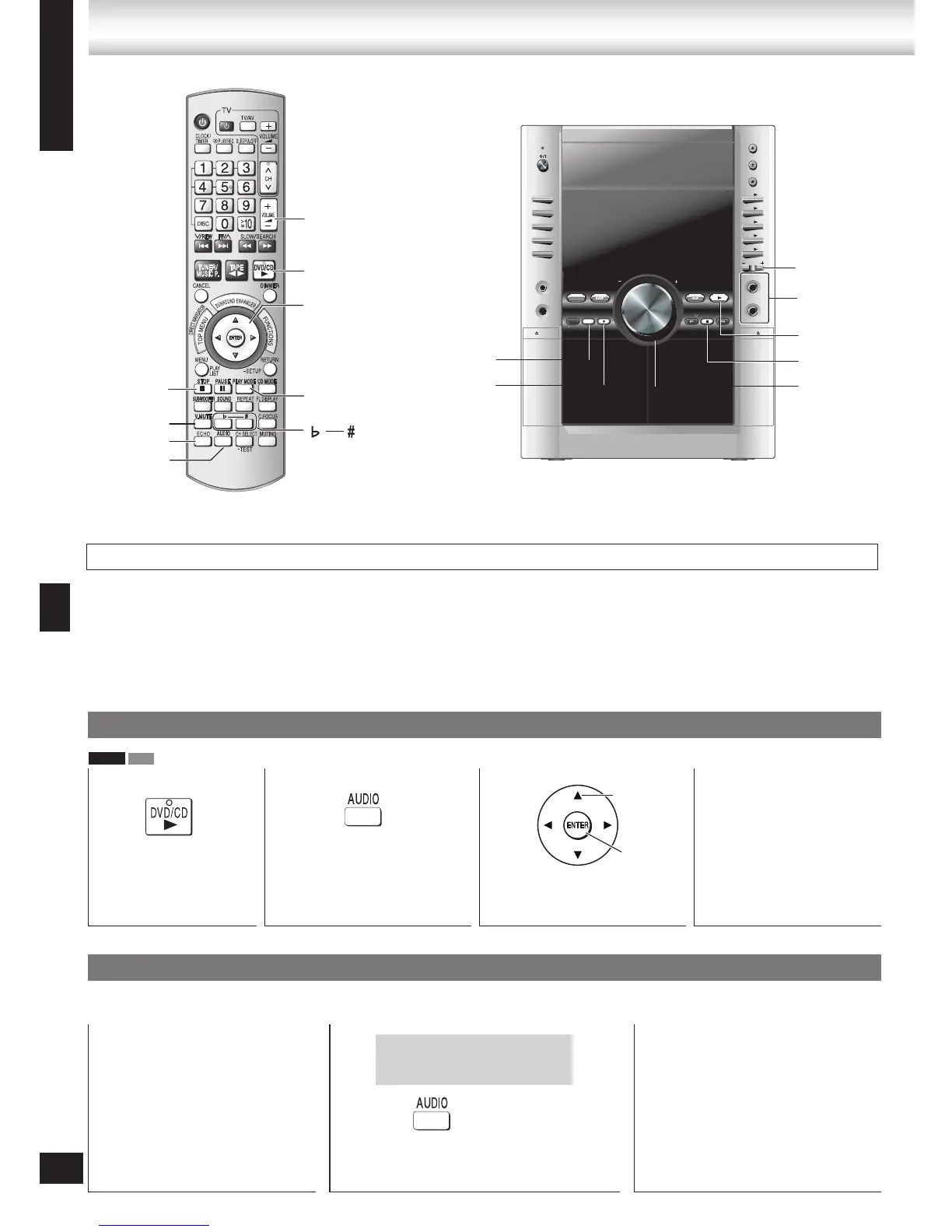
Lower the microphone volume with [– MIC VOL] on the main unit, then connect the microphone to the microphone jack “MIC”.
Use a dynamic microphone.
Plug type: 6.3 mm monaural.
If a strange noise (howling) is emitted during use, move the microphone away from the speakers, or turn down the microphone
volume.
When you are not using the microphone, disconnect it from the microphone jack, and turn down the microphone volume level to
“MIC OFF”.
•
•
•
•
•
Enjoying karaoke with karaoke DVD and VCD
1
Start play.
(➡ page 12)
2
Show the audio menu on
the television.
3
Make the selection.
(➡ Audio mode, page 27)
4
Start singing.
(➡ Mic volume adjustment,
page 27)
Enjoying karaoke with other sources
You can also do karaoke with discs other than those described above, and also with the radio, cassettes, and equipment connected
to this unit.
1
Start play.
Refer to the pages for the source
Discs: ➡ page 12
Cassette tapes: ➡ page 24
The radio: ➡ page 23
Portable audio equipment: ➡
page 31, Using the Music Port
–
–
–
–
2
Make the selection.
(➡ Audio mode, page 27)
3
Start singing.
(➡ Mic volume adjustment, page 27)
Even if the vocals and melody are not
split, you may still be able to lower the
volume of the vocals. (➡ Vocal mute
function, page 27)
Select
Confirm
Only necessary if the vocals and
melody are split between the left
and right channels.
Before enjoying karaoke








 To Next Page