Confirming the elite Panaboard Operation
After assembling the elite Panaboard, confirm that it operates properly by following the procedure below.
Action
Checkpoints
Operation Measure
1 Turn on the power Green LED lights. (Normal operation)
Green LED does not light, or
red LED is blinking.
Check the power cord.
See "Assembling the elite
Panaboard" (For Wall Mount-
ing ® page 42, For Mounting
on a Stand (Sold Separately)
® page 44) step 1.
Confirming the Interactive Features
1. Following the procedure in "Installing the elite Panaboard software" (page 17), install the software
and, and connect the included USB cable.
2. Confirm that the interactive features are operating correctly.
• If a projector is not available, confirm operation using only the elite Panaboard and computer.
• When the elite Panaboard software starts, the calibration screen is displayed on the computer screen.
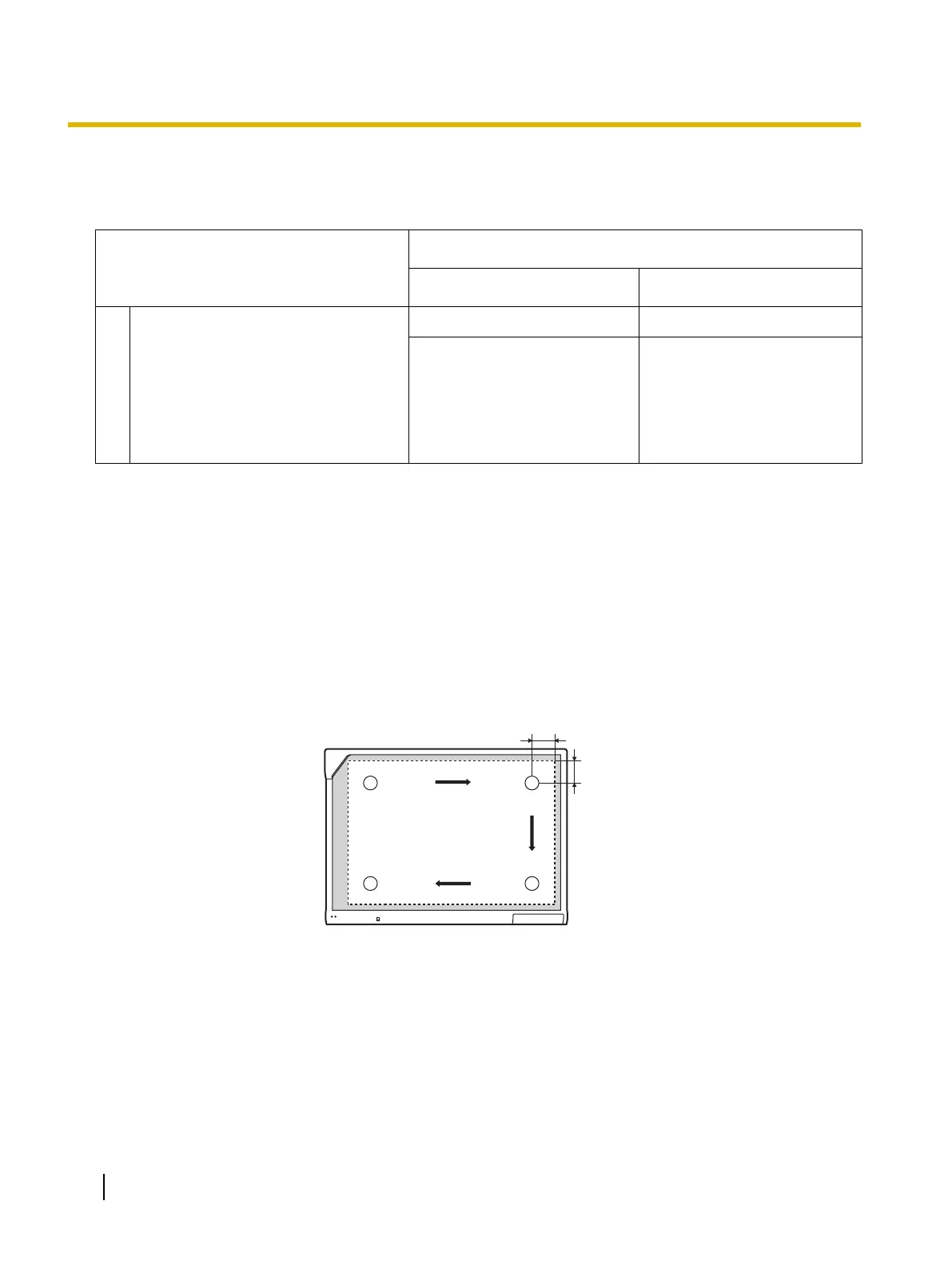
• Perform tentative calibration by pressing the 4 points on the elite Panaboard with the electronic pen,
as shown in the illustration below.
For precise adjustment, it is necessary to use a projector.
Approx.
100 mm (4 in.)
Approx. 100 mm (4 in.)
1
3
4
2
• With the elite Panaboard software running, enter White Background mode and select the marker tool.
Confirm operation by writing on the screen board with the electronic pen and checking that the writing
is displayed on the computer's screen. (Your writing with the electronic pen will not appear on the
screen board itself.)
46 Operating Instructions (For Basic Operations)
Installation Manual




 To Next Page