104
CONNECTIVITY
USING A Wi-Fi NETWORK
Connect the Breakout™ to a Wi-Fi network and enjoy the wireless Internet connection. Depending on
your data plan or the area where you stay, you should pay for connection to the Wi-Fi network.
CONNECTING TO A Wi-Fi NETWORK
1 Touch Apps from the Home Screen. Touch Settings .
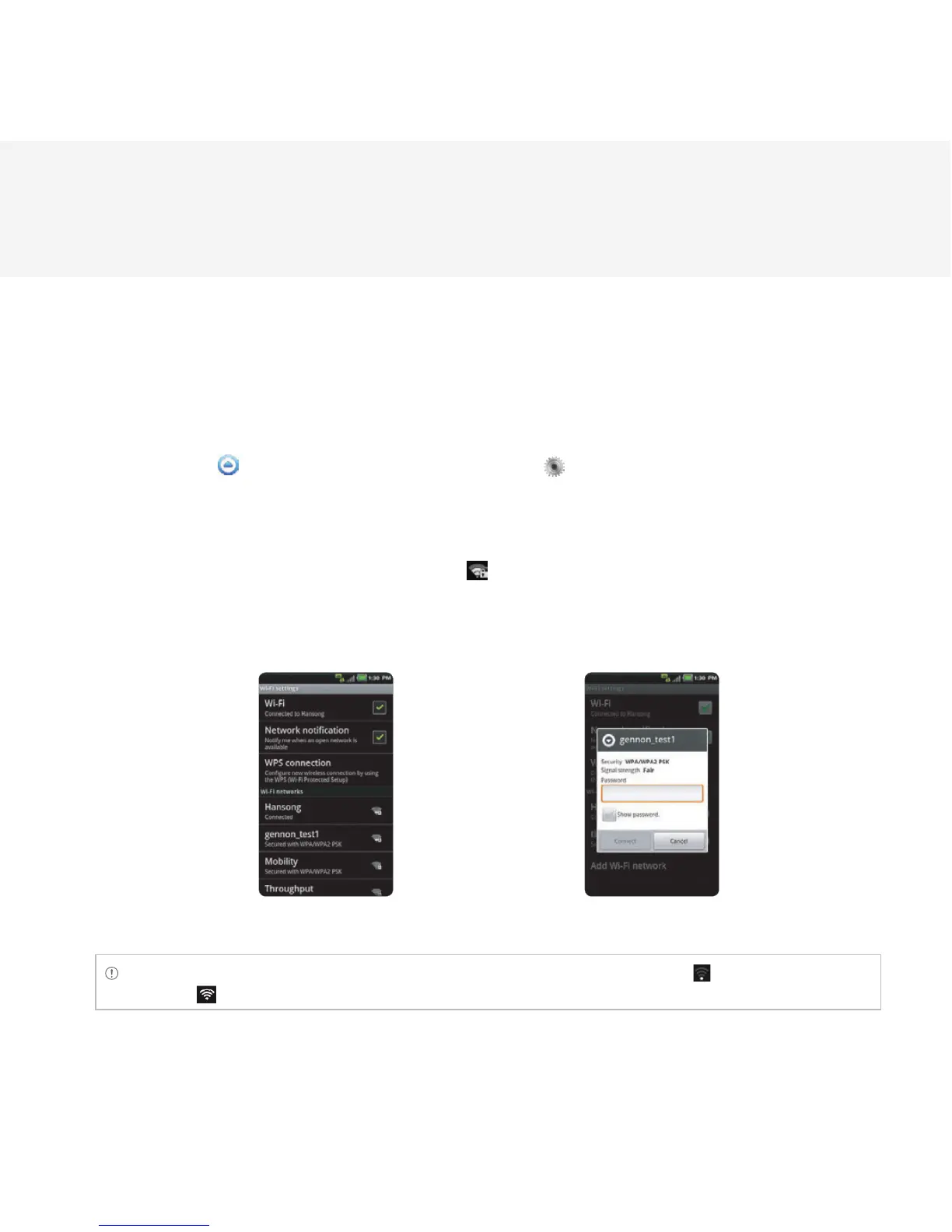
2 Touch Wireless & networks > Wi-Fi settings.
3 Touch Wi-Fi to activate the technology.
4 Select and touch a network to connect.
5 Enter the password if the network is secured. indicates a secured Wi-Fi network. Touch Show
password if you want the password to be displayed.
6 Touch Connect. Once the network is remembered, the Breakout™ will automatically connect to it when in
range.
Activating Wi-Fi Connecting to a Wi-Fi network
Note The icon next to each network indicates the strength of the signal. For example, indicates the signal is
poor while indicates the signal is strong.



 To Next Page