64
PERSONAL INFORMATION
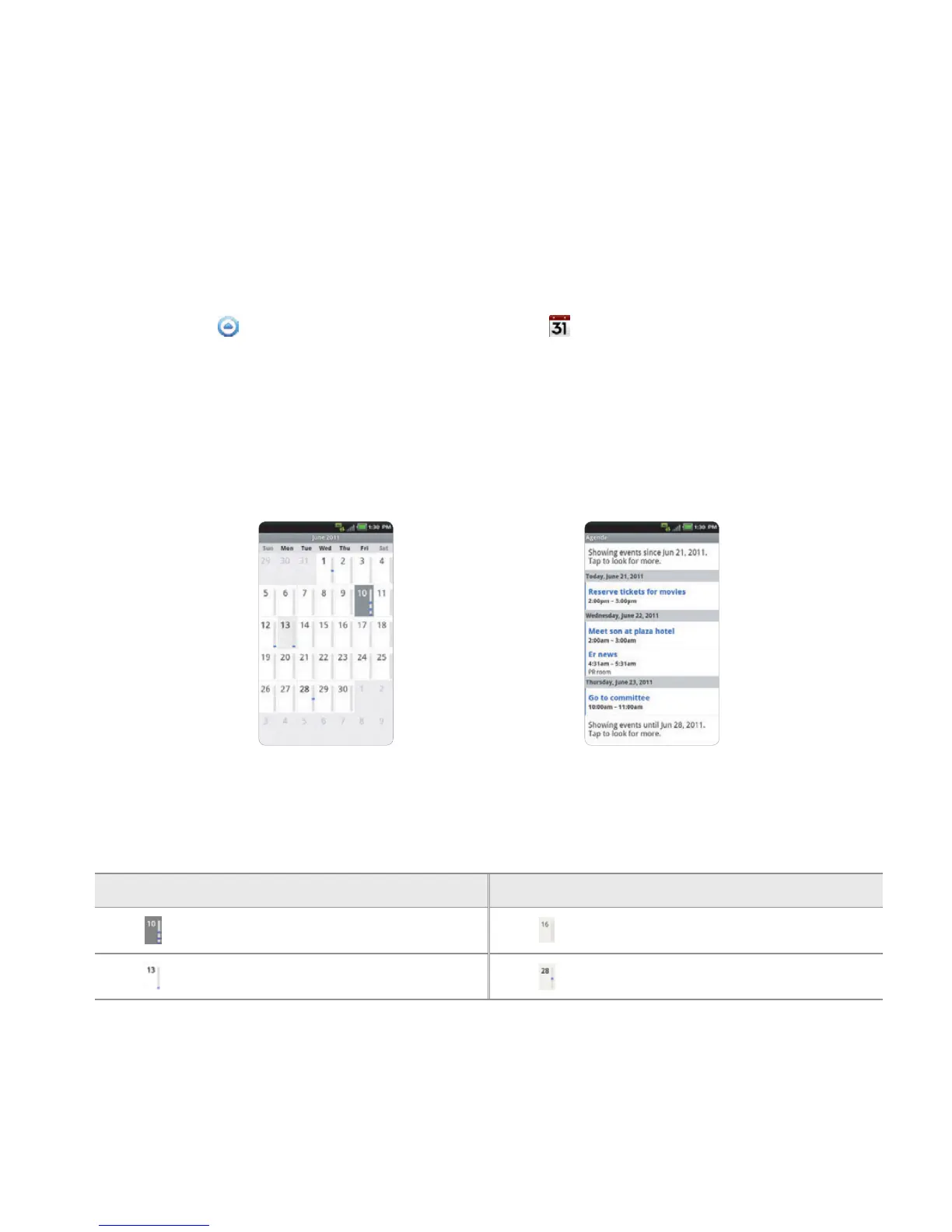
CHECKING EVENTS
1 Touch Apps from the Home Screen. Touch Calendar .
2 Touch a day that you want to view events for the day. A blue dot indicates an event for a day.
3 Press the Menu Key B and touch Day, Week or Month if you want to see events for a daily or
weekly basis. Month view is displayed by default.
4 Touch Today if you want to see events for today.
5 Touch Agenda if you want to see events in text mode.
Month view Agenda
CALENDAR ICONS
Icon Description Icon Description
Today
Focus
Day with events
Focus with events



 To Next Page