17
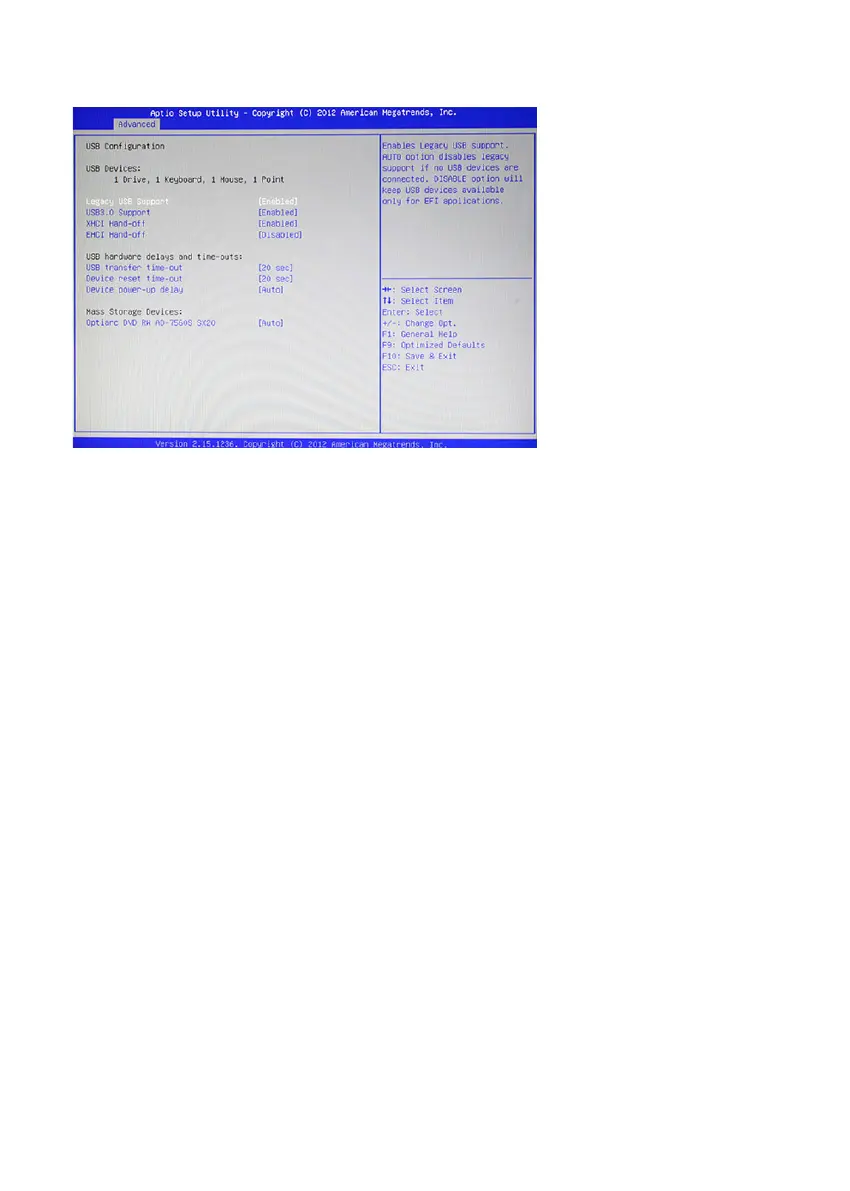
USB Conguration
Figure 2.7 USB
Conguration sub-menu
Legacy USB Support
When enabled, the BIOS will enable legacy support for USB keyboards, mice and oppy drives. You will be
able to use these USB devices even with operating systems that do not support USB.
USB3.0 Support
This item enables or disables USB3.0 (XHCI) controller support.
EHCI Hand-Off
This is a workaround for OSes without XHCI hand-off support. The XHCI ownership change should be
claimed by XHCI driver.
EHCI Hand-Off
This is a workaround for OSes without EHCI hand-off support. The EHCI ownership change should be
claimed by EHCI driver.
USB transfer time-out
This item allows you to specic the USB transfer timeout value for control, bulk, and interrupt transfers.
Device reset time-out
This item allows you to specic the timeout periods for USB device initialization and the Start Unit command
to enable mass storage access operations.
Device power-up delay
This item allows you to select the time for devices report themselves to the Host Controller, including through
USB hubs. When set to Auto, root port devices will be given 100 ms, while devices connected to hubs will
be given time as specied in the Hub descriptor When this parameter is set to Manual, a delay from 1 to 40
seconds can be selected.



 To Next Page