25
Graphics Conguration
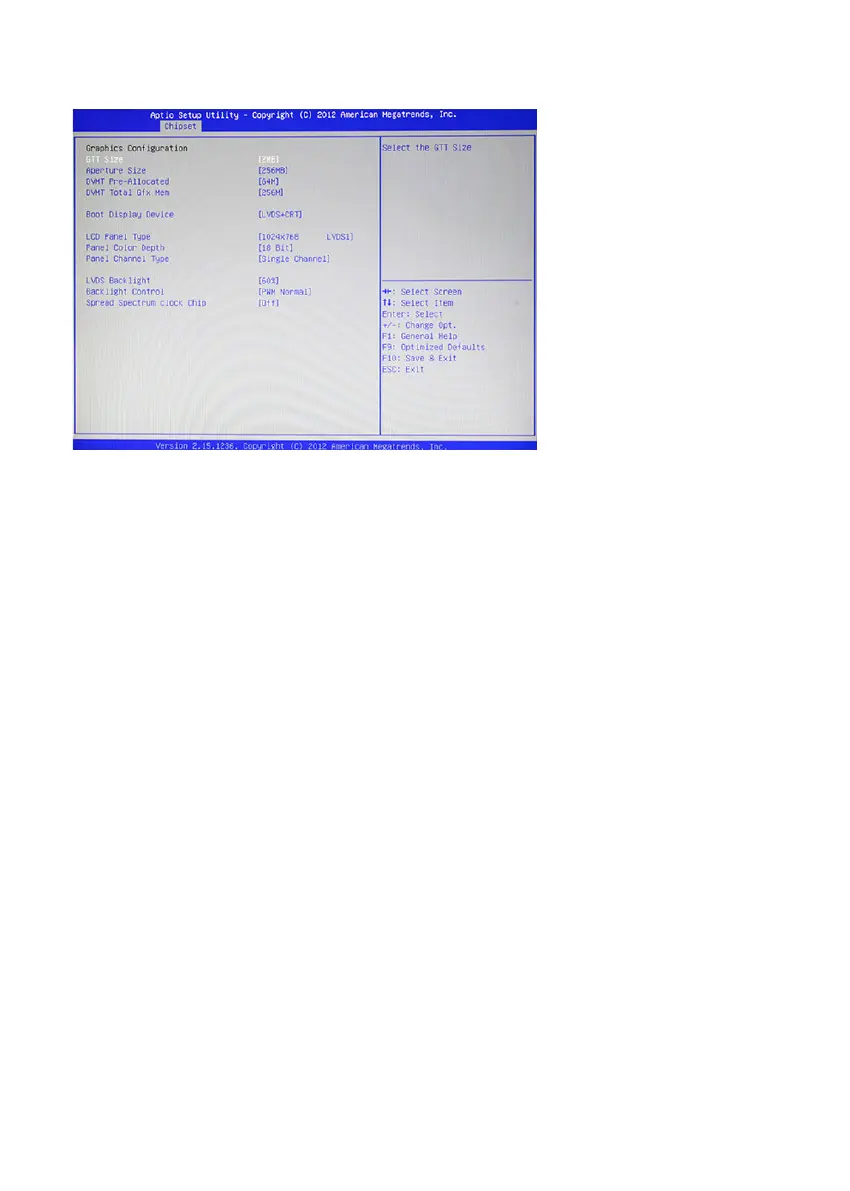
Figure 2.16 Graphics
Conguration sub-menu
GTT Size
This eld allows you to select how much system memory can be allocated to GTT.
Aperture Size
This eld allows you to select how much system memory can be allocated to graphics chip for video
purposes. The aperture is a portion of the memory address range dedicated to graphics memory address space.
Host cycles that hit the aperture range are forwarded to the graphics chip without any translation.
DVMT Pre-Allocated
This item allows you to adjust system memory that can be pre-allocated as graphics memory.
DVMT Total Gfx Mem
This item allows you to set the maximum amount of system memory that can be allocated as graphics
memory.
Boot Display Device
This option allows you to set the video device will enable during the POST.
LCD Panel Type
This item allows you to select the LCD panel type.
Panel Color Depth
This item allows you to select the color depth of the LCD panel.
Panel Channel Type
This item allows you to select the LFP panel channel type.
LVDS Backlight
This feature allows you to adjust the backlight of the LCD monitor.
Backlight Control
This feature allows you to select the backlight control interface.



 To Next Page