67
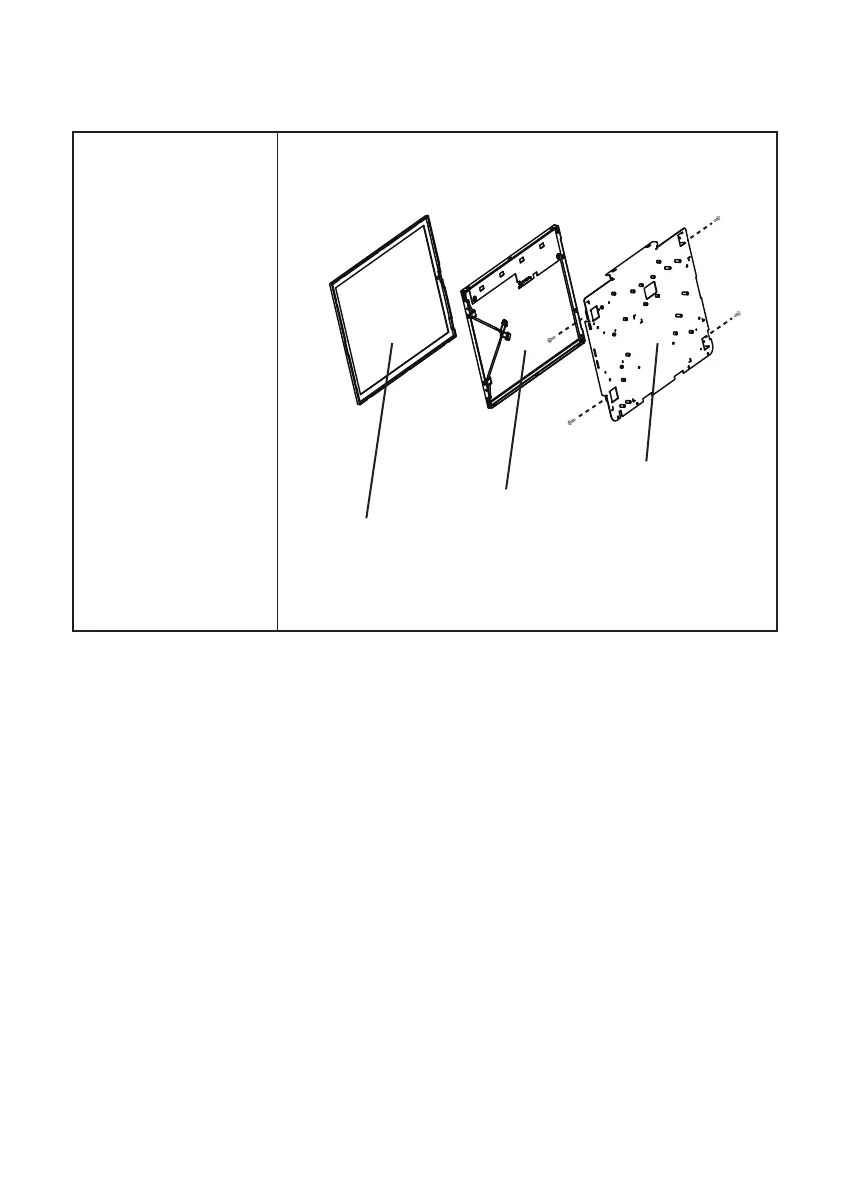
Touch Panel, LCD Panel
Before proceeding, remove
the following FRUs.
• “SP-1030 Panel” on page
51.
• “Panel Back Cover” on
page 52.
• “Speaker” on page 53.
• “Power Button” on page
54.
• “Heatsink” on page 55.
• “I/O Shield” on page 58.
• “Mainboard” on page 59.
• “Panel Control Board” on
the page 59
• “Fan” on the page 60
• “Panel Bracket” on page
64.
1. Remove four screws from
the panel bracket.
2. Remove the LCD panel.
3. Remove the touch panel.
Panel Bracket
LCD Panel
Touch Panel



 To Next Page