56 CHAPTER 5 REPLACING FIELD REPLACEABLE UNITS (FRUs)
HDD
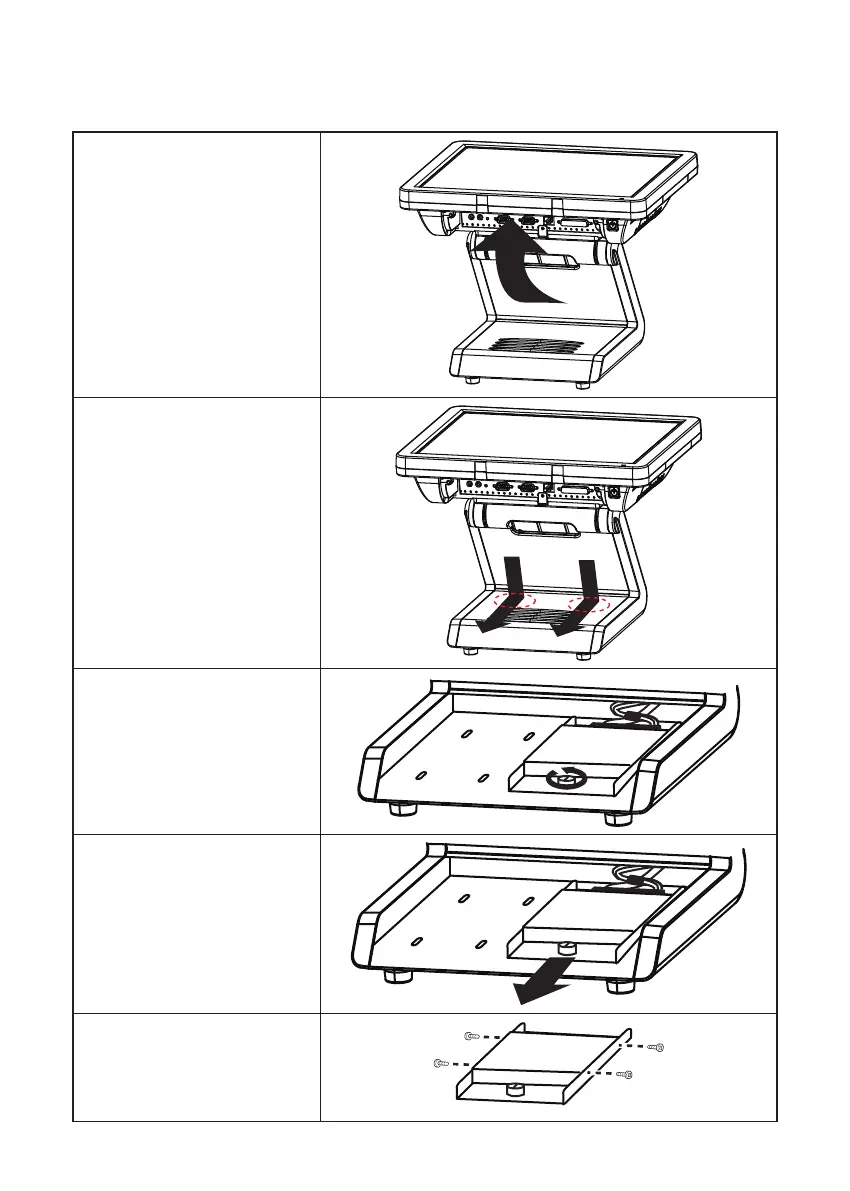
1. Rotate the LCD screen forward .
2. Press and the hard drive com-
partment cover as it shown on
the picture.
3. Turn the screw counterclockwise
to loosen the hard drive tray.
HDD
4. Slide the hard drive tray.
5. Disconnect the power cable and
SATA cable from the hard drive.
HDD
6. Remove the four screws, then
remove the hard drive out from
the tray.
HDD



 To Next Page