66 CHAPTER 5 REPLACING FIELD REPLACEABLE UNITS (FRUs)
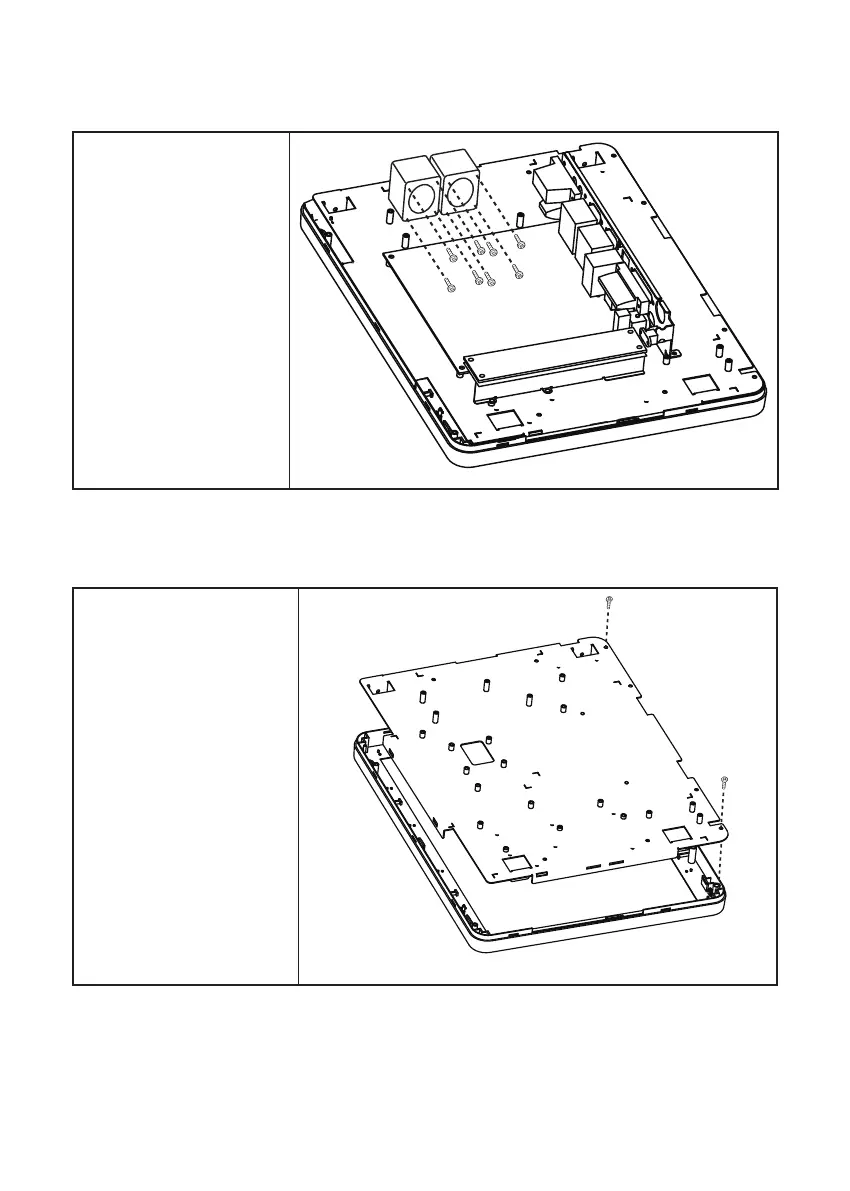
Fan
Before proceeding, remove the
following FRUs.
• “SP-1030 Panel” on page
51.
• “Panel Back Cover” on
page 52.
1. Disconnect all cables from
the fans.
2. Remove eight screws.
3. Remove the fans.
Panel Bracket
Before proceeding, remove the
following FRUs.
• “SP-1030 Panel” on page 51.
• “Panel Back Cover” on page
52.
• “Speaker” on page 53.
• “Power Button” on page 54.
• “Heatsink” on page 55.
• “I/O Shield” on page 58.
• “Mainboard” on page 59.
• “Panel Control Board” on the
page 59
• “Fan” on the page 60
1. Disconnect all cables.
2. Remove two screws.
3. Remove the panel bracket.



 To Next Page