Peak Atlas DCA Pro User Guide June 2019 – Rev 1.7
Page 36
Curve Tracing – Export Raw Data
After the curve tracing operation has completed, you can copy the raw
measurement data into the clipboard ready to be pasted into your spreadsheet
program.
Pasting the data into a spreadsheet is an ideal way of documenting important
test results.
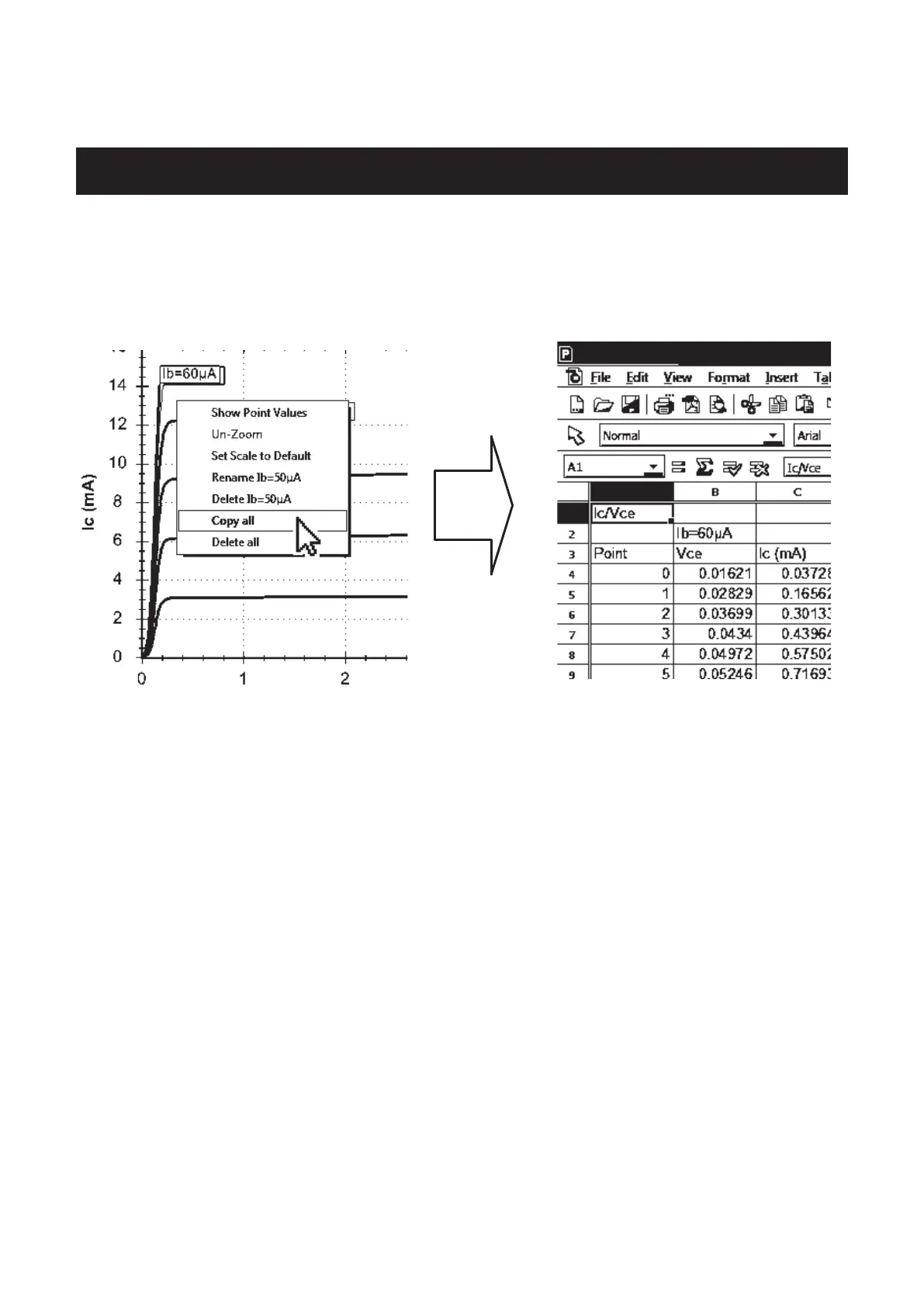
Simply right-click on one of the curves and select “Copy all”. All the raw
measurement data that created the curves is now in the clipboard. You can then
paste the data into your spreadsheet.
This feature has been tested with Microsoft Excel™©, SoftMaker PlanMaker©
and Apache Open Office™©. Other spreadsheet programs should work fine
too.
Once the raw data is pasted into your spreadsheet, you can perform your own
tasks such as charting and mathematical analysis.


 To Next Page