SGM700 Digitizer
Configuration Menu -rng- -continue-
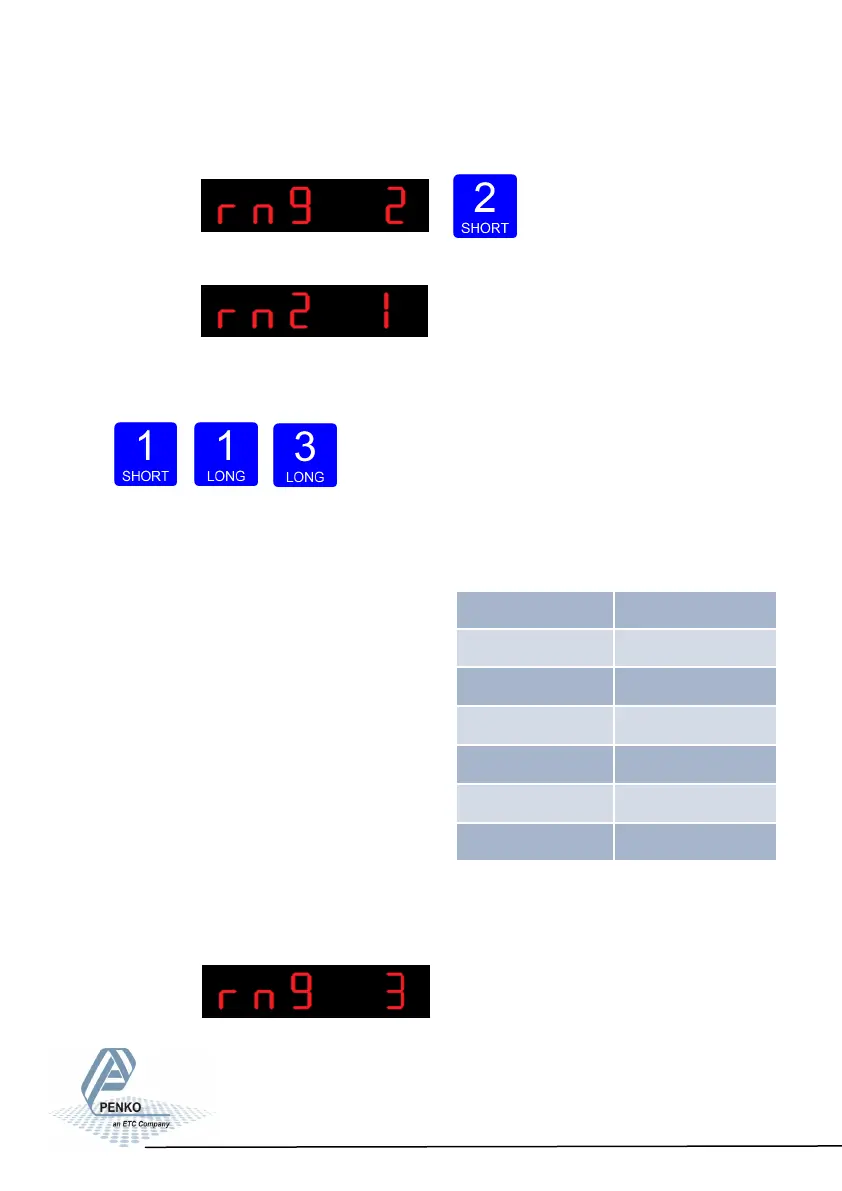
To change the maximum step size press key 2 < 2 sec.
The following screen is vissable:
Use key 1 change the filter. Key 1 is for changing the number.
Confirm by pressing key 3 for >2 sec.
Up Down Confirm
Example Max Step:
If the settings are:
Step size = 1, Range = 100 and Max.
Step = 50, the table on the right shows the
accompanying step size with which the
weigher values reduces within the displayed
ranges.
When the indicator is set certified, the
maximum preset tare is equal to the first
level of the autorange. In this example the
preset tare is valid to 100.
The following screen is vissable:
48
Displayed range Step size
0-100 1
100-200 2
200-500 5
500-1000 10
1000-2000 20
2000-5000+ 50



 To Next Page